";
document.body.appendChild(el);
dismiss = () => {
el.classList.remove("is-visible");
setTimeout(() => {
el.style.display = "none";
}, 350);
try {
localStorage.setItem(key, String(Date.now()));
} catch (e) {}
};
closeBtn = el.querySelector(".cdctr-nudge__close");
if (closeBtn) closeBtn.addEventListener("click", dismiss);
showTimer = setTimeout(() => {
if (wasRecentlyDismissed()) return;
el.style.display = "block";
void el.offsetWidth;
el.classList.add("is-visible");
}, delayMs);
} catch (e) {
if (typeof console !== "undefined") console.error("FeatureNudge error:", e);
}
return () => {
if (showTimer) clearTimeout(showTimer);
if (closeBtn && dismiss) closeBtn.removeEventListener("click", dismiss);
if (el && el.remove) el.remove();
};
}, [feature, tutorialUrl, webinarName, webinarUrl, delayMs, dismissDays, storageKey]);
return <>;
};
Content Guidance provides topic- and page-specific suggestions to help you and your team create and optimize high-value content for your audience. Using Conductor's engine for generating recommendations, you can review insights based on the content in the top-ranked pages in search engine results.
### How is Content Guidance different from Writing Assistant?
* You can use **Content Guidance** for optimization insights that are closely related to your **research** process. It is particularly useful for analyzing top-ranked pages in search engine results and getting specific recommendations.
* You can use [**Writing Assistant**](/docs/creator/writing-assistant/) as part of your **creation** workflow, providing real-time SEO insights and AI recommendations while writing and editing content. It lets you write and edit directly in a text editor, optimizing new content in real-time before publishing, and improving existing content based on current performance.
**Content** > **More** > [**Content Guidance**](https://app.conductor.com/u/content-guidance)
## Overview
### Get guidance for your content
1. In the fields at the top of Content Guidance, enter:
* A topic about which you want to write or optimize content.
* An existing page you want to optimize.
* A topic and an existing page you want to optimize for that topic.
2. Select a search context. To review the available search contexts, refer to [this article](/docs/platform/supported-search-engines-in-conductor-faqs/#which-search-engines-and-languages-does-conductor-support).
3. Click **Evaluate**.
### Review your insights
After Conductor loads its research from the top-ranked pages for your topic, you can review an overview and insights about the topic and page you entered.
#### See an overview of your topic and page
You can view a holistic overview of:
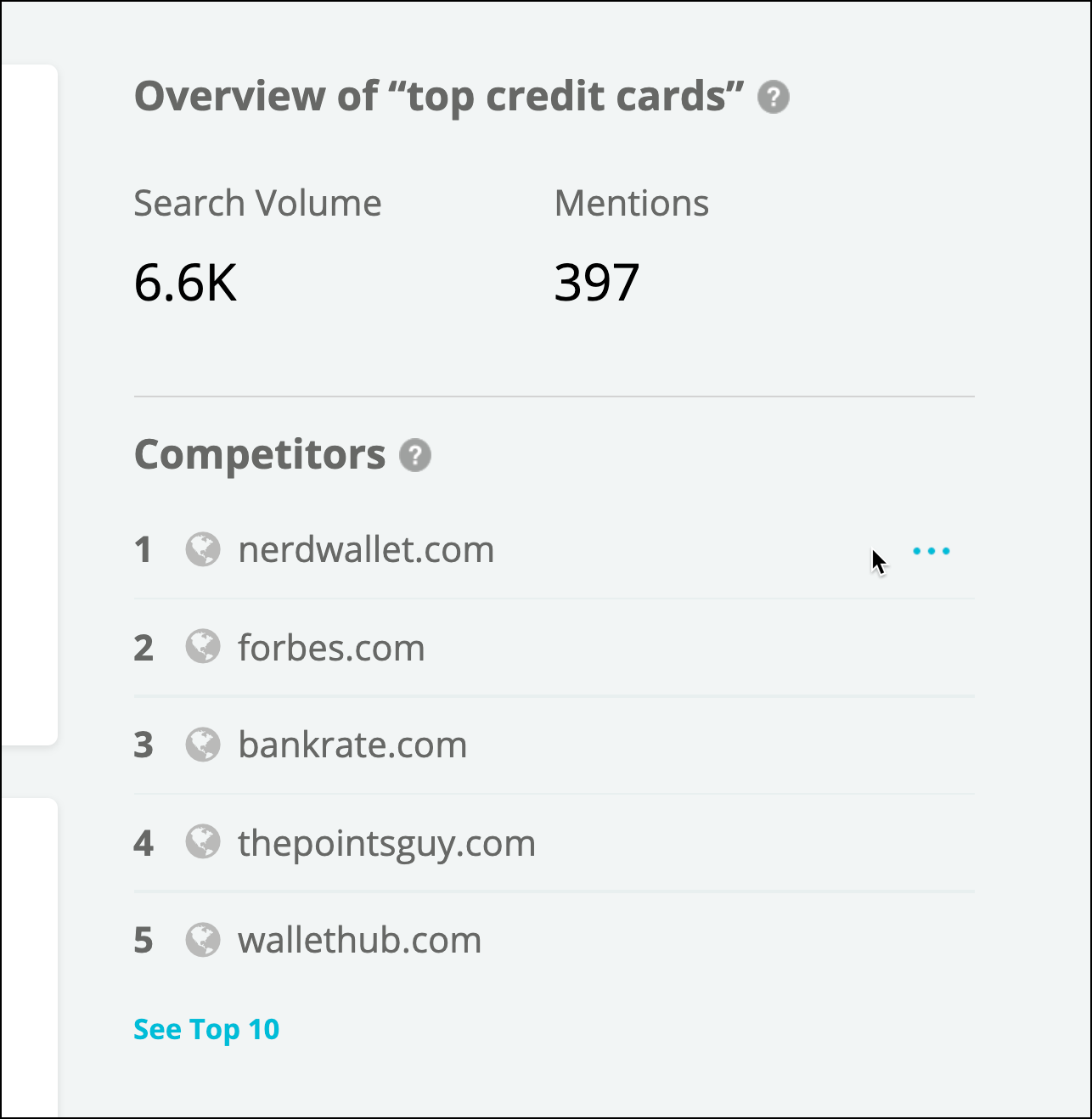
* Your organic search competition. Rank here reflects the results' standard rank.\\
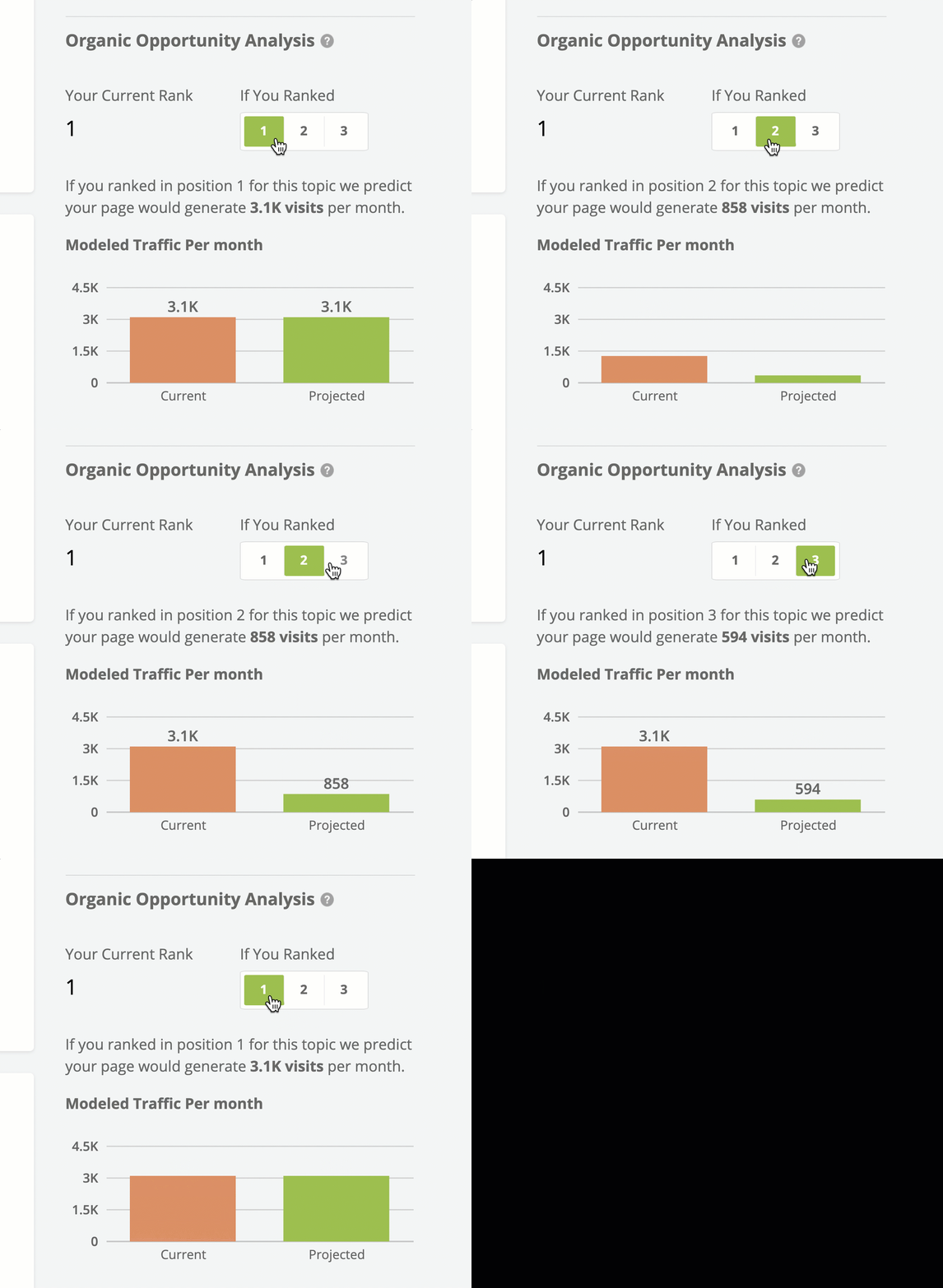
* Traffic predictions.\\
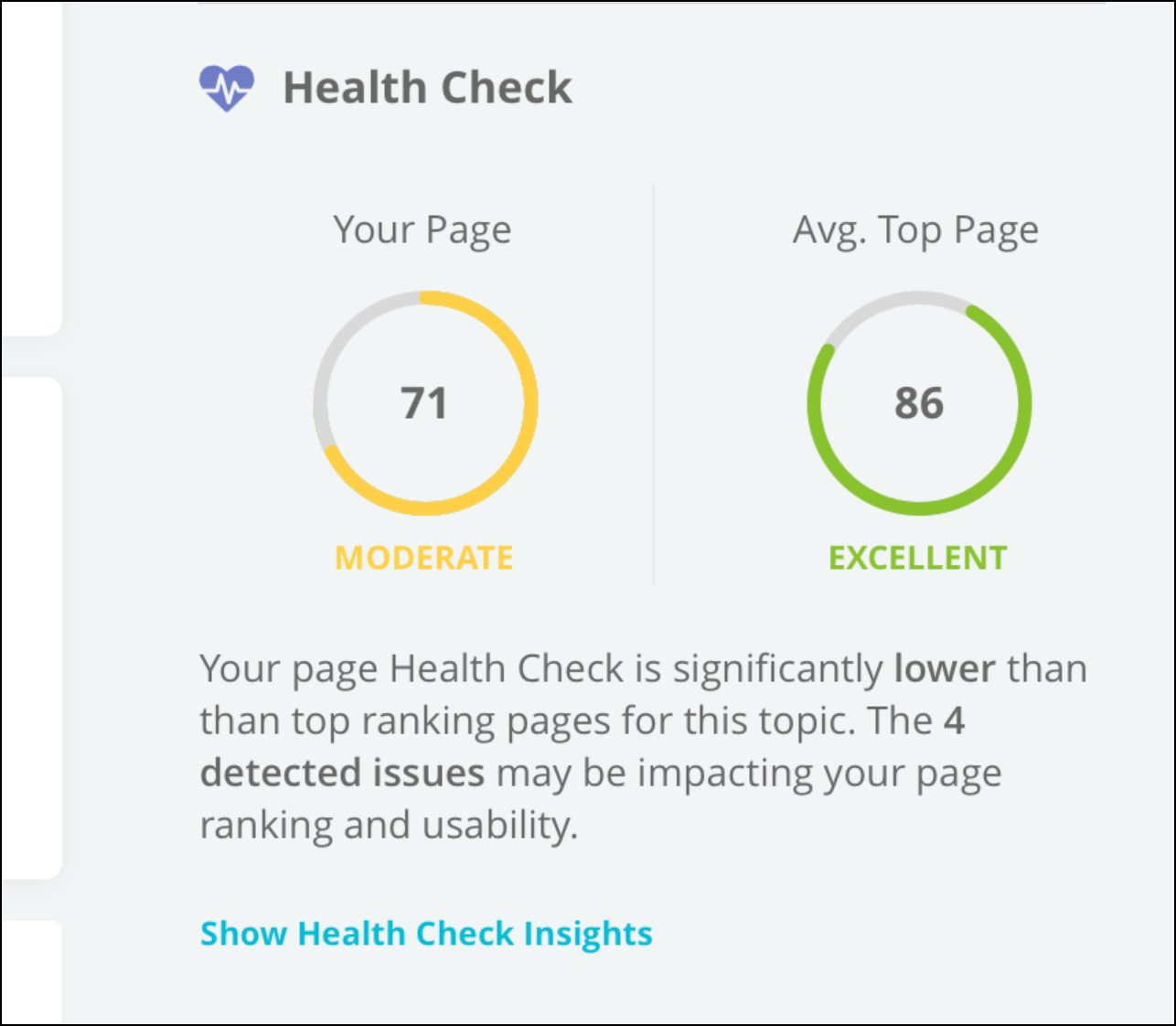
* [Health Check](/docs/creator/content-guidance-faqs/#what-is-the-health-check-score) scores for highly-ranked pages.\\
#### Discover recommendations for your content
Insights are based on and grouped by findings related to the following aspects about content on those ranked pages. The supported languages for insights depend on the type of insight:
* Related keywords
* Objective
* Audience
* Journey Stage (possible stages are: Awareness, Consideration, Conversion, and Retention)
* Content Type
* Title tags
* Meta descriptions
* Header tags (h1-h3)
* Image alt and title tags
* Readability
* [Questions](/docs/creator/content-guidance-faqs/)
* Body copy
* Content Length
* Cannibalization check. Note: If you do not see a cannibalization check insight for a topic you enter, it means Conductor did not find the page on your site to be ranking for the topic.
* Schema markup types
* [Health Check](/docs/creator/content-guidance-faqs/#what-is-the-health-check-score) factors (including Canonical, Title, Meta Description, Headings, Hreflang, HTTPS, Image alt, Links, Sitemap, URL, and Page Speed)
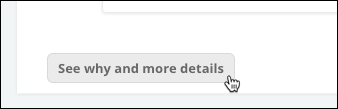
Insights are grouped by related aspects such as title tag or meta description. To see all of the insights related to a particular aspect of the content, use the button on each insight.\\
Each insight shows:
* A Strength indication, which measures how likely it is to be an important factor for people searching for your entered topic.
* The Predictive Factors Conductor used to generate the insight.
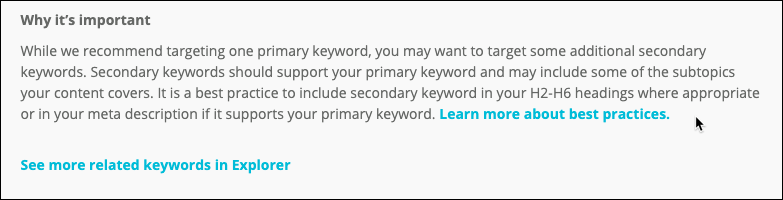
Related keyword insights also include background information about why it is important to your content's performance in search.\\
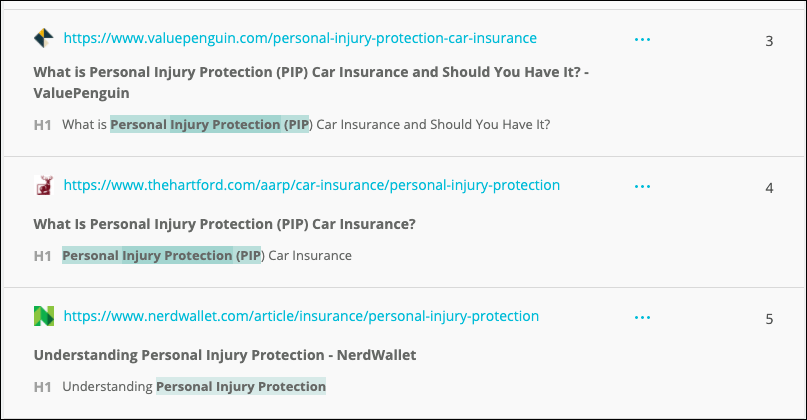
Metadata and header tag insights include information about the pages from the results that generated these insights. This information includes the pages' ranks and relevant page data. For example, for insights related to h1 header tags, you can see each h1 tag for each ranking page:\\
Review these results to get an idea of how these high-ranking pages use the topic across different aspects of their pages—without having to open each in your browser to compare. Is there anything you can learn about how these pages use the topic that you can apply to your content?
### Take action on your guidance
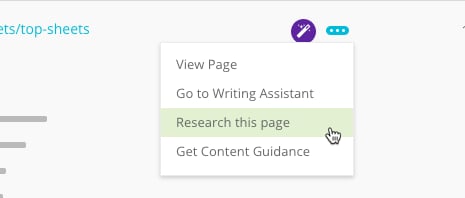
If you want to learn more about a page, you can use the **three-dot menu** to:
* Visit the page.
* [Research](/docs/creator/research/) the page.
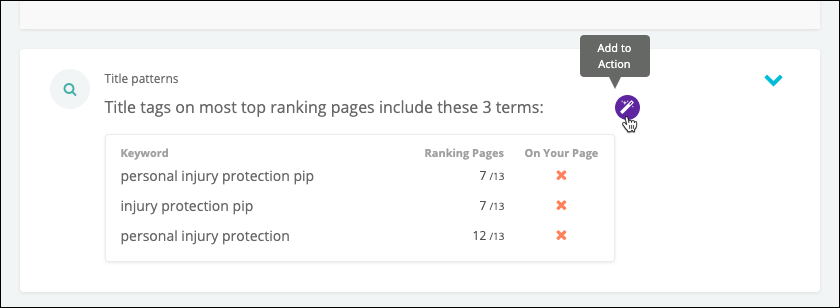
To quickly pass this information to your content team through [Conductor Actions](/docs/creator/creating-and-sharing-conductor-actions/), you can also add individual keywords and pages—or even entire insights—to an Action. \\
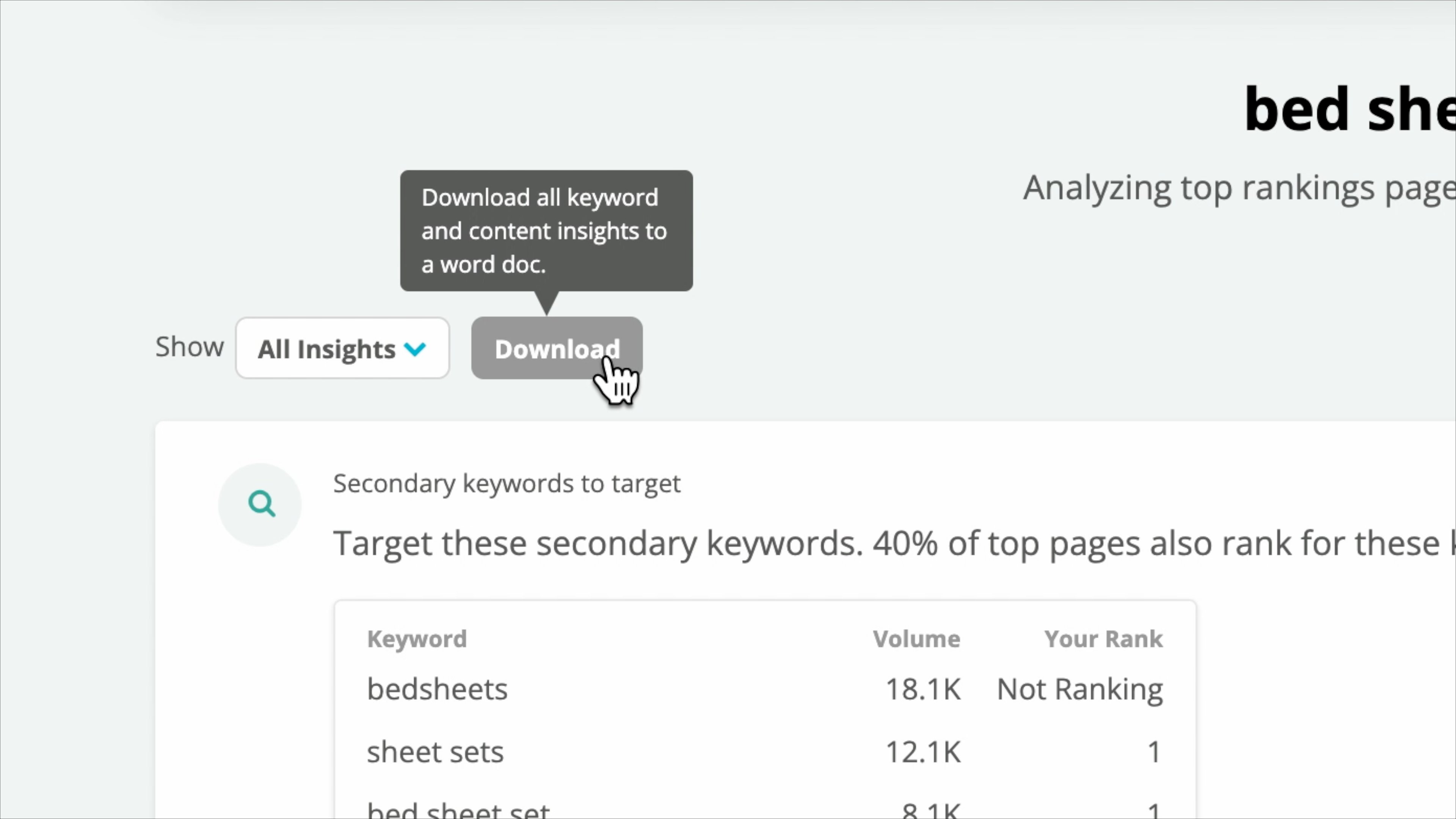
To consolidate and share all the keyword and content insights for a topic and page, you can click Download to generate a .doc file you can send to the relevant stakeholders:\\
## FAQs
[Review this feature's frequently asked questions](/docs/creator/content-guidance-faqs/)
 * Traffic predictions.\\
 * [Health Check](/docs/creator/content-guidance-faqs/#what-is-the-health-check-score) scores for highly-ranked pages.\\
 #### Discover recommendations for your content
Insights are based on and grouped by findings related to the following aspects about content on those ranked pages. The supported languages for insights depend on the type of insight:
* Related keywords
* Objective
* Audience
* Journey Stage (possible stages are: Awareness, Consideration, Conversion, and Retention)
* Content Type
* Title tags
* Meta descriptions
* Header tags (h1-h3)
* Image alt and title tags
* Readability
* [Questions](/docs/creator/content-guidance-faqs/)
* Body copy
* Content Length
* Cannibalization check. Note: If you do not see a cannibalization check insight for a topic you enter, it means Conductor did not find the page on your site to be ranking for the topic.
* Schema markup types
* [Health Check](/docs/creator/content-guidance-faqs/#what-is-the-health-check-score) factors (including Canonical, Title, Meta Description, Headings, Hreflang, HTTPS, Image alt, Links, Sitemap, URL, and Page Speed)
#### Discover recommendations for your content
Insights are based on and grouped by findings related to the following aspects about content on those ranked pages. The supported languages for insights depend on the type of insight:
* Related keywords
* Objective
* Audience
* Journey Stage (possible stages are: Awareness, Consideration, Conversion, and Retention)
* Content Type
* Title tags
* Meta descriptions
* Header tags (h1-h3)
* Image alt and title tags
* Readability
* [Questions](/docs/creator/content-guidance-faqs/)
* Body copy
* Content Length
* Cannibalization check. Note: If you do not see a cannibalization check insight for a topic you enter, it means Conductor did not find the page on your site to be ranking for the topic.
* Schema markup types
* [Health Check](/docs/creator/content-guidance-faqs/#what-is-the-health-check-score) factors (including Canonical, Title, Meta Description, Headings, Hreflang, HTTPS, Image alt, Links, Sitemap, URL, and Page Speed)
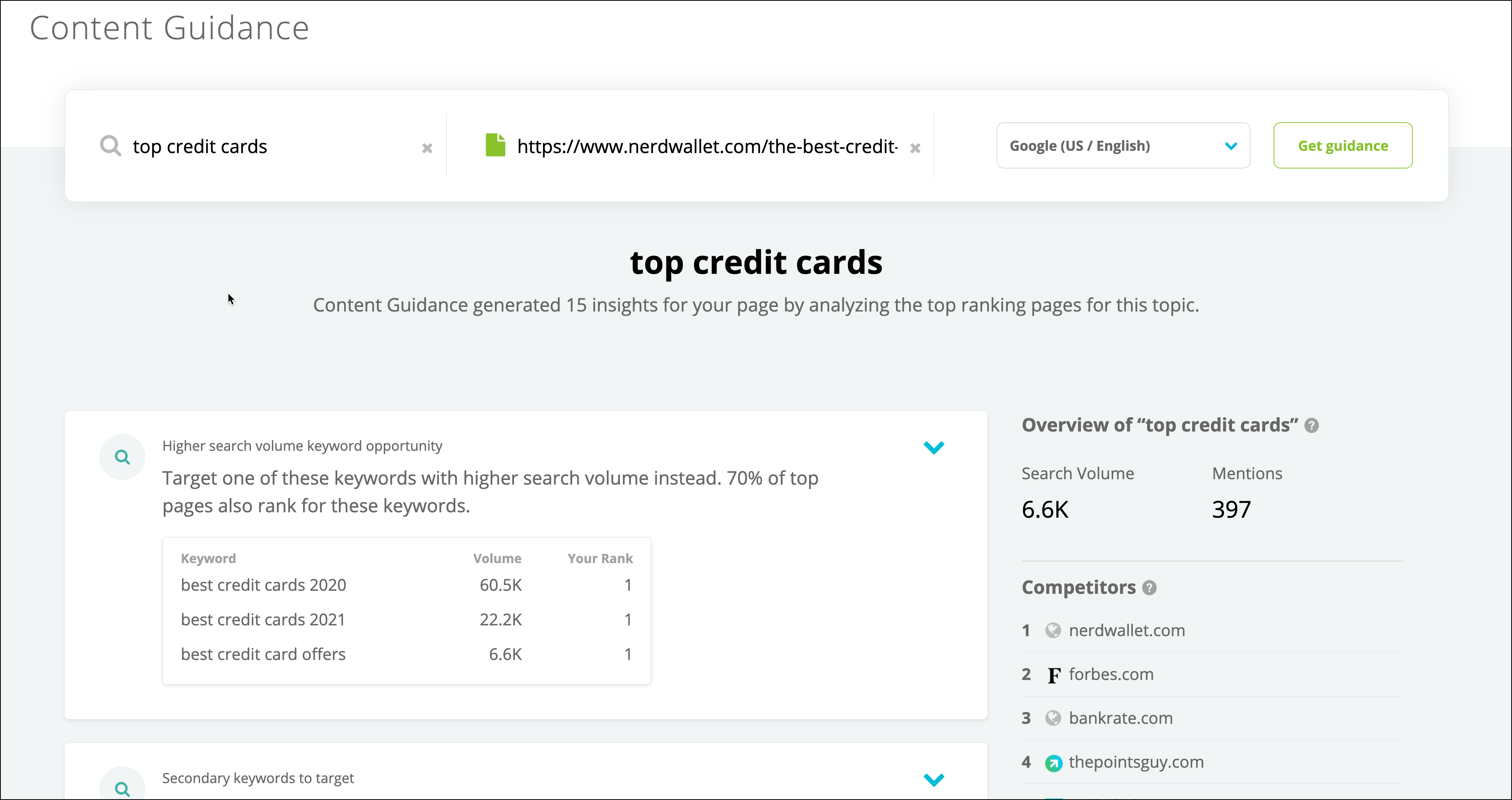 Insights are grouped by related aspects such as title tag or meta description. To see all of the insights related to a particular aspect of the content, use the button on each insight.\\
 Each insight shows:
* A Strength indication, which measures how likely it is to be an important factor for people searching for your entered topic.
* The Predictive Factors Conductor used to generate the insight.
Each insight shows:
* A Strength indication, which measures how likely it is to be an important factor for people searching for your entered topic.
* The Predictive Factors Conductor used to generate the insight.
 Related keyword insights also include background information about why it is important to your content's performance in search.\\
 Metadata and header tag insights include information about the pages from the results that generated these insights. This information includes the pages' ranks and relevant page data. For example, for insights related to h1 header tags, you can see each h1 tag for each ranking page:\\
 Review these results to get an idea of how these high-ranking pages use the topic across different aspects of their pages—without having to open each in your browser to compare. Is there anything you can learn about how these pages use the topic that you can apply to your content?
### Take action on your guidance
If you want to learn more about a page, you can use the **three-dot menu** to:
* Visit the page.
* [Research](/docs/creator/research/) the page.
Review these results to get an idea of how these high-ranking pages use the topic across different aspects of their pages—without having to open each in your browser to compare. Is there anything you can learn about how these pages use the topic that you can apply to your content?
### Take action on your guidance
If you want to learn more about a page, you can use the **three-dot menu** to:
* Visit the page.
* [Research](/docs/creator/research/) the page.
 To quickly pass this information to your content team through [Conductor Actions](/docs/creator/creating-and-sharing-conductor-actions/), you can also add individual keywords and pages—or even entire insights—to an Action. \\
 To consolidate and share all the keyword and content insights for a topic and page, you can click Download to generate a .doc file you can send to the relevant stakeholders:\\
 ## FAQs
[Review this feature's frequently asked questions](/docs/creator/content-guidance-faqs/)
## FAQs
[Review this feature's frequently asked questions](/docs/creator/content-guidance-faqs/)