> ## Documentation Index
> Fetch the complete documentation index at: https://www.conductor.com/docs/llms.txt
> Use this file to discover all available pages before exploring further.
# AI Search Performance
> The AI Search Performance report lets you monitor brand presence across AI search engines.
The AI Search Performance report lets you monitor brand presence across AI search engines. Gain insights into user intent and behavior, and track the topics that matter to your organization with Conductor. Then, dig into the data to see the mentions and citations of your brands across AI search platforms, to better understand your AEO / GEO performance.
Review visibility metrics and performance trends, and investigate market share, intent, and analysis with interactive dashboards—with daily and weekly tracking.
To start using AI Search Performance, you'll need to identify the [brands](/docs/intelligence/ai-search-faqs/#what-is-a-brand-in-conductors-ai-search-performance-reporting) and personas you care about, and then start tracking [topics](/docs/intelligence/ai-search-faqs/#what-is-a-topic-in-conductors-ai-search-performance-reporting) and the prompts that represent them. Learn how in the [AI Search Setup](/docs/intelligence/ai-search-setup/) article.
**Performance** > [**AI Search**](https://app.conductor.com/u/ai-search)
## Set the Scope of Your Report
Controls at the top of the AI Search Performance report determine the scope of the data that appears below. You can determine:
* The **Website** or websites you want to measure. [What properties are included?](/docs/intelligence/ai-search-faqs/)
* The **Brands** you want to report on. Choose any of your configured brands.
* The **AI search engine** or engines and locations you want to see data for. Currently, Conductor supports the following engines across [over 160 countries](/docs/intelligence/ai-search-faqs/#what-locations-and-languages-does-conductor-support-for-tracking-topics-with-ai-search-performance):
* **ChatGPT (Auto)**
* **ChatGPT (Search)**
* **Claude Sonnet**
* **Gemini**
* **Google AI Mode**
* **Google AIO**
* **Grok (Auto)**
* **Microsoft Copilot**
* **Perplexity**
* The **topics** you want to report on.
* The **Prompt Type**—**branded** or **unbranded**—you want to see data for.
* **More**:
* The **Persona** or personas you have configured for which you want to see data. [Learn more](/docs/intelligence/ai-search-faqs/#what-is-a-persona-in-conductors-ai-search-performance-reporting).
* The **Search Intent** or intents assigned to the prompts you track. [Learn more](/docs/intelligence/ai-search-faqs/#what-is-search-intent-in-conductors-ai-search-performance-reporting).
* The **Prompt Groups** you want to see data for. [Learn more](/docs/intelligence/ai-search-faqs/#what-is-a-prompt-group-and-how-does-it-differ-from-a-topic). *Prompt groups are currently in a limited alpha program.*
* Use the **Page Groups** menu to select the page groups to limit the report to include only those pages on your website for which you want to see citations for. Learn more.
* The **dates** across which you want to see data for. You can choose a single time period or two periods to compare.
### More about setting your scope
#### Data for Active and Inactive Prompts
Most of the time, you probably only want to see data collected for your active prompts—they're the ones that matter the most to your organization, and that's why you are actively tracking them. But there are also times when you might want to see historical data for even the prompts you *used* to track. Using this report filter lets you see data for inactive prompts too.
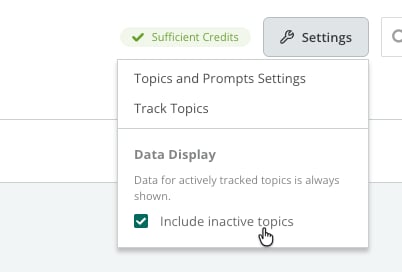
To see data for inactive prompts, click **Settings** in the top-left of AI Search Performance and select the **Include inactive topics** check box.
 **Bonus**
If Conductor collected AI search data for a prompt you’ve stopped tracking, we will include that data in your report, *even though **you** weren't actively tracking it during those time periods*.
#### AI Search Performance Data for Page Groups
Use the **Page Groups** filter to focus AI Search Performance on a specific portion of your website. For example, you might want to report on a line of business, a product line, or the pages owned by a specific team. This is especially useful when your website structure does not match internal ownership: teams can report on the pages they actually manage, even when those pages are spread across different sections and folders. Brand mentions and other non-citation views continue to reflect your tracked topics and prompts.
When you select one or more Page groups, only prompts that generate citations for the pages that belong to these groups will appear in your report; any other prompts for which other pages on your website appear as citations will not be included.
Note that you can apply up to 10 page groups, and that currently, this filter supports only custom page groups and smart page groups that use title tag or URL rules to determine the pages that belong to the group. Smart page groups using meta description and header tag rules will not appear in this menu.
[Learn about creating page groups](/docs/intelligence/page-groups-setup/).
## See a Summary of your AI Search Performance in the Overview tab
The **Overview** tab includes summary views for the data you are reporting on. You can review:
* Trended totals for **Your brand mentions**, **Your website citations**, **Your cited pages**, and **Your sentiment score** to understand your performance over time. You can click any of these widgets to jump to the **Your performance** tab, filtered by the metric shown in the widget.
**Bonus**
If Conductor collected AI search data for a prompt you’ve stopped tracking, we will include that data in your report, *even though **you** weren't actively tracking it during those time periods*.
#### AI Search Performance Data for Page Groups
Use the **Page Groups** filter to focus AI Search Performance on a specific portion of your website. For example, you might want to report on a line of business, a product line, or the pages owned by a specific team. This is especially useful when your website structure does not match internal ownership: teams can report on the pages they actually manage, even when those pages are spread across different sections and folders. Brand mentions and other non-citation views continue to reflect your tracked topics and prompts.
When you select one or more Page groups, only prompts that generate citations for the pages that belong to these groups will appear in your report; any other prompts for which other pages on your website appear as citations will not be included.
Note that you can apply up to 10 page groups, and that currently, this filter supports only custom page groups and smart page groups that use title tag or URL rules to determine the pages that belong to the group. Smart page groups using meta description and header tag rules will not appear in this menu.
[Learn about creating page groups](/docs/intelligence/page-groups-setup/).
## See a Summary of your AI Search Performance in the Overview tab
The **Overview** tab includes summary views for the data you are reporting on. You can review:
* Trended totals for **Your brand mentions**, **Your website citations**, **Your cited pages**, and **Your sentiment score** to understand your performance over time. You can click any of these widgets to jump to the **Your performance** tab, filtered by the metric shown in the widget.
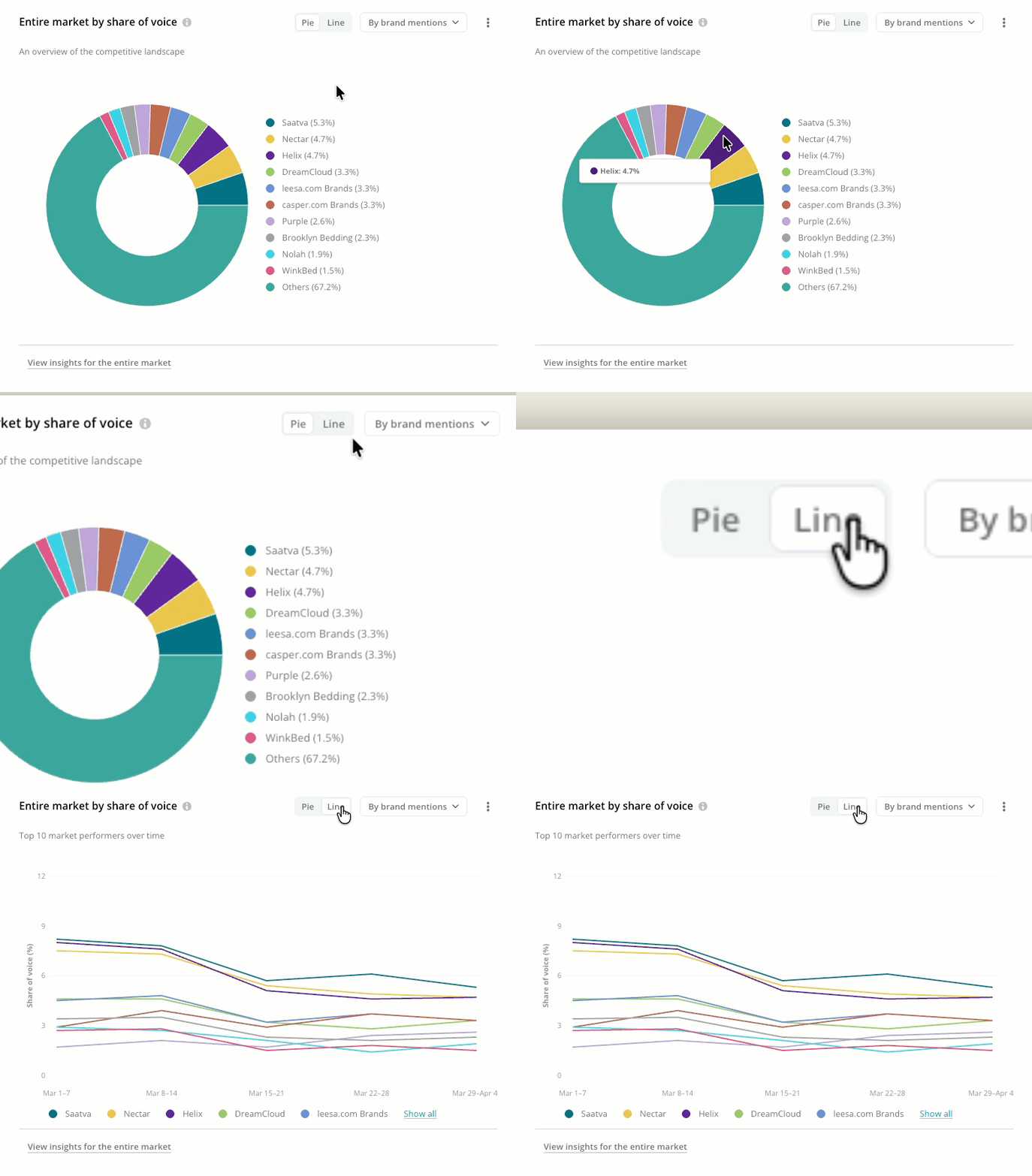
 * **Entire market by share of voice**—by citation or mention—to compare your performance to the market. You can choose between a snapshot of the market for the most-recent date in your reporting time period (the **Pie** chart) or a trend of the top 10 brands or websites (the **Line** graph).
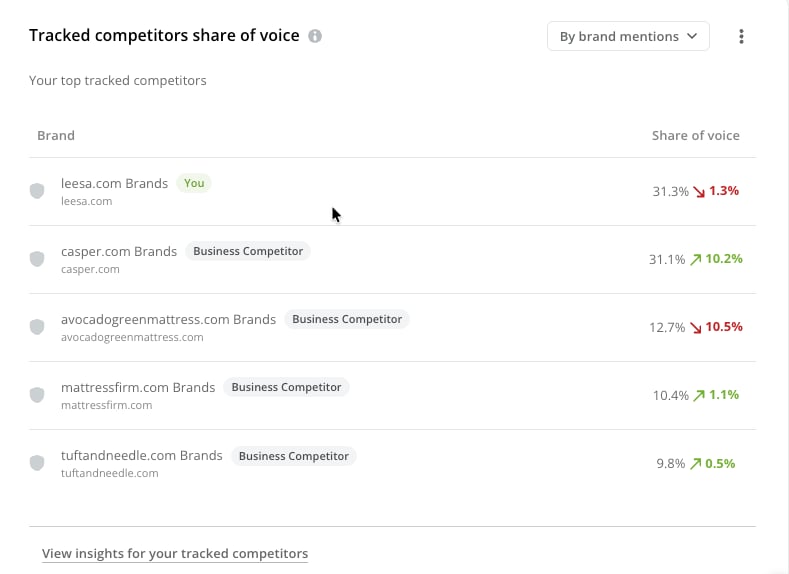
 * **Tracked competitors share of voice**—by citation or mention—to compare your performance to your tracked competitors.
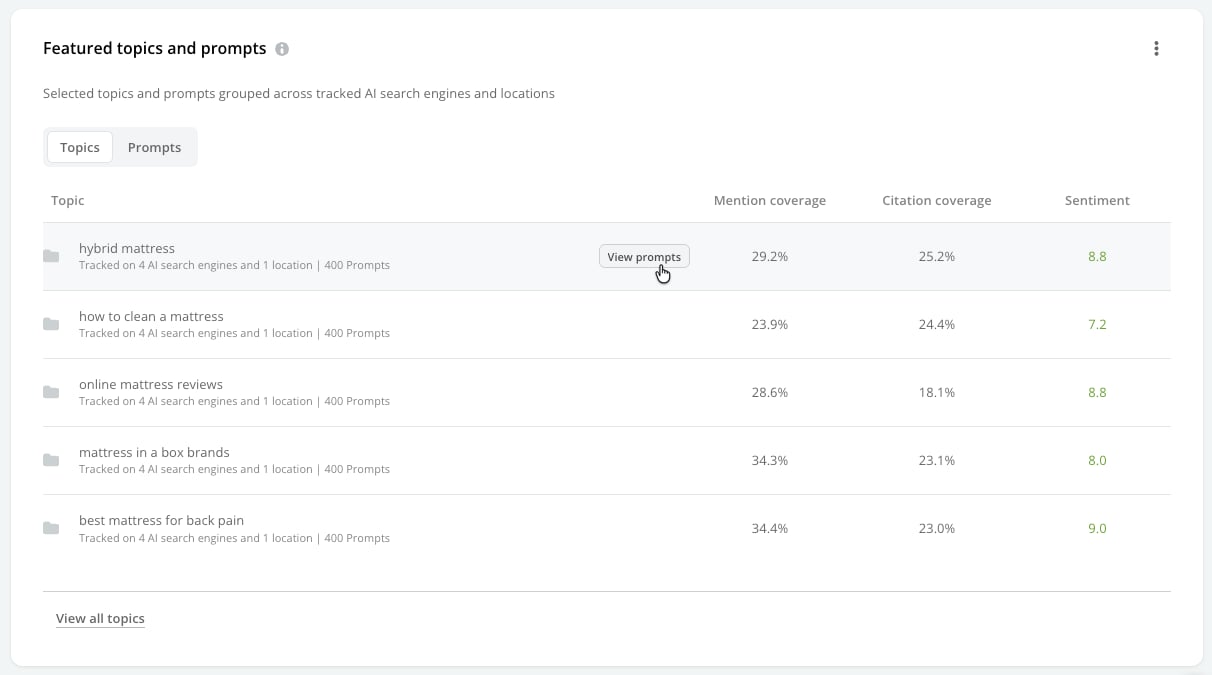
 * **Featured topics and prompts** to see a curated selection of the topics and prompts driving your performance.
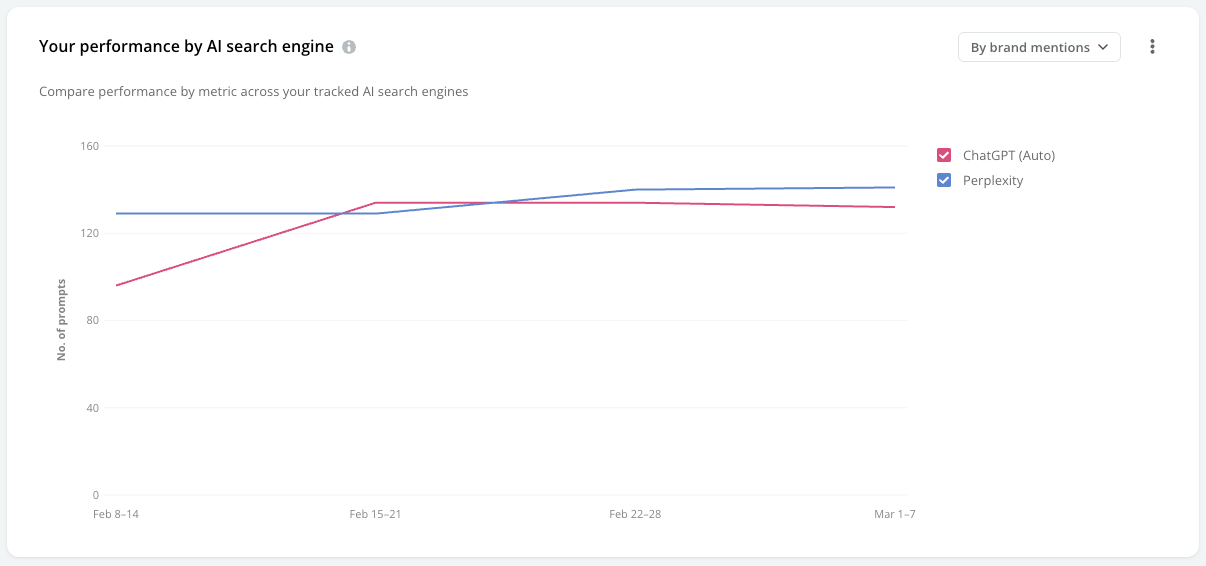
 * **Your performance by search engine**—by citation, mention, number of cited pages, or sentiment score—to better understand how responses from specific AI engines fluctuate over time.
 ### Review your recommendations for your AI Search Performance
Alpha
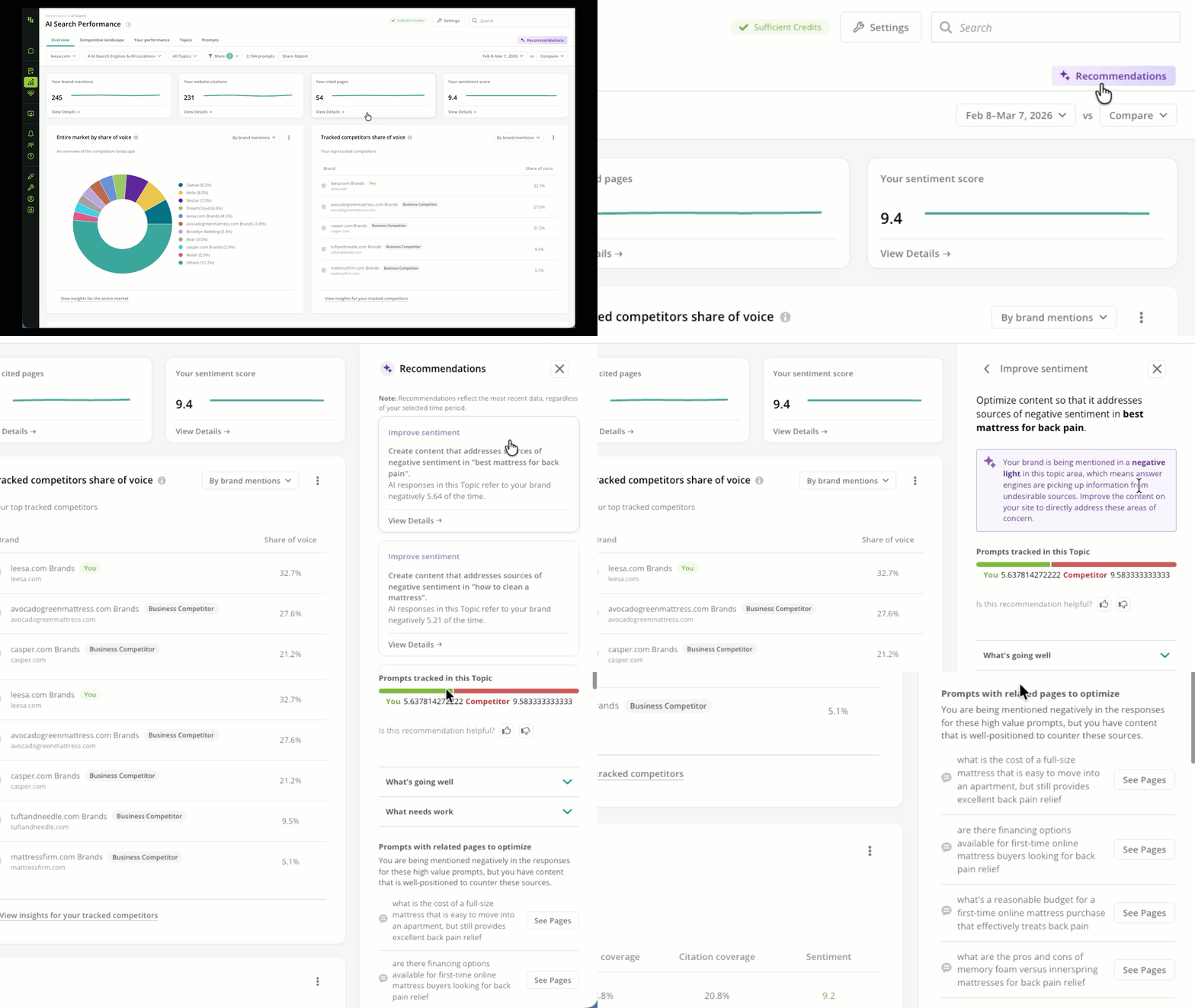
You can open Conductor's [Recommendations](/docs/intelligence/recommendations/) from the **Overview** tab in AI Search Performance. Recommendations will discover topics with few or no brand mentions, few or no citations, and negative Sentiment—each triggered by specific AI Search Performance signals.
From these Recommendations, take immediate action on the content driving your results by jumping to [Writing Assistant](/docs/creator/writing-assistant/) in Conductor Creator.
### Review your recommendations for your AI Search Performance
Alpha
You can open Conductor's [Recommendations](/docs/intelligence/recommendations/) from the **Overview** tab in AI Search Performance. Recommendations will discover topics with few or no brand mentions, few or no citations, and negative Sentiment—each triggered by specific AI Search Performance signals.
From these Recommendations, take immediate action on the content driving your results by jumping to [Writing Assistant](/docs/creator/writing-assistant/) in Conductor Creator.
 ## Research your competitors and the market in the Competitors tab
The **Competitors** tab provides you with performance data across all the websites that own mentions and citations in the responses to the prompts you track with Conductor.
### Set your scope
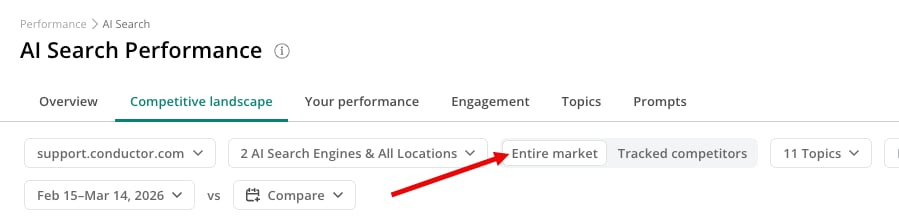
The **Competitors** tab includes an additional toggle in the report header that determines whether the report includes data about your **Entire market**—that reflects all data for all your topics and prompts—or about just your **Tracked competitors**. This gives you the flexibility to focus on only the competitors you know about, but also discover new competitors vying for the same visibility in AI search responses.
## Research your competitors and the market in the Competitors tab
The **Competitors** tab provides you with performance data across all the websites that own mentions and citations in the responses to the prompts you track with Conductor.
### Set your scope
The **Competitors** tab includes an additional toggle in the report header that determines whether the report includes data about your **Entire market**—that reflects all data for all your topics and prompts—or about just your **Tracked competitors**. This gives you the flexibility to focus on only the competitors you know about, but also discover new competitors vying for the same visibility in AI search responses.
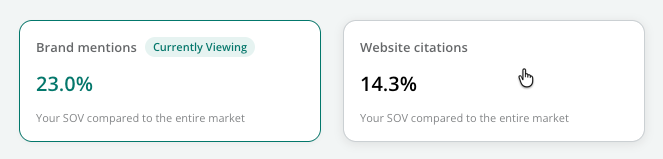
 At the top of the report, you can see your website's total **Share of Voice** for citations and mentions. Clicking one of these options updates the charts below to show you more data about your competition across the selected metric.
 ### Review your competition for citations
Click the **Citations** option at the top of the report to focus on competitive data for citations.
#### See trended share of voice data for citations
The **Your website citation share of voice** chart lets you track how often your websites are cited in AI search responses. Choose between the **Pie** graph or the **Line** graph if you want to see a snapshot of your current performance (the pie chart) or a trended view (the line chart).
### Review your competition for citations
Click the **Citations** option at the top of the report to focus on competitive data for citations.
#### See trended share of voice data for citations
The **Your website citation share of voice** chart lets you track how often your websites are cited in AI search responses. Choose between the **Pie** graph or the **Line** graph if you want to see a snapshot of your current performance (the pie chart) or a trended view (the line chart).
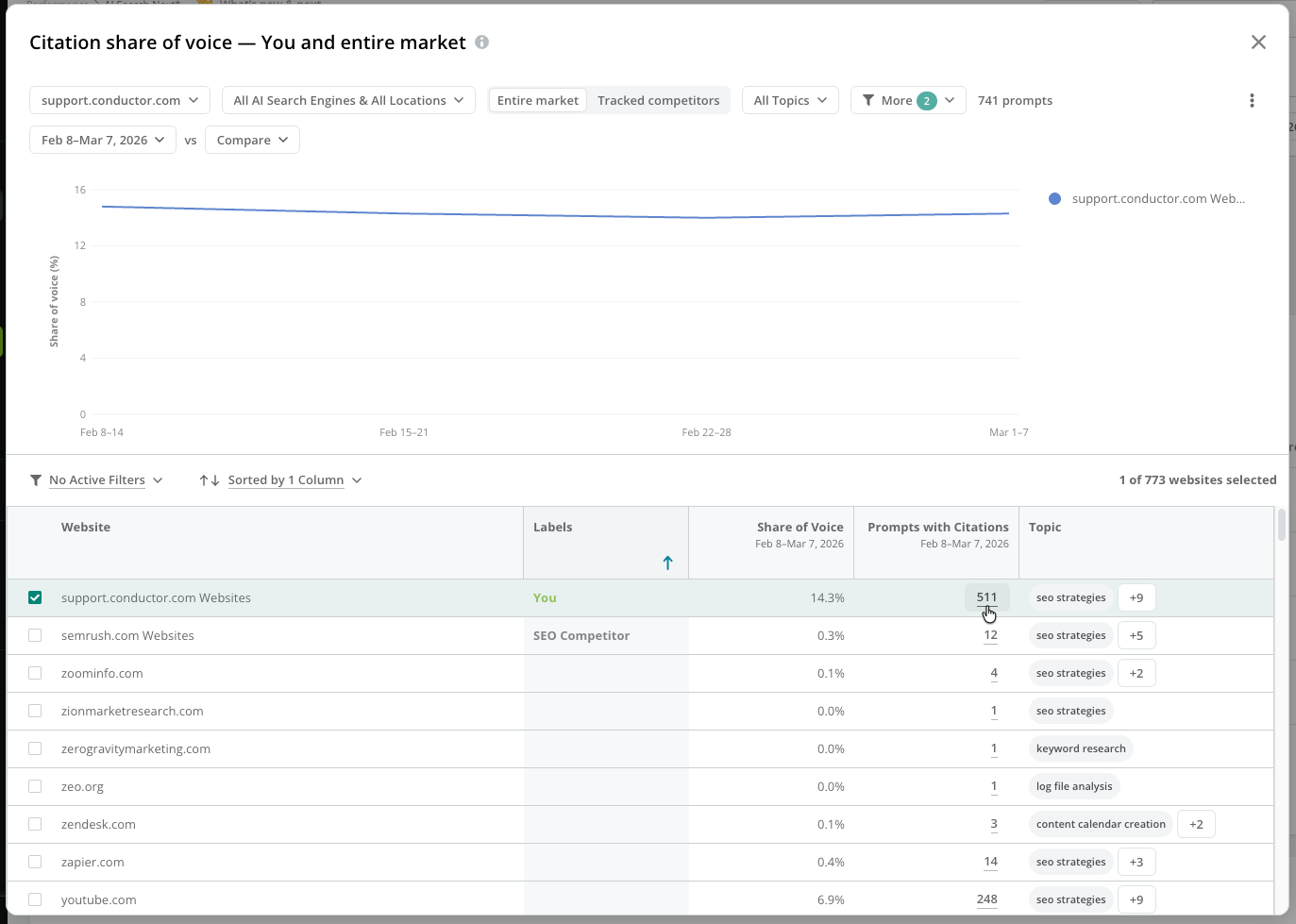
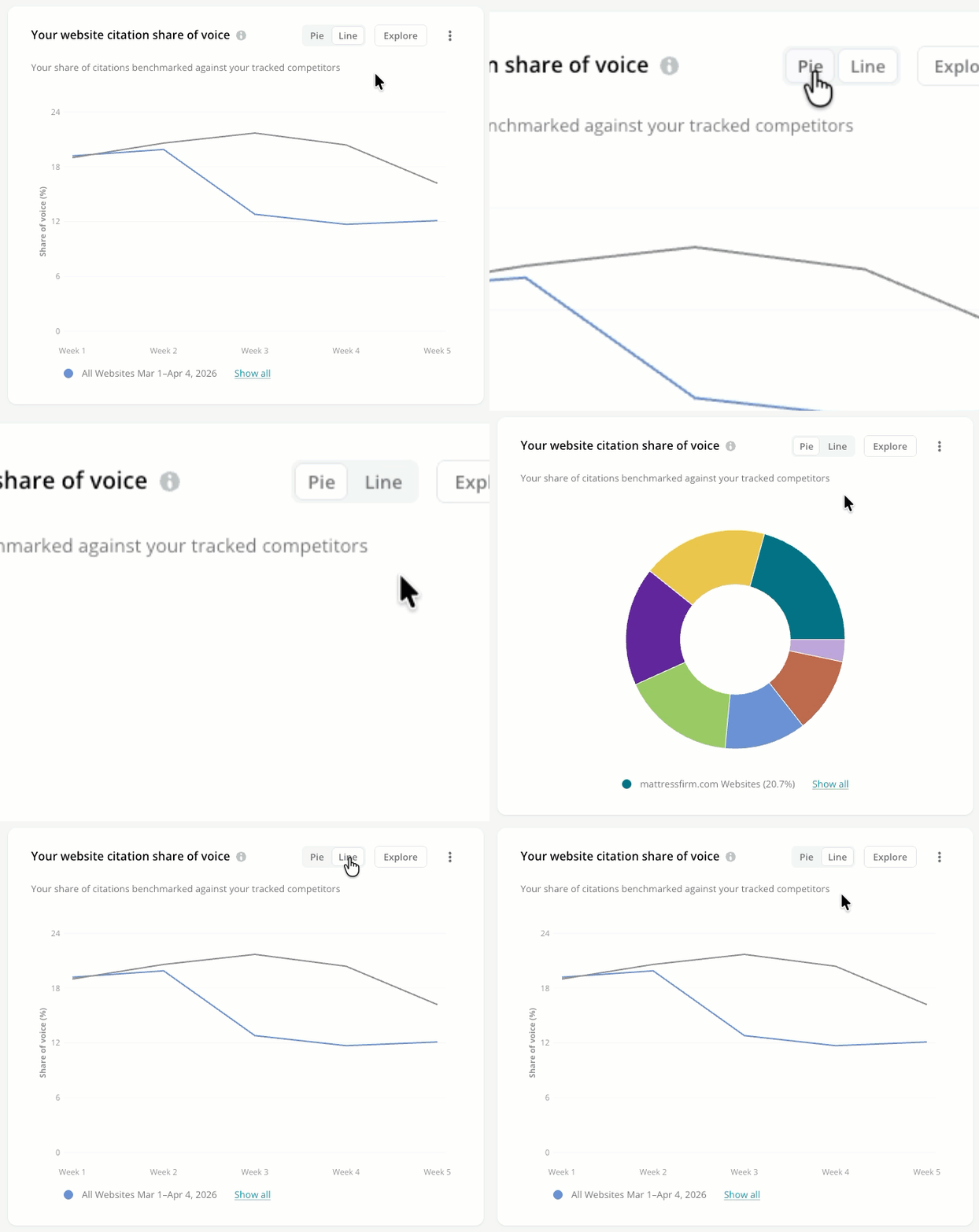 Click **Explore** to compare your performance to your competitors' performance. Want to see the specific prompts generating these citations in AI responses? Click the value in the **Prompts with Citations** column to investigate the prompts the citations appeared for and the responses that include them.
 #### View the most frequently cited pages in responses to your tracked prompts
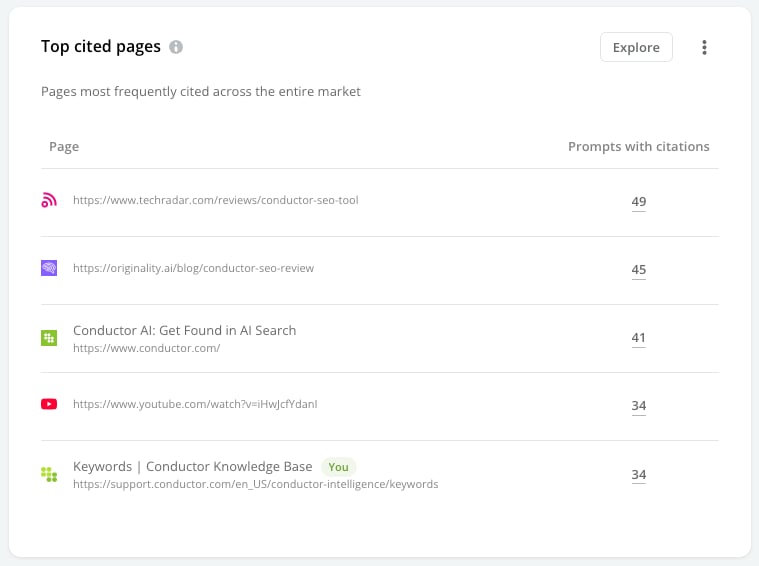
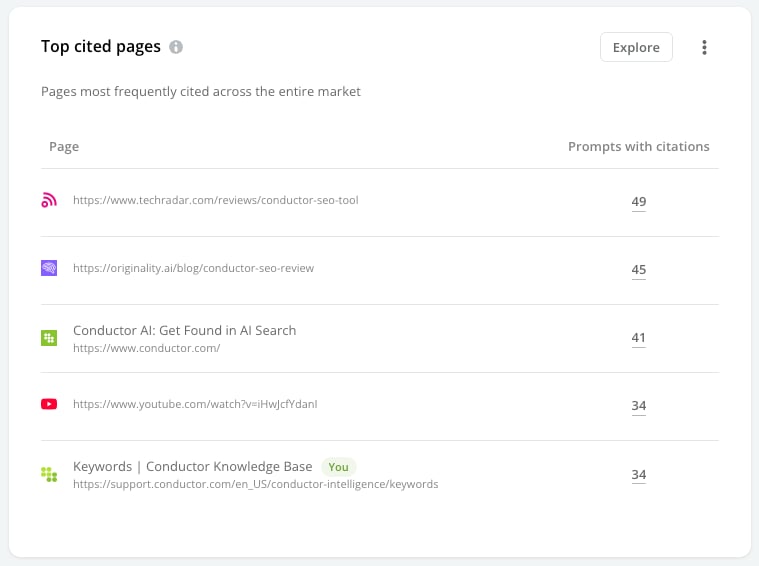
The **Top cited pages** list lets you view which of your pages and your competitors' pages AI search responses cite most often, listed in order of citations during the most recent selected time period.
#### View the most frequently cited pages in responses to your tracked prompts
The **Top cited pages** list lets you view which of your pages and your competitors' pages AI search responses cite most often, listed in order of citations during the most recent selected time period.
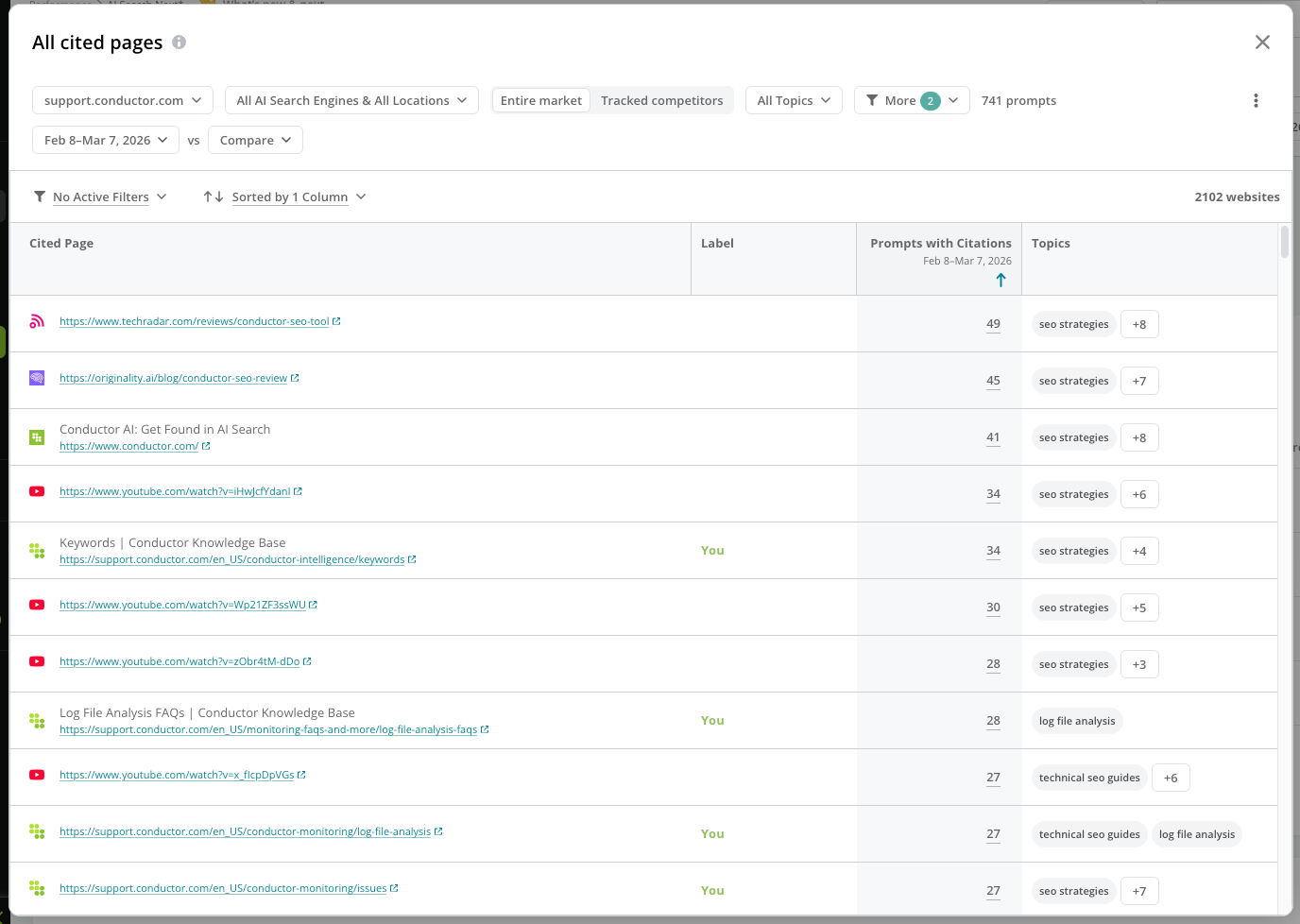
 Click **Explore** to view data for all the pages cited in the responses to your tracked prompts. Want to see the specific prompts generating these citations in AI responses? Click the value in the **Prompts with Citations** column to investigate the prompts the citations appeared for and the responses that include them.
 #### View the most frequently cited websites in responses to your tracked prompts
The **Competitive landscape by top topics** matrix helps you identify benchmarks and uncover content opportunities by viewing the most-frequently cited competitors for your topics with the most tracked prompts. This data reflects the most recent selected time period.
#### View the most frequently cited websites in responses to your tracked prompts
The **Competitive landscape by top topics** matrix helps you identify benchmarks and uncover content opportunities by viewing the most-frequently cited competitors for your topics with the most tracked prompts. This data reflects the most recent selected time period.
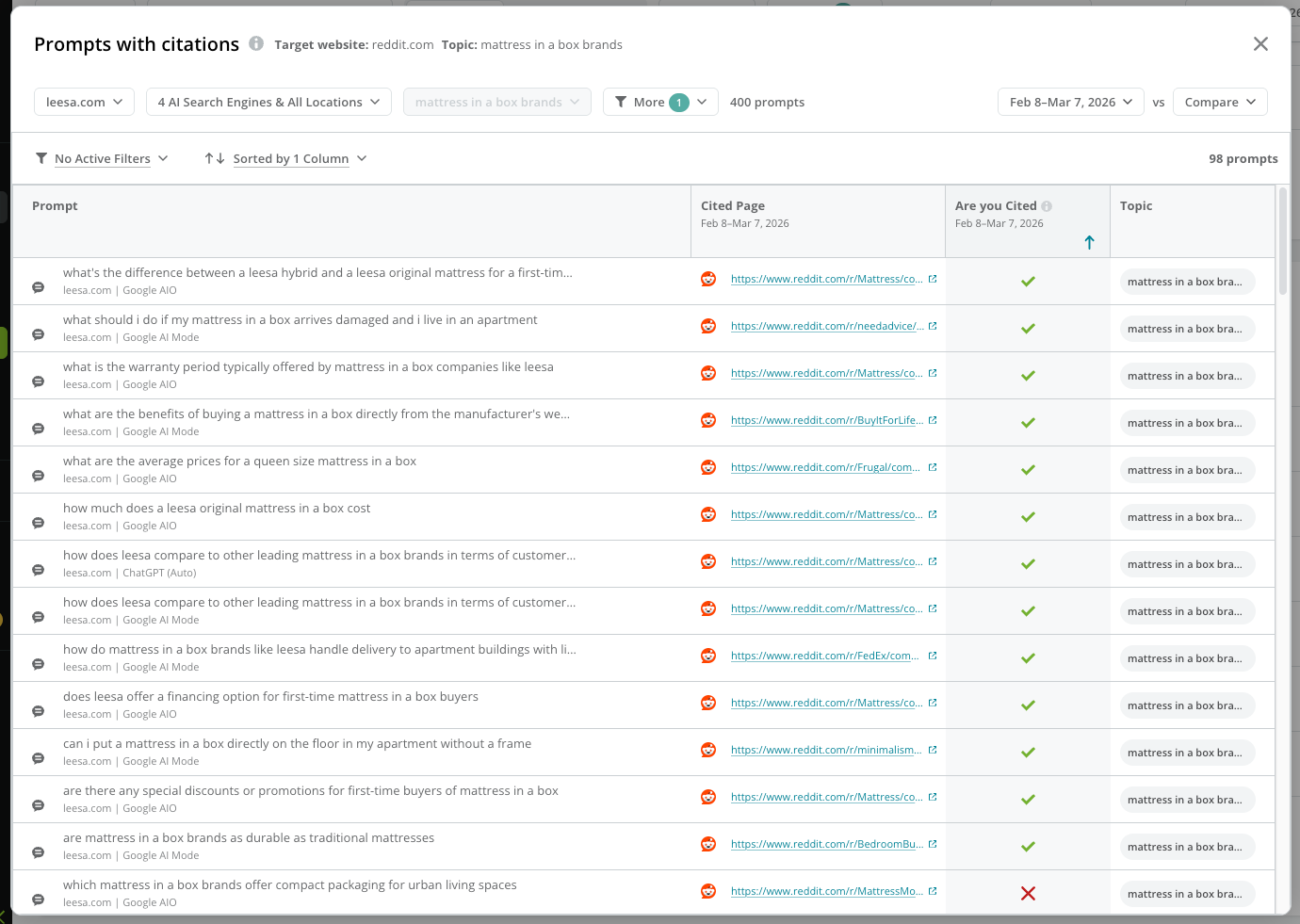
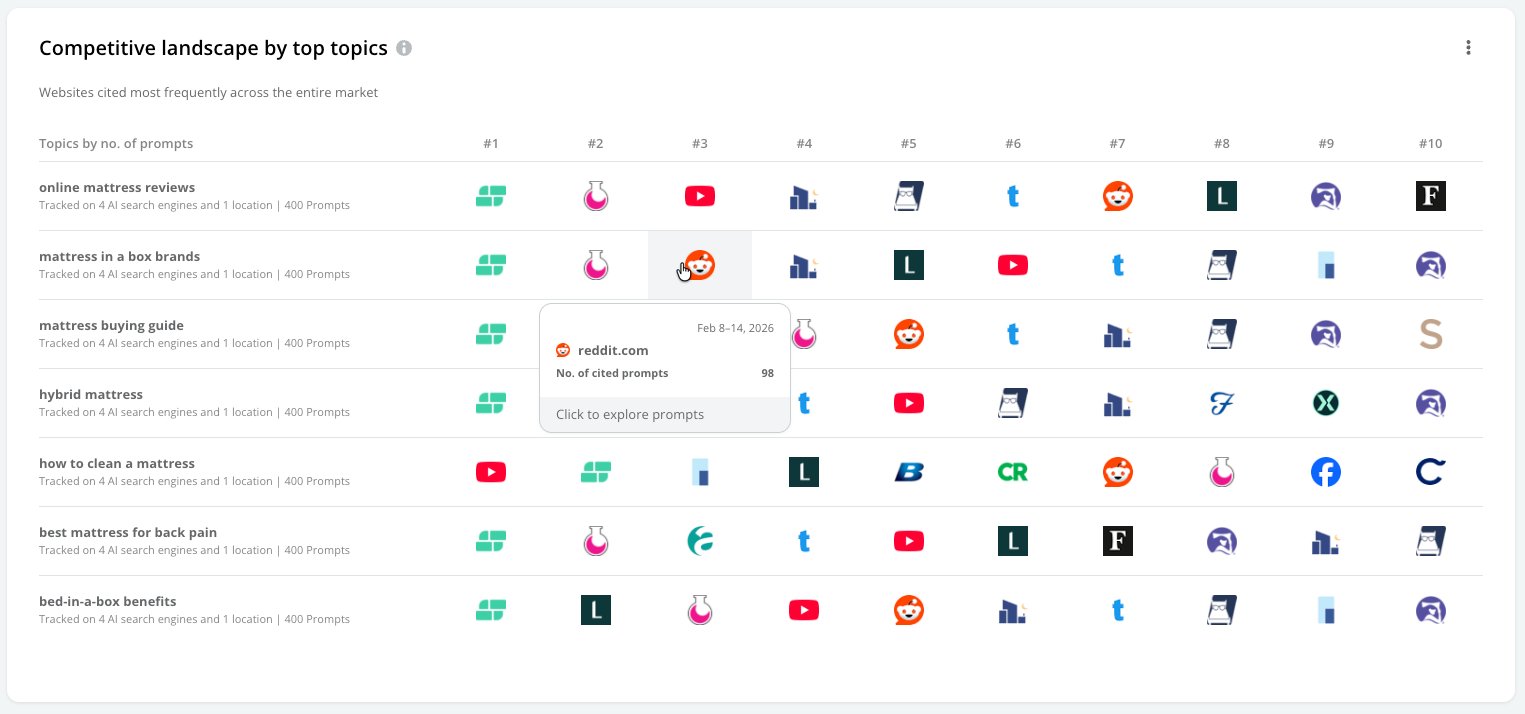 Click one of the websites in the table to see the list of prompts in the topic that generate citations for the website. You can click the **Response** button for any prompt in the table to see the specific AI response that included the citation.
 ### Review your competition for mentions
Click the **Brand mentions** option at the top of the report to focus on competitive data for mentions.
#### See trended share of voice data for mentions
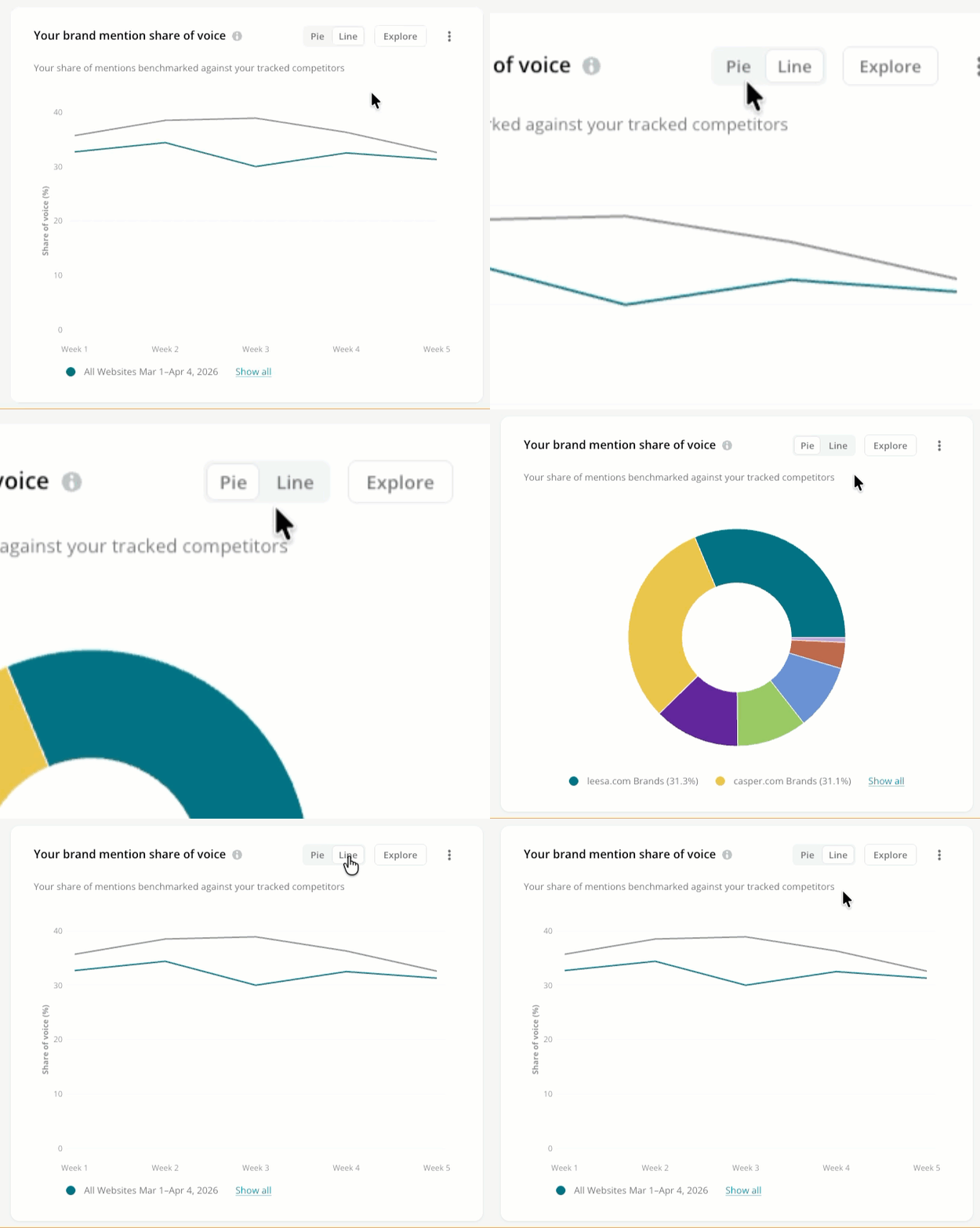
The **Your brand mention share of voice** chart lets you track how often your brands are mentioned in AI search responses. Choose between the **Pie** graph or the **Line** graph.
### Review your competition for mentions
Click the **Brand mentions** option at the top of the report to focus on competitive data for mentions.
#### See trended share of voice data for mentions
The **Your brand mention share of voice** chart lets you track how often your brands are mentioned in AI search responses. Choose between the **Pie** graph or the **Line** graph.
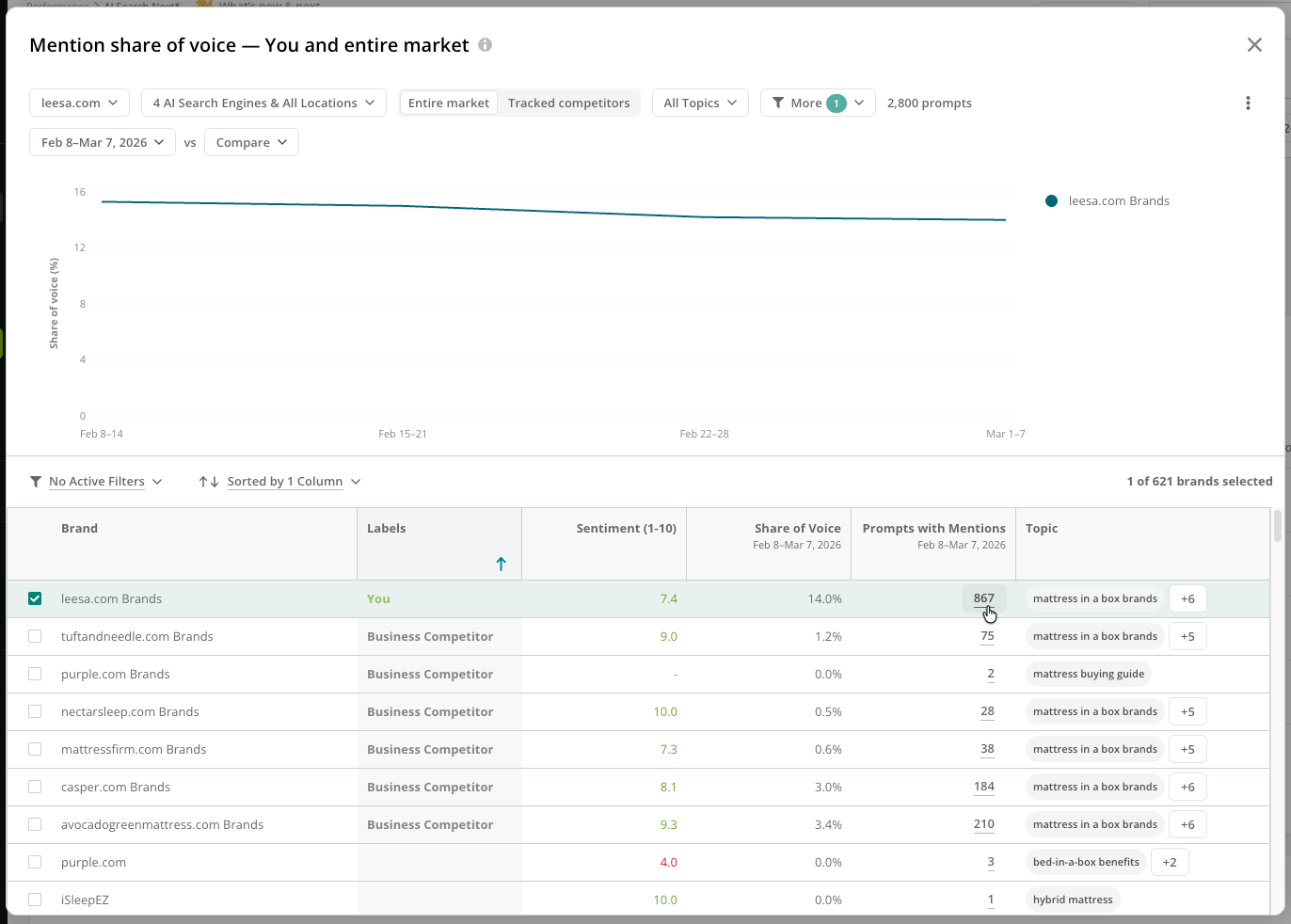
 Click **Explore** to compare your brands' performance to your competitors' performance. Want to see the specific prompts generating these mentions in AI responses? Click the value in the **Prompts with Mentions** column to see the prompts for which the brand appeared with mentions.
 #### View the most frequently mentioned brands in responses to your tracked prompts
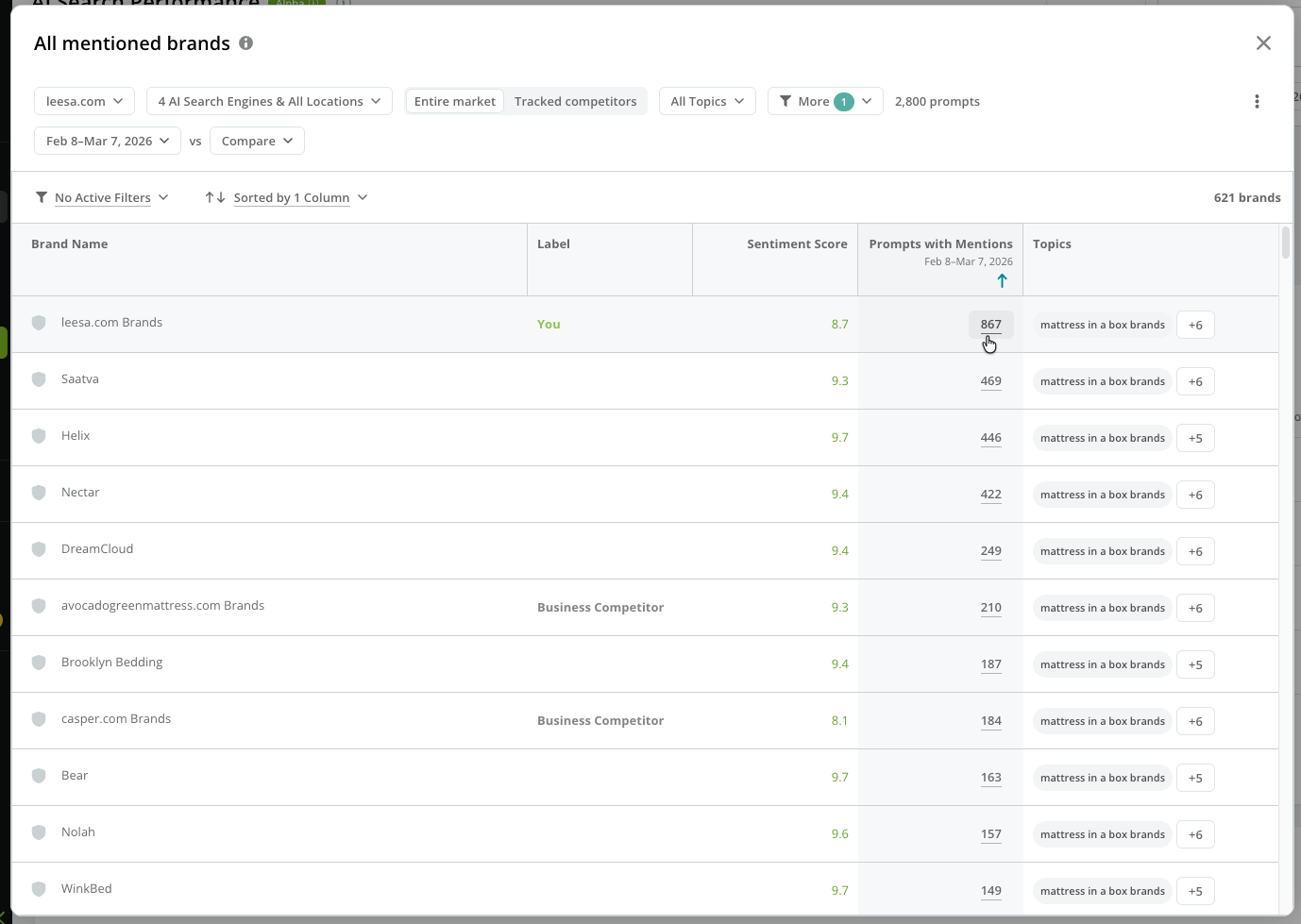
The **Top mentioned brands** list lets you view which of your brands—yours or your competitors'—AI search responses mention most often, listed in order of mentions during the most recent selected time period.
#### View the most frequently mentioned brands in responses to your tracked prompts
The **Top mentioned brands** list lets you view which of your brands—yours or your competitors'—AI search responses mention most often, listed in order of mentions during the most recent selected time period.
 Click **Explore** to view data for all brands mentioned in the responses to your tracked prompts. Click the value in the **Prompts with Mentions** column to investigate the prompts the mentions appeared for and the responses that include them.
 #### View the most frequently mentioned brands in responses to your tracked prompts
The **Competitive landscape by top topic** matrix helps you identify benchmarks and uncover content opportunities by viewing the most-frequently mentioned competitors for your topics with the most tracked prompts. This data reflects the most recent selected time period.
#### View the most frequently mentioned brands in responses to your tracked prompts
The **Competitive landscape by top topic** matrix helps you identify benchmarks and uncover content opportunities by viewing the most-frequently mentioned competitors for your topics with the most tracked prompts. This data reflects the most recent selected time period.
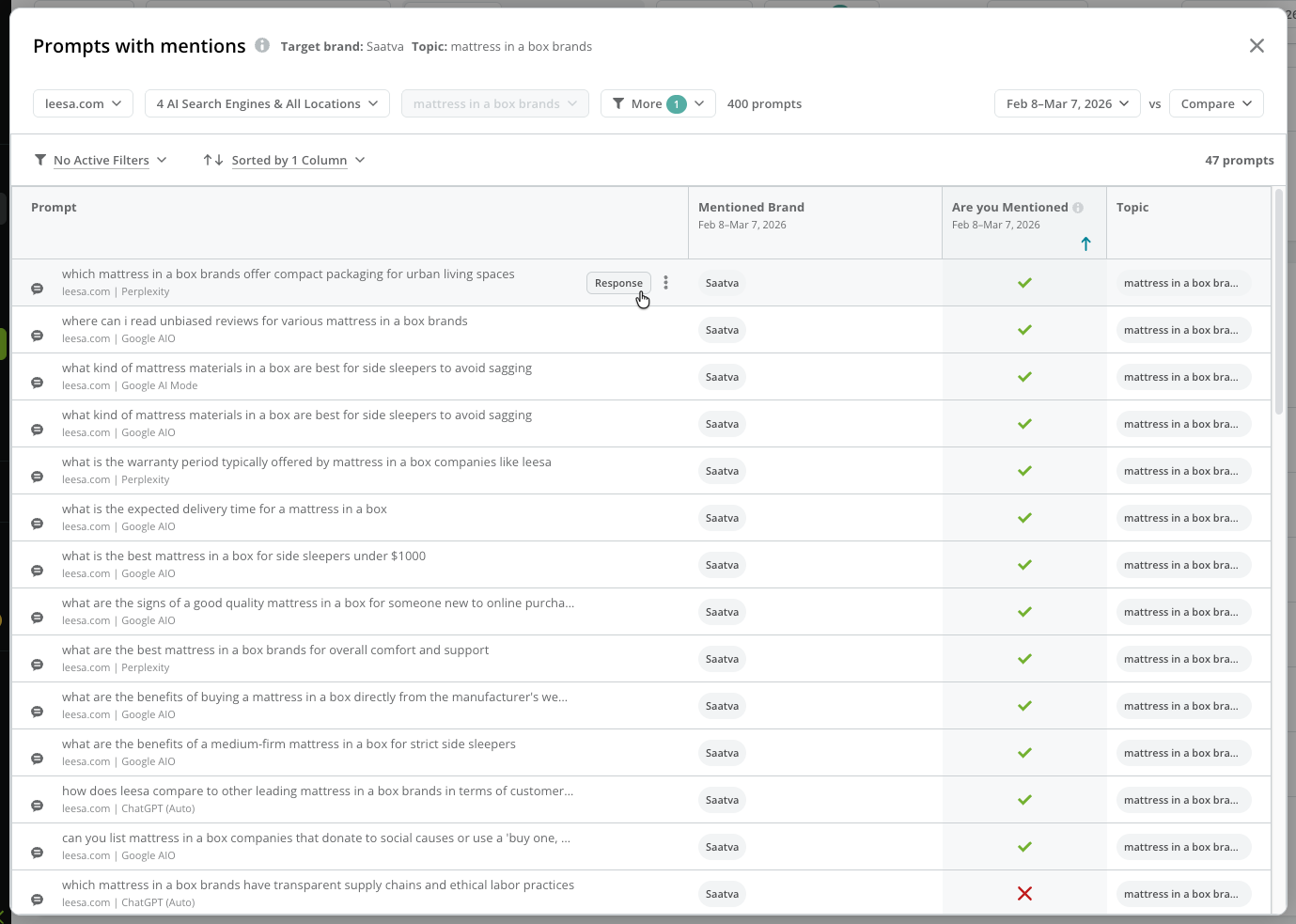
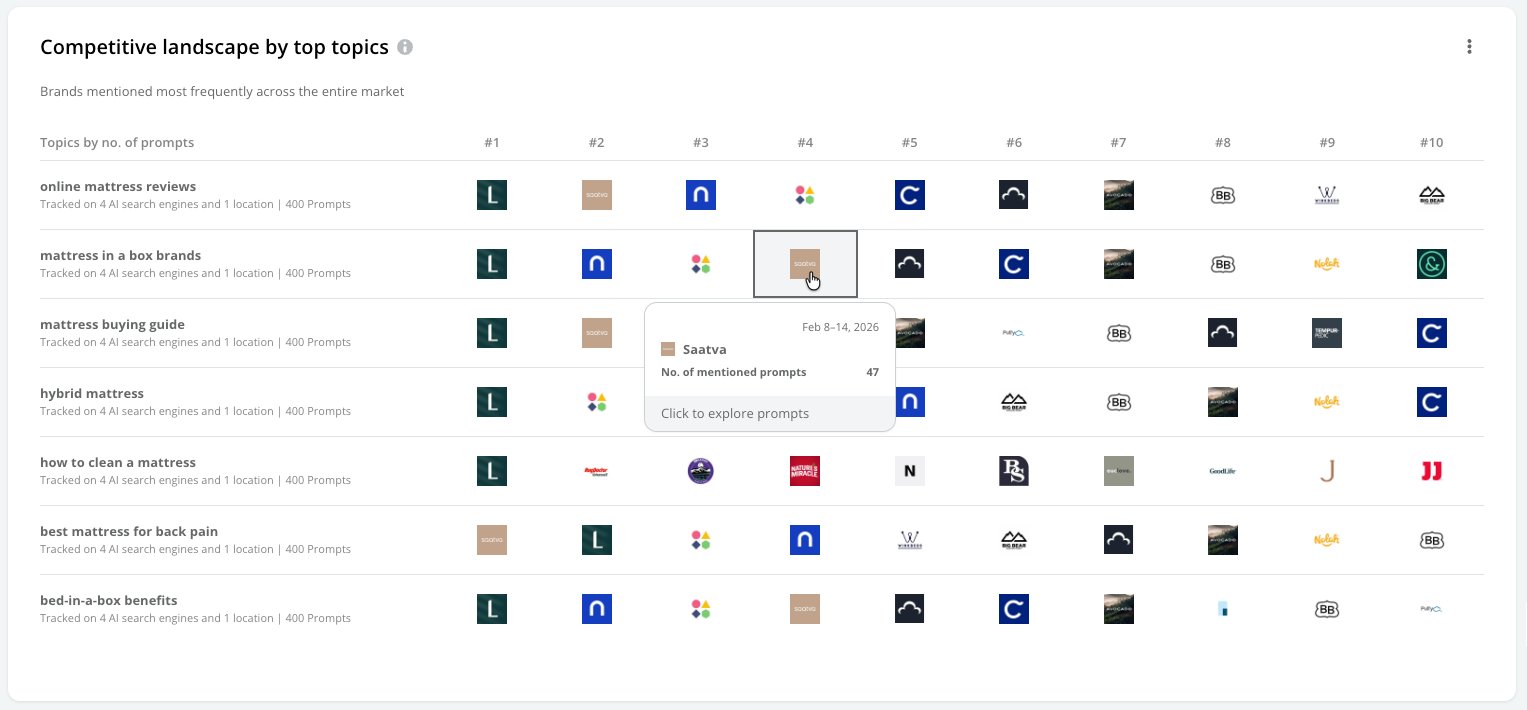 Click one of the brands in the table to see the list of prompts in the topic that generate mentions for the brand. You can click the **Response** button for any prompt in the table to see the specific AI response that included the mention.
 ## Investigate your performance across your tracked prompts
The **Your performance** tab provides you with performance data for citations and mentions in the responses to the prompts you track with Conductor—and for the related sentiment for those mentions.
At the top, you can see your total citations, mentions, and overall sentiment score. Clicking one of these options updates the charts below to show you more data about your performance across the selected metric.
## Investigate your performance across your tracked prompts
The **Your performance** tab provides you with performance data for citations and mentions in the responses to the prompts you track with Conductor—and for the related sentiment for those mentions.
At the top, you can see your total citations, mentions, and overall sentiment score. Clicking one of these options updates the charts below to show you more data about your performance across the selected metric.
 ### Review your performance for mentions
Click the **Your brand mentions** option at the top to focus on performance data for mentions.
#### View your trended performance for mentions
View the number of tracked prompts that result in mentions of your brands, charted over the time period you are reporting on.
### Review your performance for mentions
Click the **Your brand mentions** option at the top to focus on performance data for mentions.
#### View your trended performance for mentions
View the number of tracked prompts that result in mentions of your brands, charted over the time period you are reporting on.
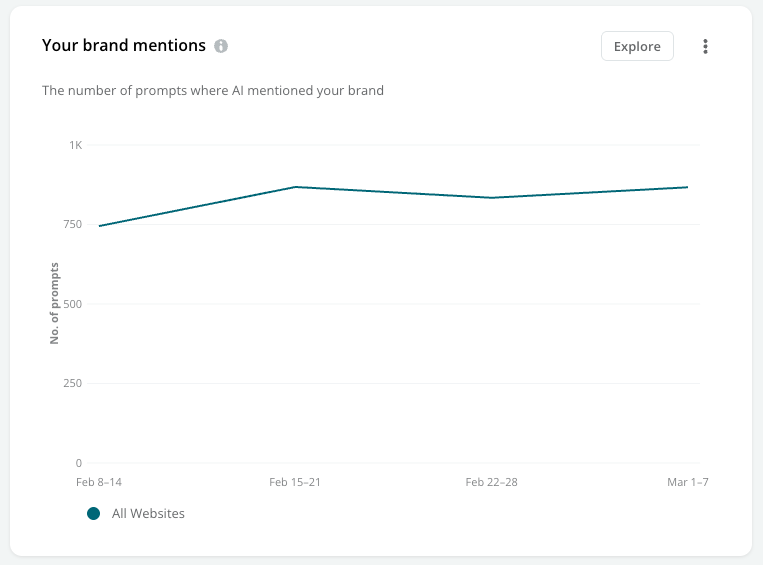 Click **Explore** to see how many prompts include mentions—and how many do not. Then drill into the specific prompts that included (or didn't include) mentions, so you can better understand your performance.
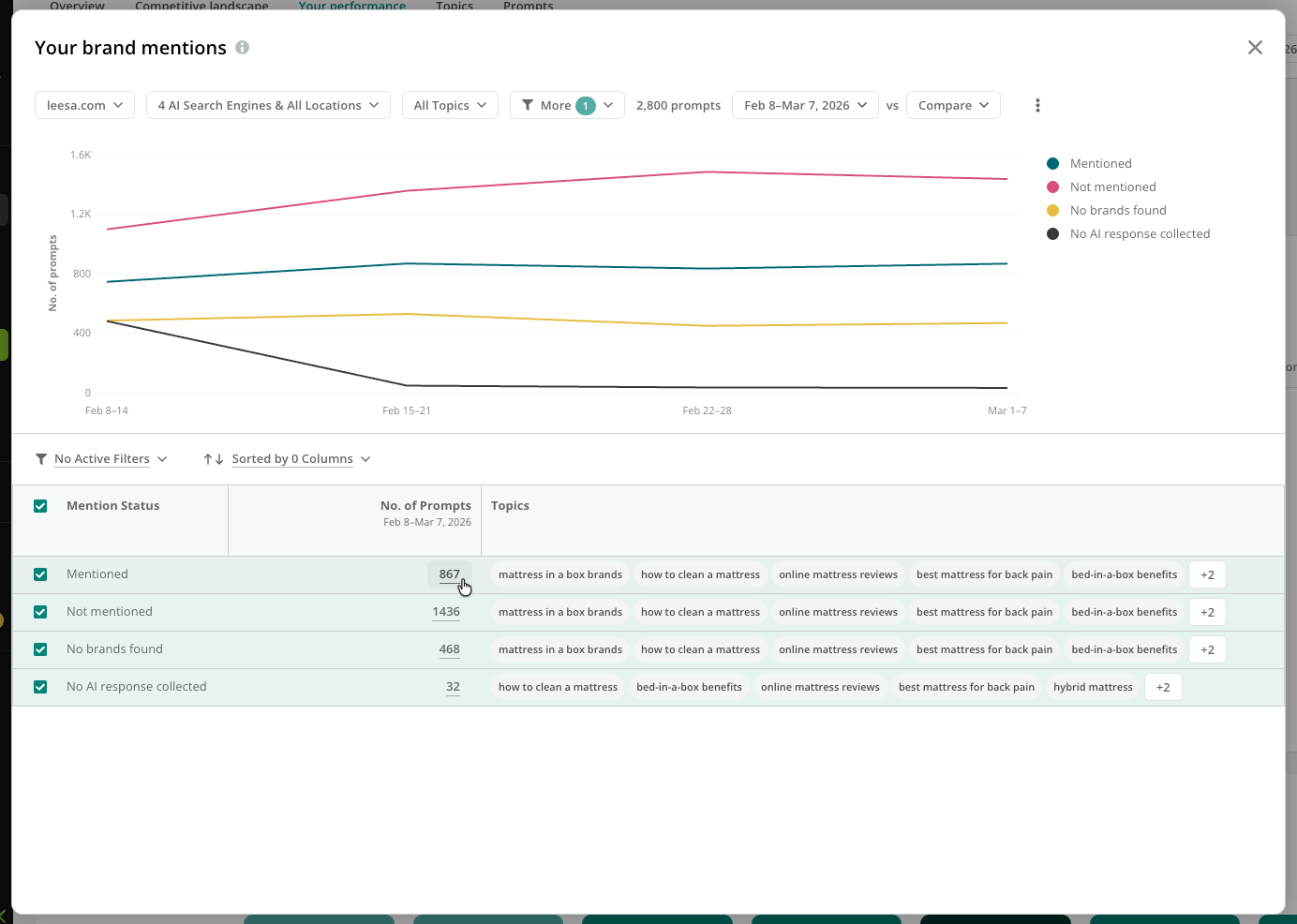 Note that:
* **Mentioned** indicates when one of your tracked brands was included in a response.
* **Not Mentioned** indicates when one or more brands appeared in a response, but none of them were one of your tracked brands.
* **No Brands Found** indicates when the AI response included no brand mentions at all.
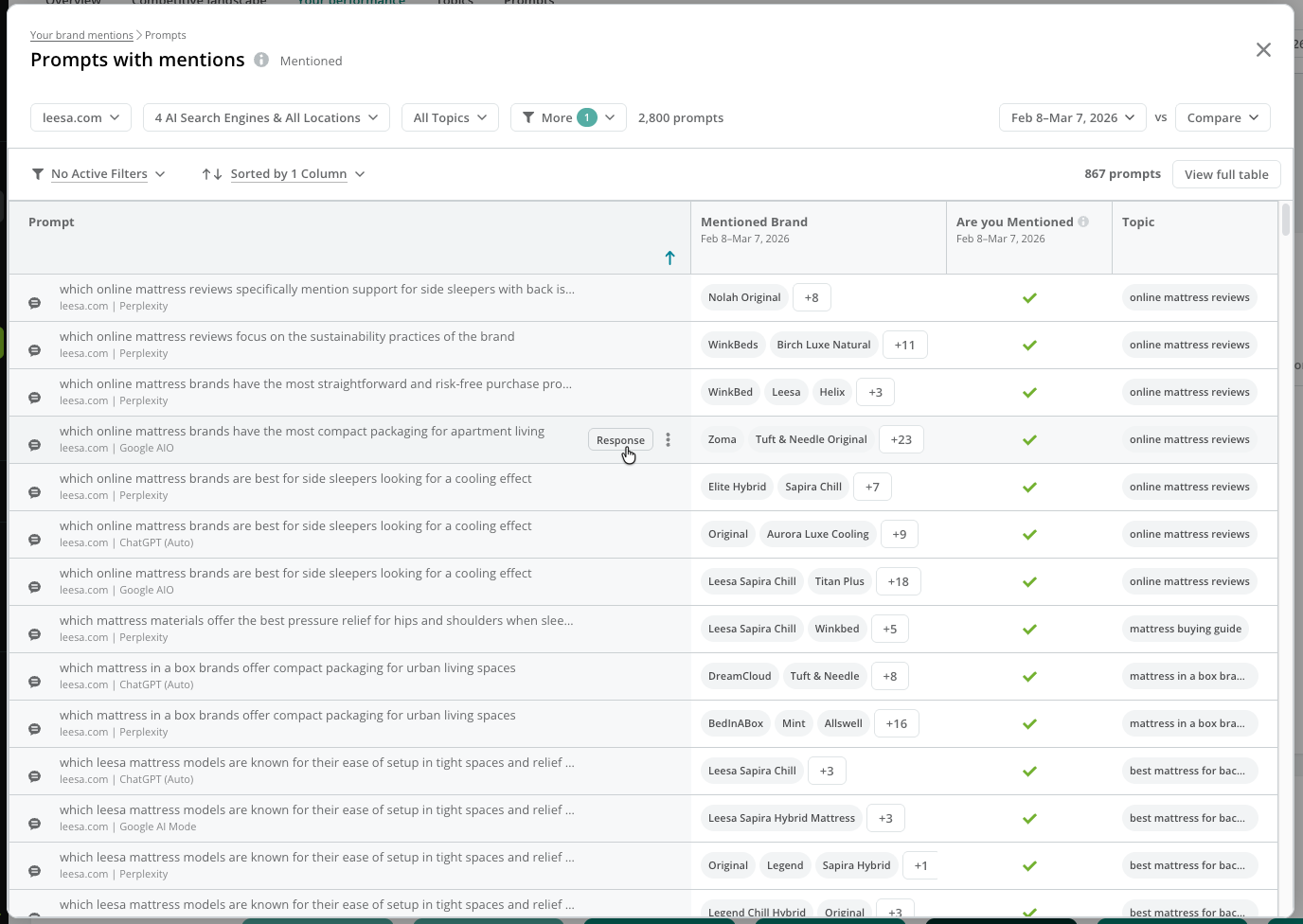
Click the value in the **No. of Prompts** column to investigate the prompts that were mentioned, not mentioned, or had no brand mentions. You can click the **Response** button for any prompt in the table to see the specific AI response that included the mention.
Note that:
* **Mentioned** indicates when one of your tracked brands was included in a response.
* **Not Mentioned** indicates when one or more brands appeared in a response, but none of them were one of your tracked brands.
* **No Brands Found** indicates when the AI response included no brand mentions at all.
Click the value in the **No. of Prompts** column to investigate the prompts that were mentioned, not mentioned, or had no brand mentions. You can click the **Response** button for any prompt in the table to see the specific AI response that included the mention.
 #### View your top mentioned brands
View the brands most frequently mentioned in AI responses.
#### View your top mentioned brands
View the brands most frequently mentioned in AI responses.
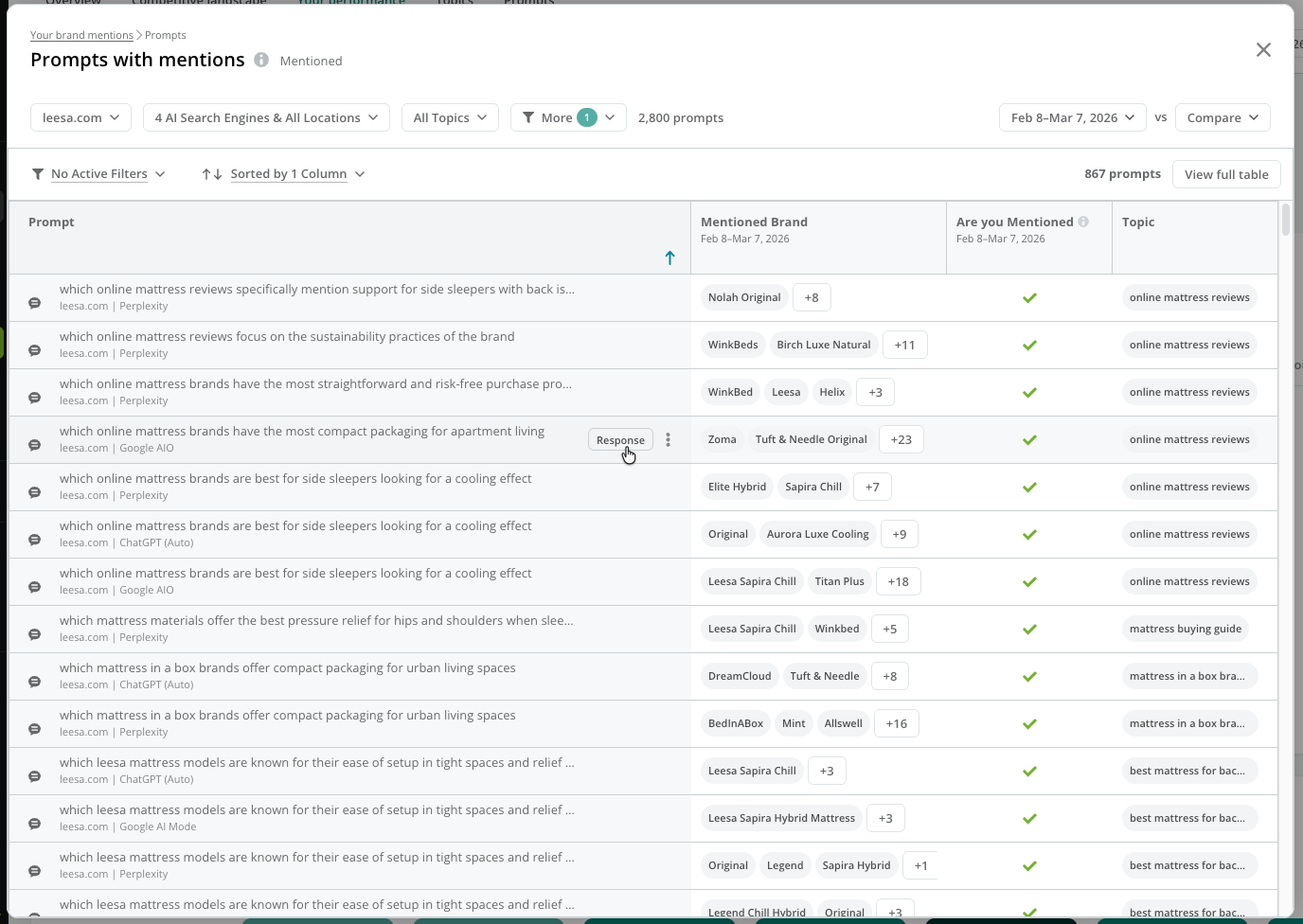
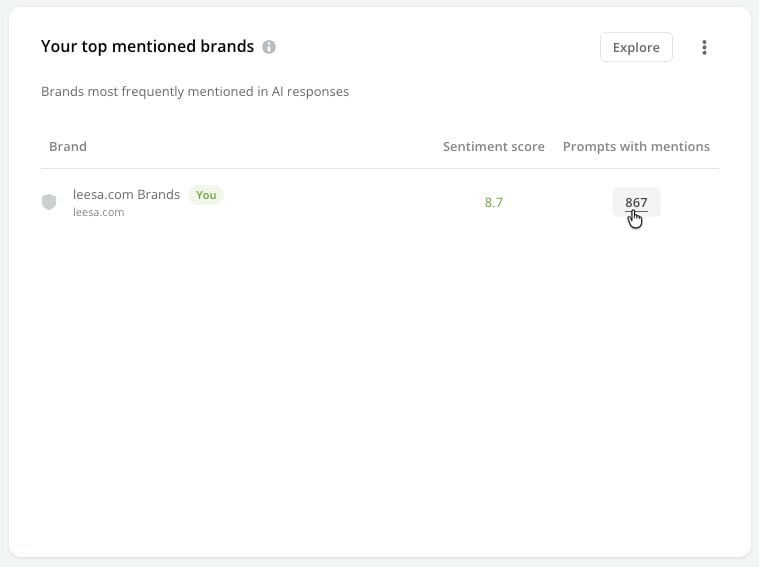 Click **Explore** to review the prompts with mentions of the brand.
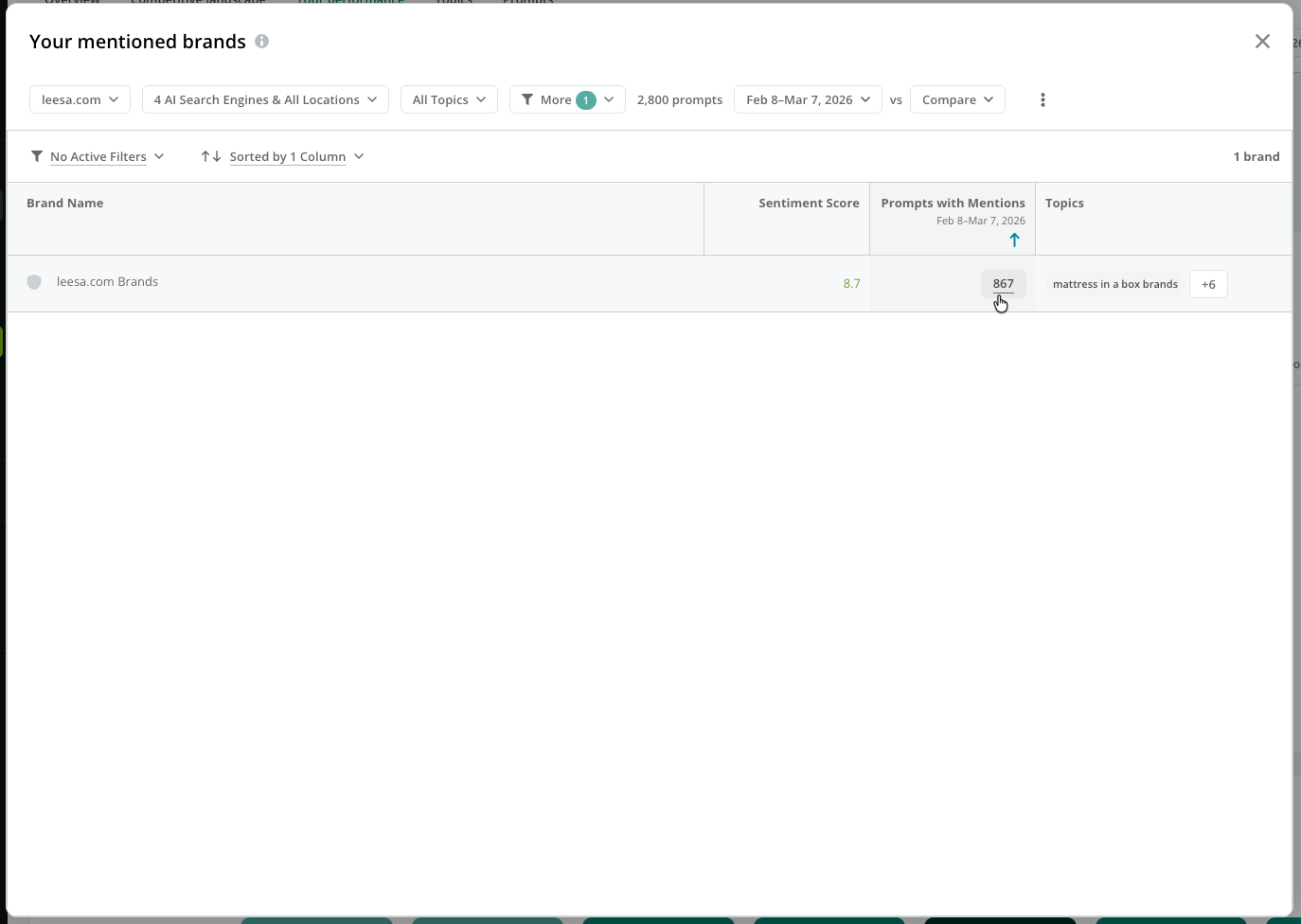 You can click the value in the **Prompts with Mentions** column to see the prompts that include mentions of the brand.
 #### View your persona and search intent brand mention coverage
Review your brand mention coverage across different personas and search intents.
#### View your persona and search intent brand mention coverage
Review your brand mention coverage across different personas and search intents.
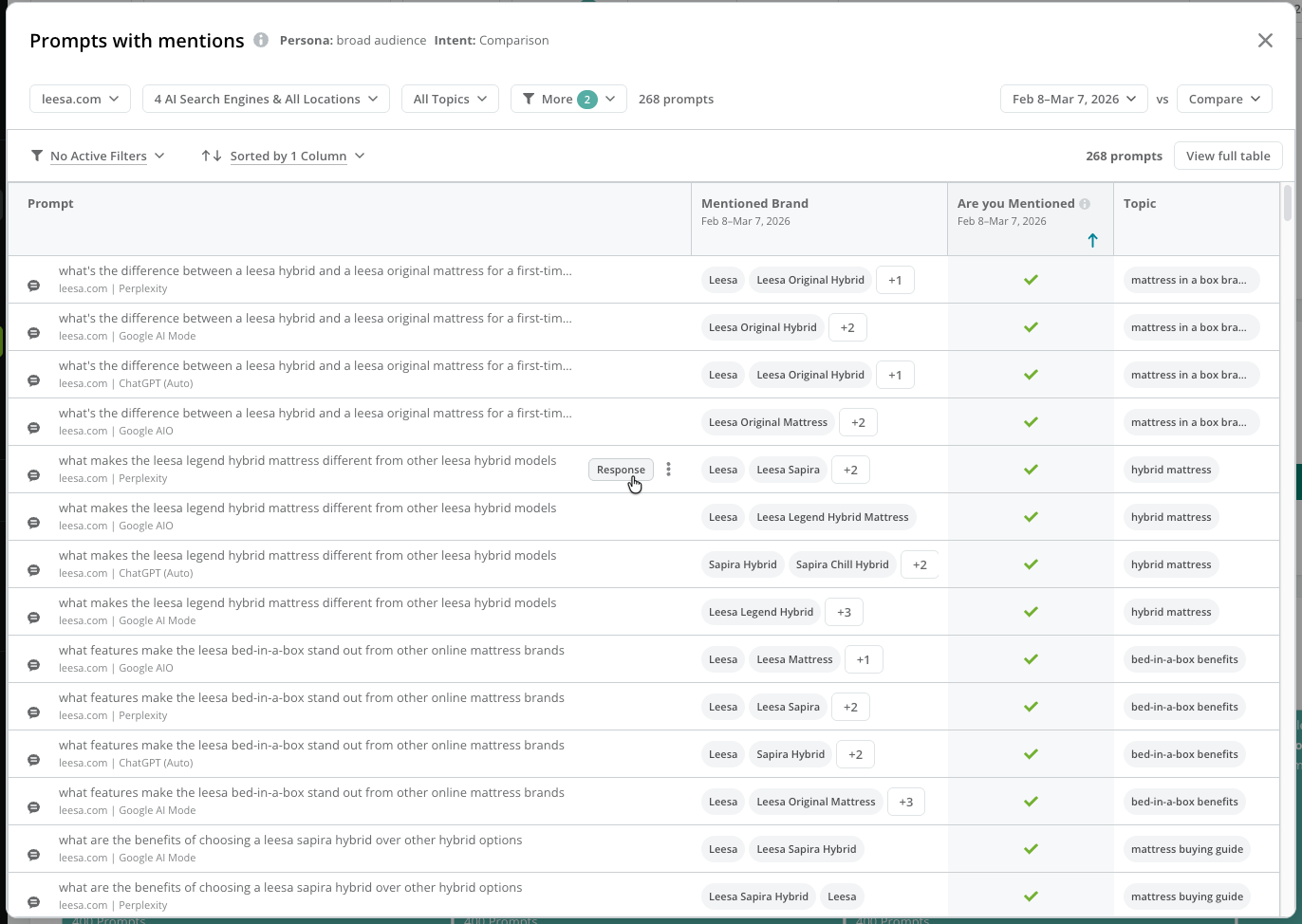
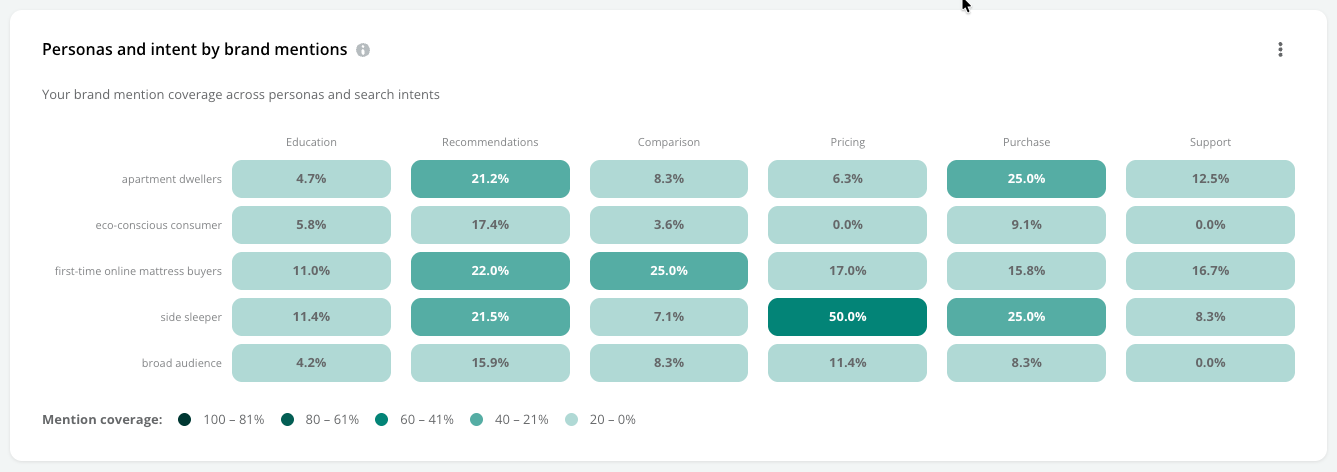 Click the intersection of a journey stage and persona to review the prompts with mentions that represent the selected intersection.
 #### Review the top search intents and personas by brand mentions
Review how often prompts representing specific search intents and personas result in your brand being mentioned in AI responses.
Use the menu to select between:
* **Mentions:** Review the total number of tracked prompts where your brand was mentioned in the response.
* **Coverage:** Review the relative frequency that your brand was mentioned in the response to your tracked prompts.
#### Review the top search intents and personas by brand mentions
Review how often prompts representing specific search intents and personas result in your brand being mentioned in AI responses.
Use the menu to select between:
* **Mentions:** Review the total number of tracked prompts where your brand was mentioned in the response.
* **Coverage:** Review the relative frequency that your brand was mentioned in the response to your tracked prompts.
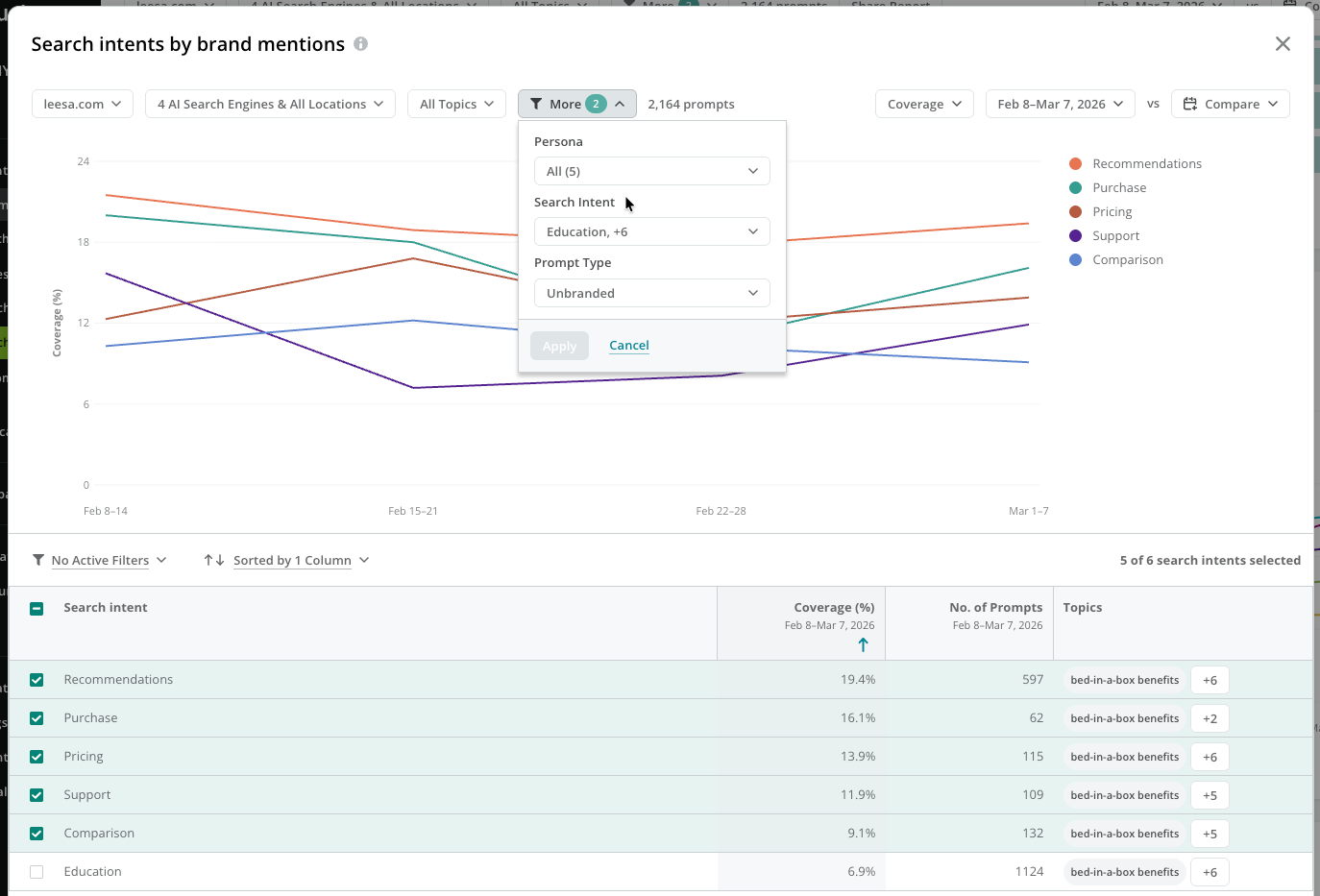
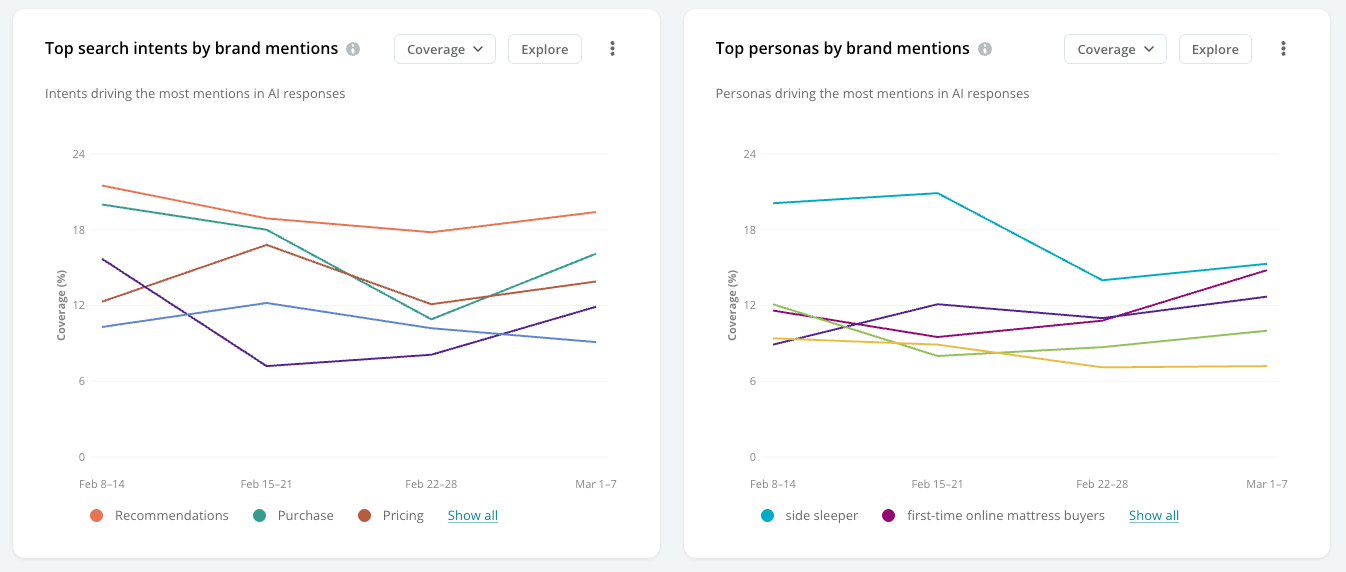 Click **Explore** to review and compare your search intent and persona performance for mentions.
 #### View the coverage of your brand mentions across your tracked topics
Review your coverage for topics grouped across tracked AI search engines and locations.
#### View the coverage of your brand mentions across your tracked topics
Review your coverage for topics grouped across tracked AI search engines and locations.
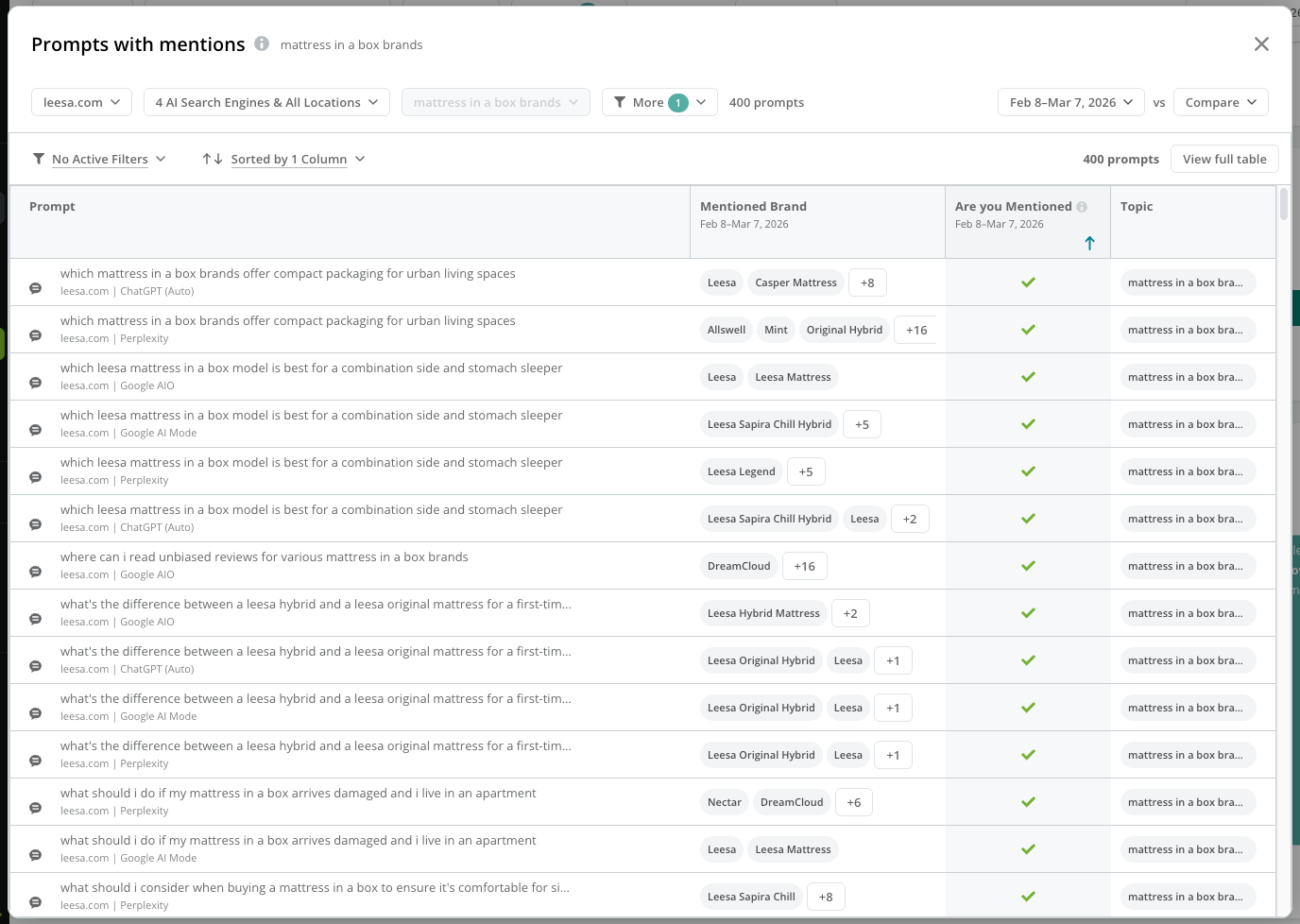
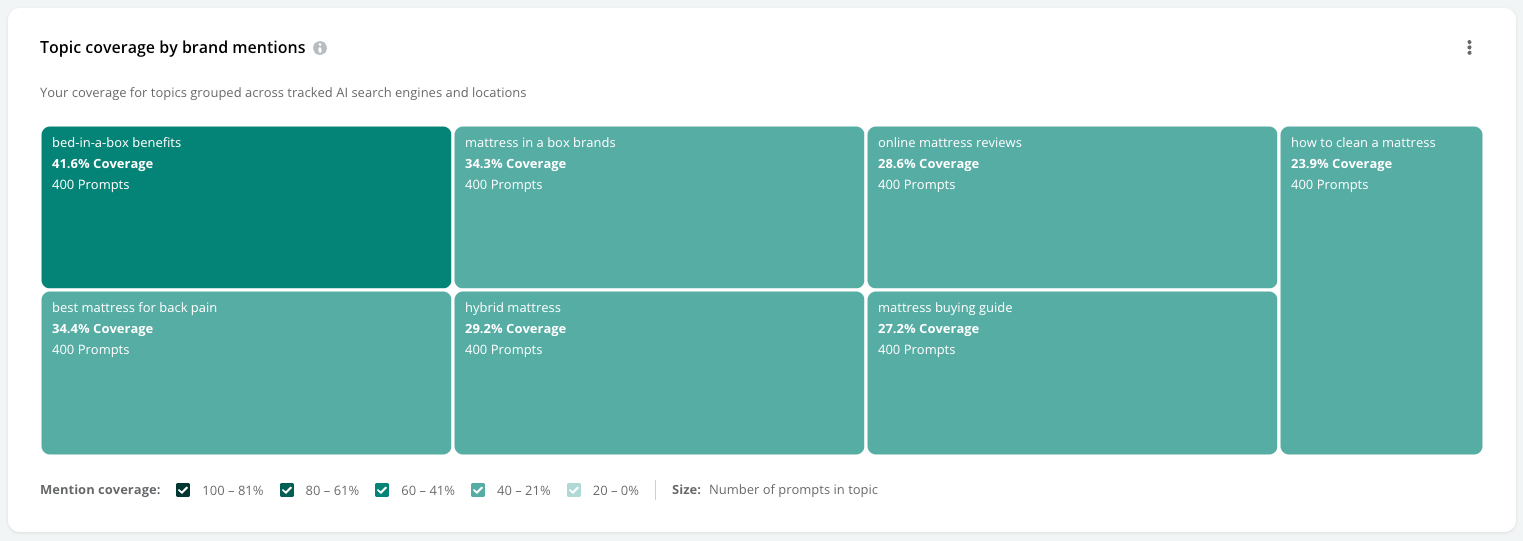 Click a topic to review the prompts tracked for it.
 ### Review your performance for citations
Click the **Your website citations** option at the top to focus on performance data for citations.
#### View your trended performance for citations
View the number of tracked prompts that include citations of your website, charted over the time period you are reporting on.
### Review your performance for citations
Click the **Your website citations** option at the top to focus on performance data for citations.
#### View your trended performance for citations
View the number of tracked prompts that include citations of your website, charted over the time period you are reporting on.
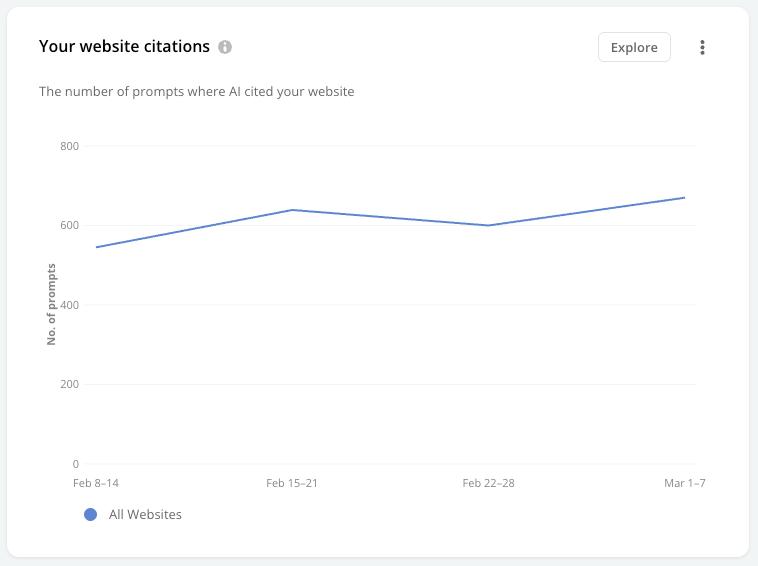 Click **Explore** to investigate whether your website is cited or not over time for the prompts you track, and research which topics and prompts drive your trend.
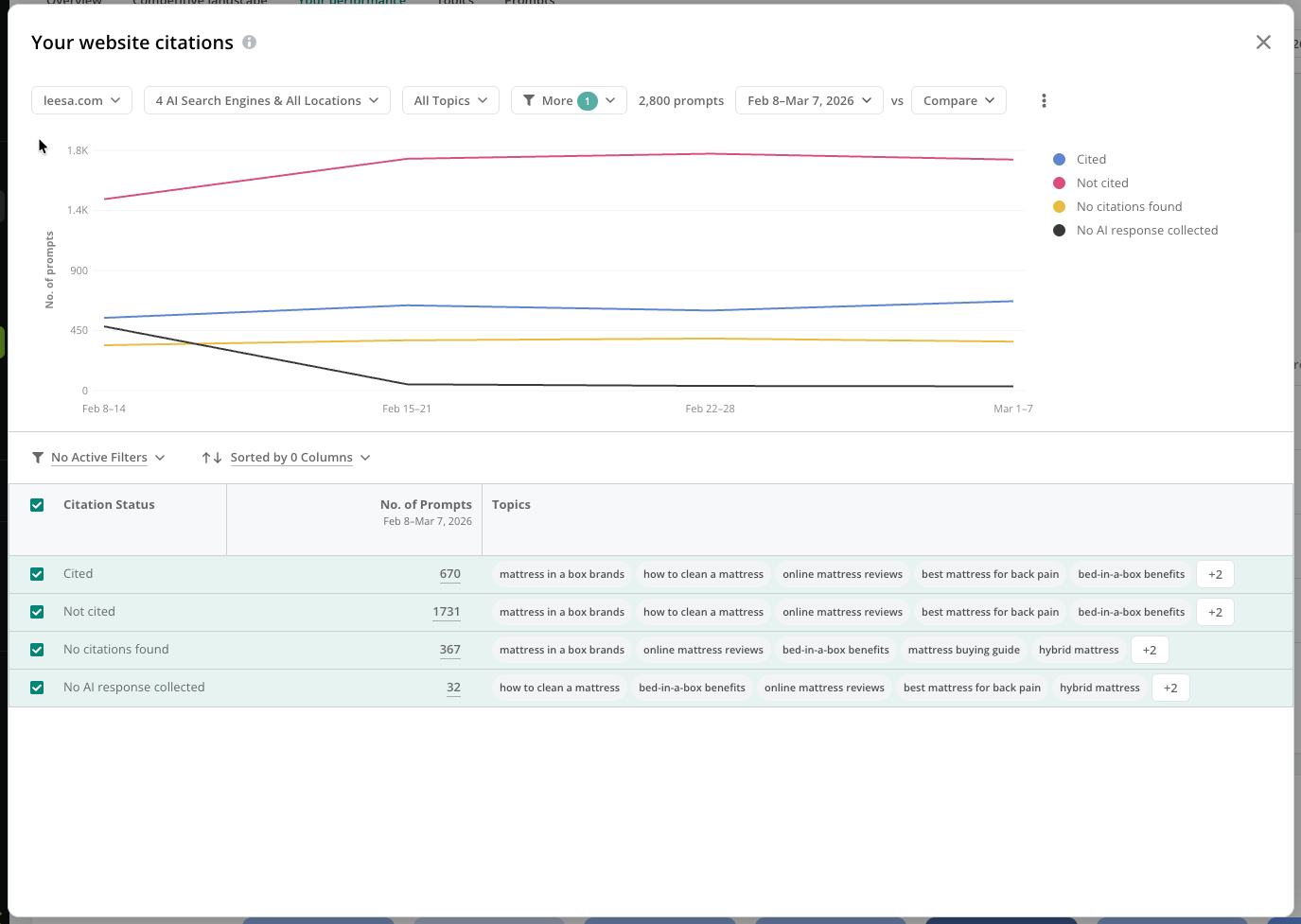 Note that:
* **Cited** indicates that your website was included as a citation in the response.
* **Not Cited** indicates when citations appeared in a response, but your website was not cited.
* **No Citations Found** indicates when the AI response included no citations at all.
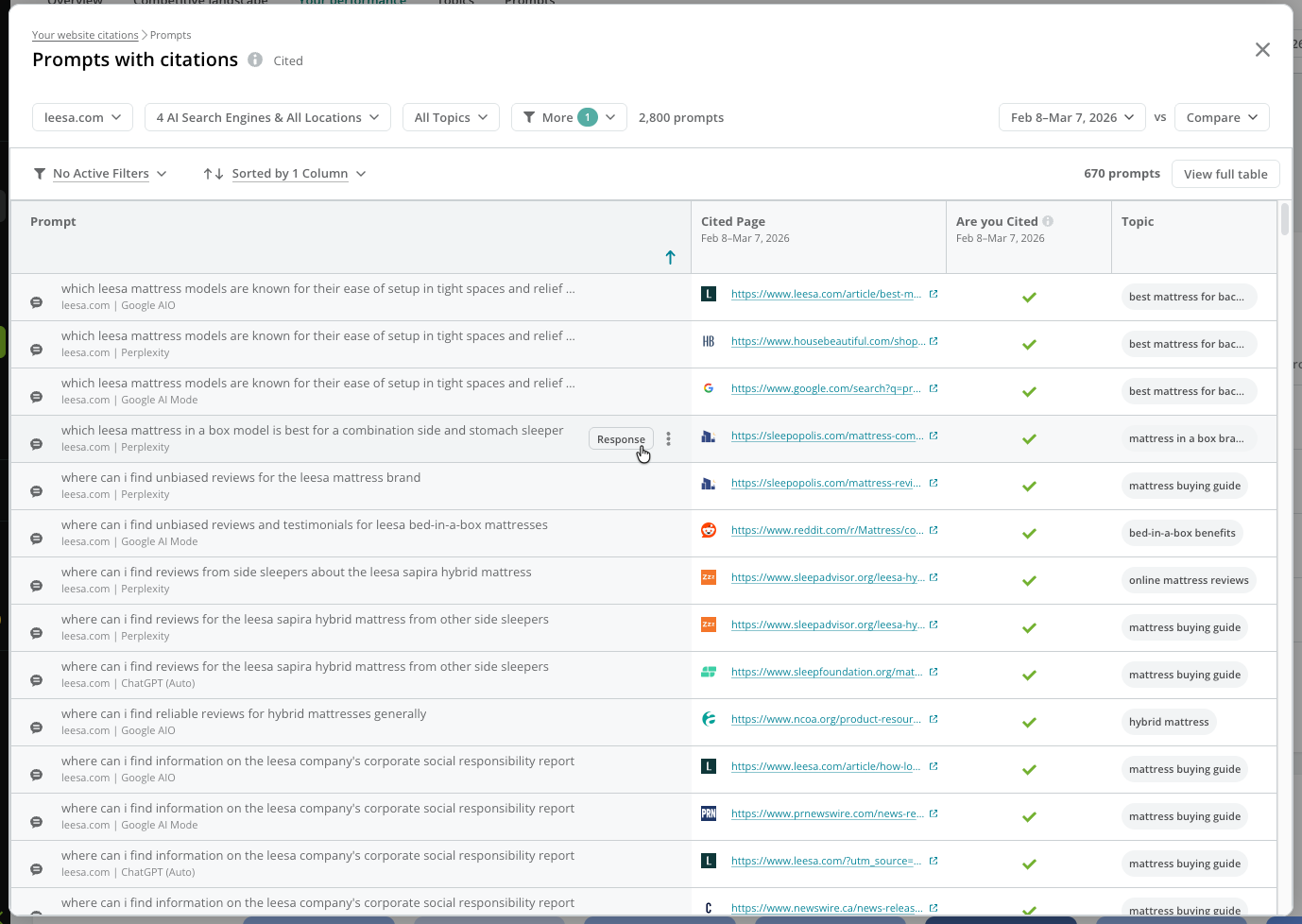
Click the value in the **No. of Prompts** column to investigate the prompts that were cited, not cited, or had no citations. You can click the **Response** button for any prompt in the table to see the specific AI response that included the mention.
Note that:
* **Cited** indicates that your website was included as a citation in the response.
* **Not Cited** indicates when citations appeared in a response, but your website was not cited.
* **No Citations Found** indicates when the AI response included no citations at all.
Click the value in the **No. of Prompts** column to investigate the prompts that were cited, not cited, or had no citations. You can click the **Response** button for any prompt in the table to see the specific AI response that included the mention.
 #### View your top cited pages
View the pages most frequently cited in AI responses.
#### View your top cited pages
View the pages most frequently cited in AI responses.
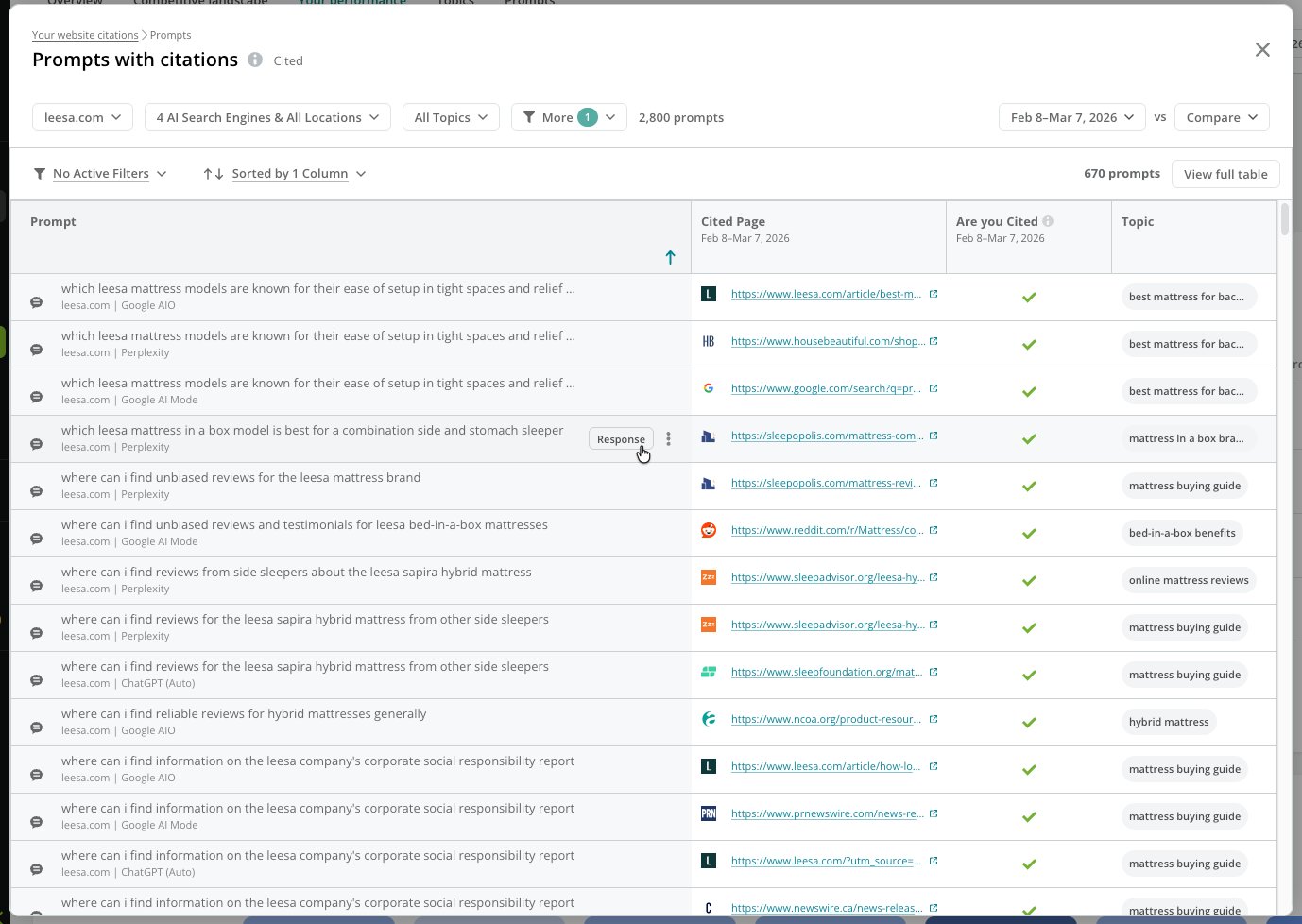
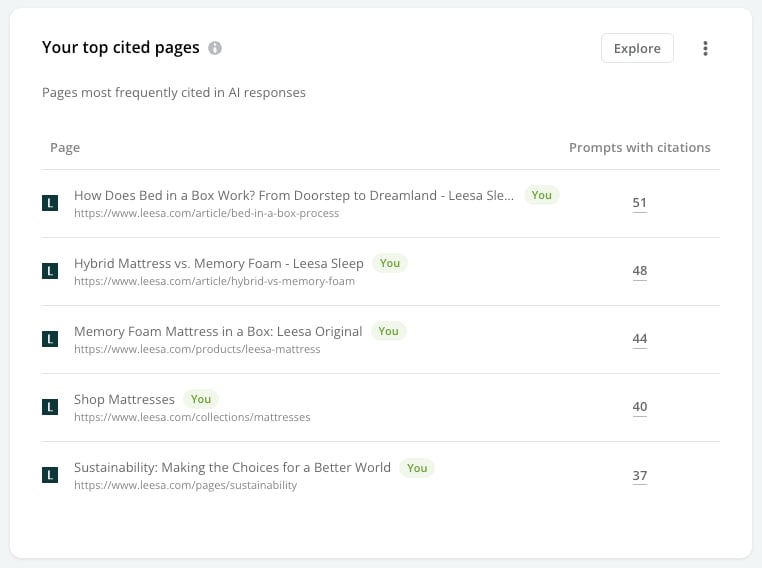 Click **Explore** to review the prompts with citations of the page.
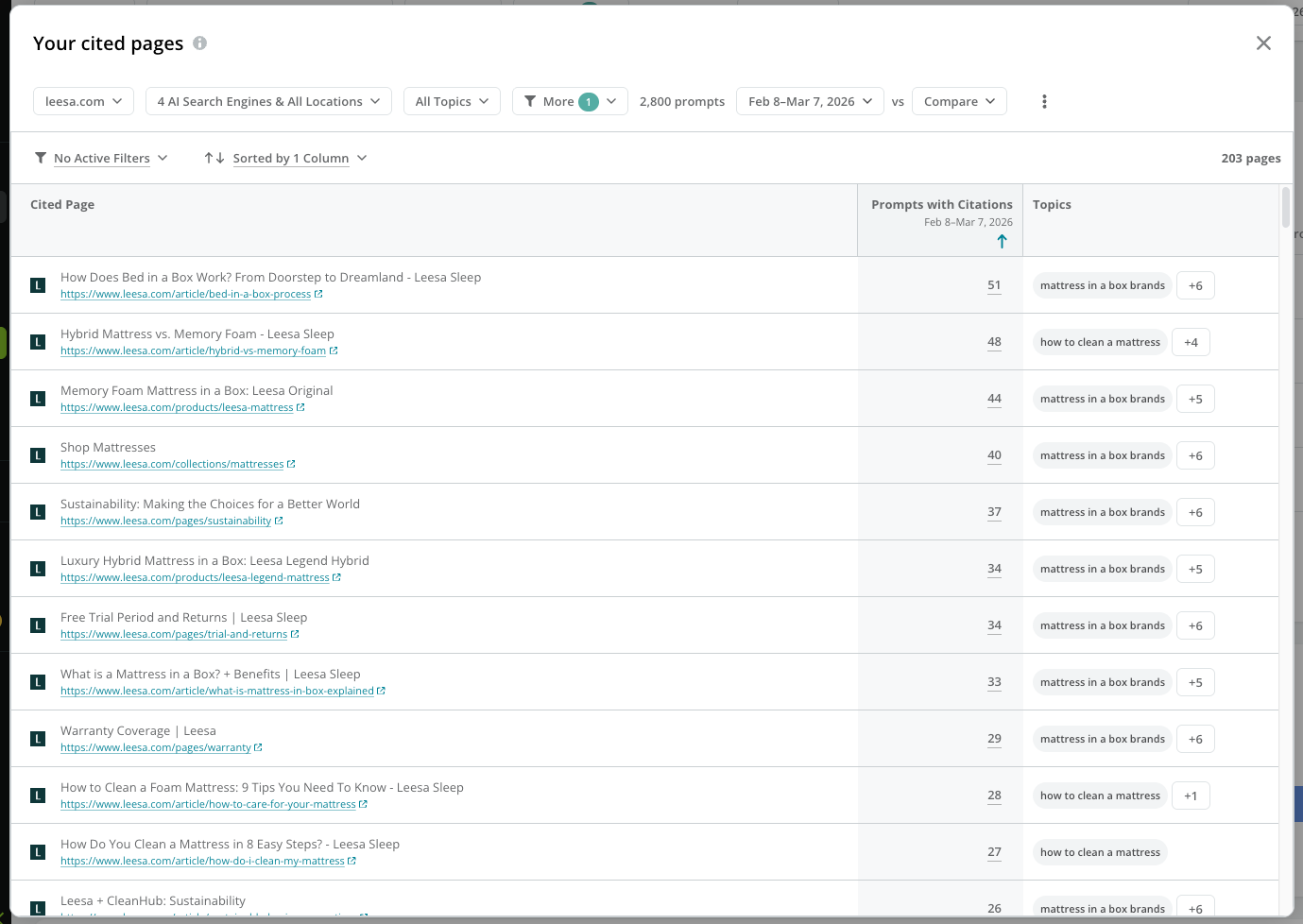 You can click the value in the **Prompts with Citations** column to see the prompts that include citations of the page.
 #### View your persona and search intent citation coverage
Review your citation coverage across different personas and search intents.
#### View your persona and search intent citation coverage
Review your citation coverage across different personas and search intents.
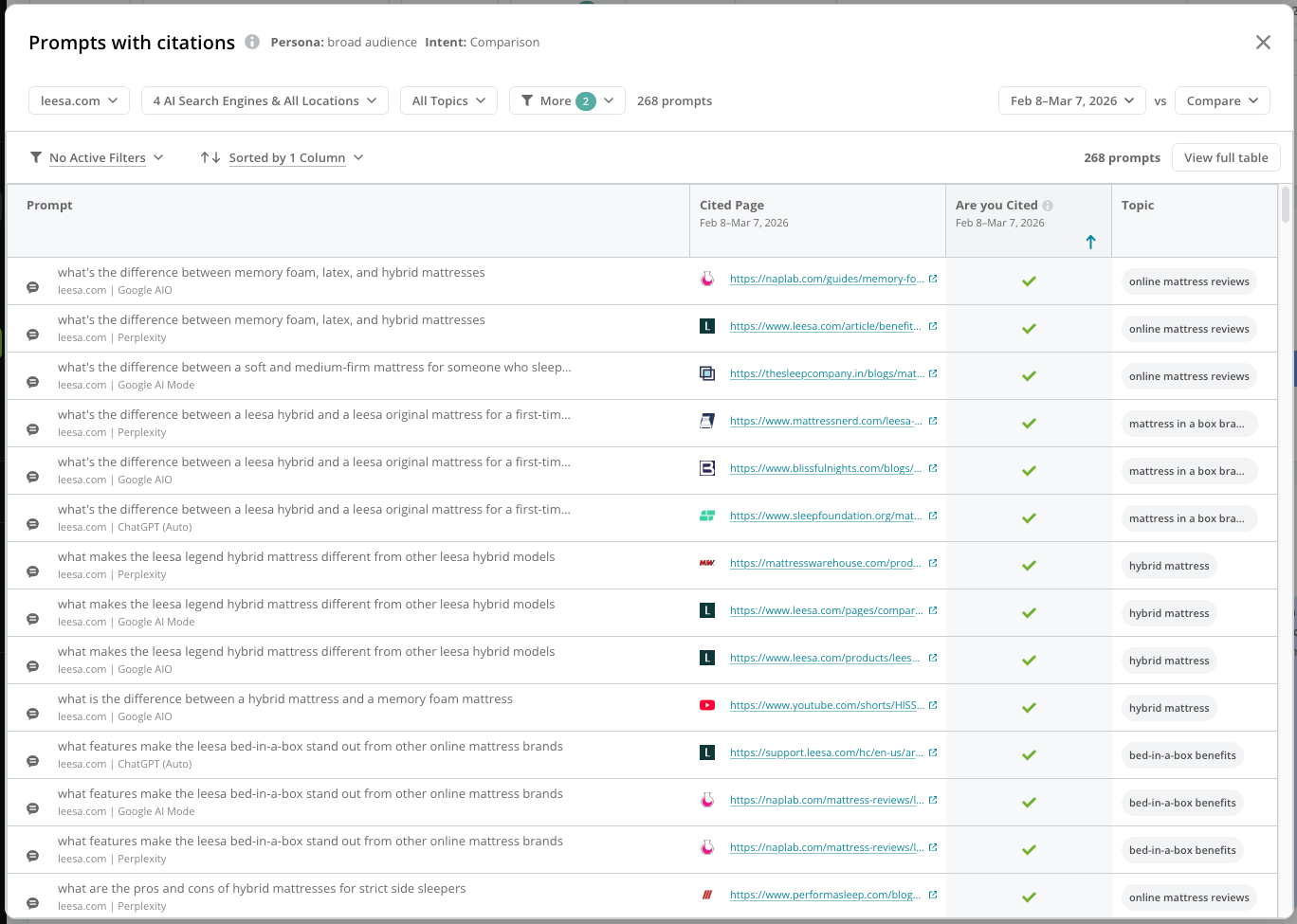
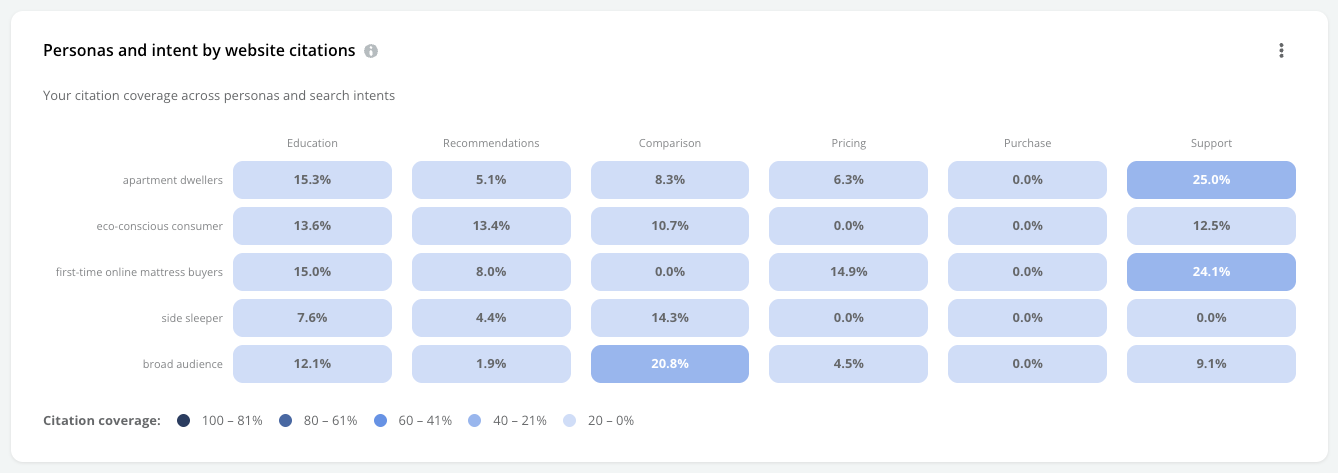 Click the intersection of a journey stage and persona to review the prompts with citations that represent the selected intersection.
 #### Review the top search intents and personas by website citation
Review how often prompts representing specific search intents and personas result in your website being cited by AI responses.
Use the menu to select between:
* **Citations:** Review the total number of tracked prompts where your site was cited in the response.
* **Coverage:** Review the relative frequency that your website was cited in the response to your tracked prompts.
#### Review the top search intents and personas by website citation
Review how often prompts representing specific search intents and personas result in your website being cited by AI responses.
Use the menu to select between:
* **Citations:** Review the total number of tracked prompts where your site was cited in the response.
* **Coverage:** Review the relative frequency that your website was cited in the response to your tracked prompts.
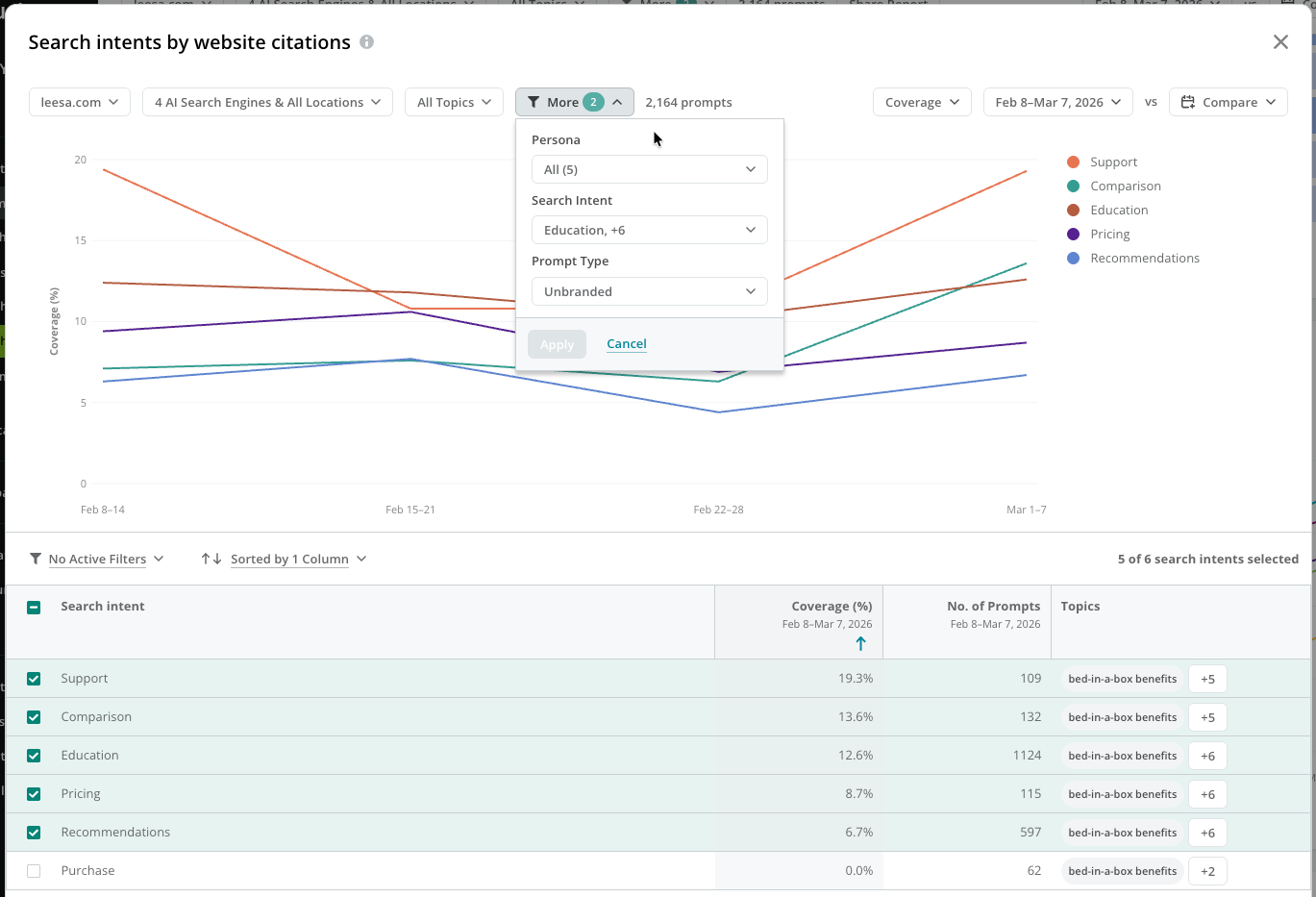
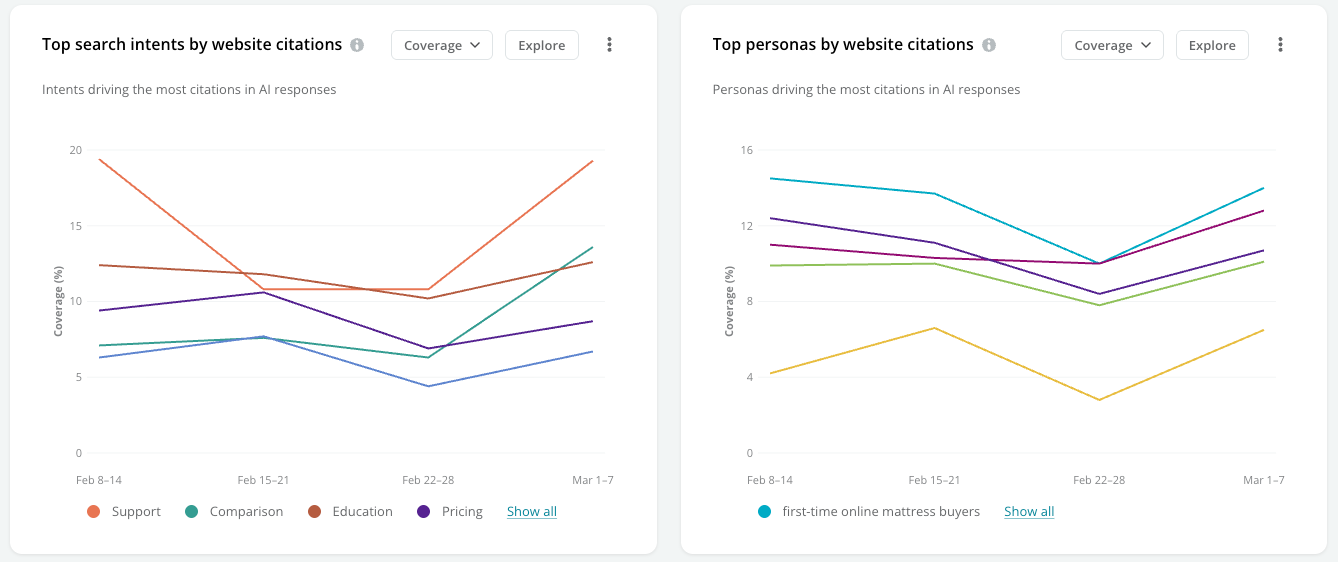 Click **Explore** to review and compare your search intent and persona performance for citations.
 #### View the coverage of your citations across your tracked topics
Review your coverage for topics grouped across tracked AI search engines and locations.
#### View the coverage of your citations across your tracked topics
Review your coverage for topics grouped across tracked AI search engines and locations.
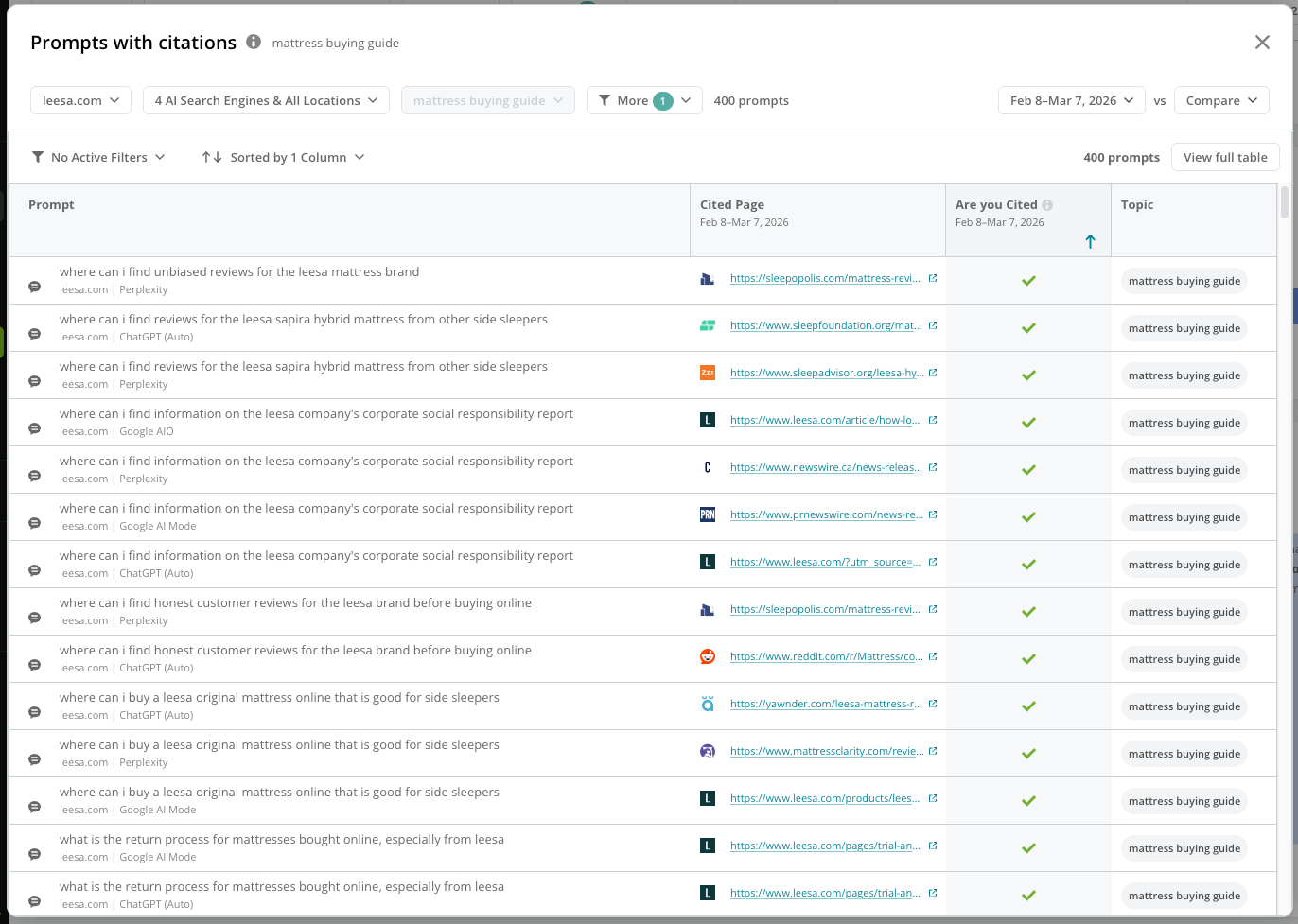
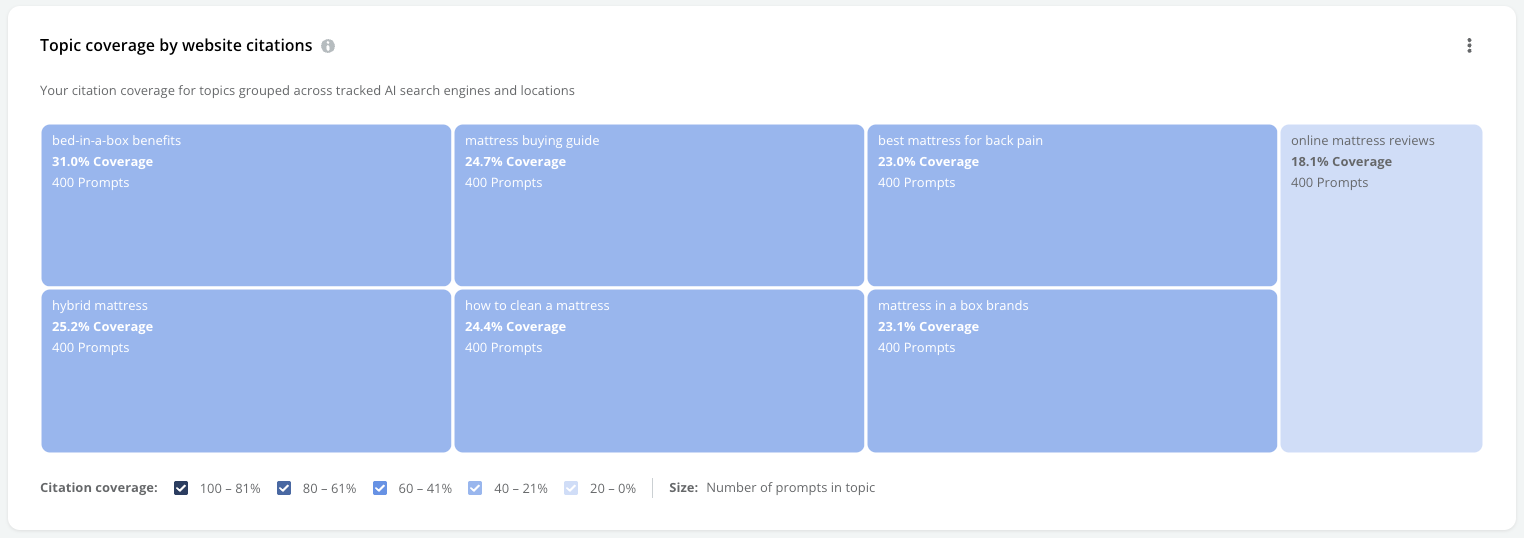 Click a topic to review the prompts tracked for it.
 ### Review your performance in sentiment
Click the **Your sentiment score** option at the top to focus on performance data on your sentiment across mentions.
#### View your trended performance for sentiment score
View your sentiment score charted over the time period you are reporting on.
### Review your performance in sentiment
Click the **Your sentiment score** option at the top to focus on performance data on your sentiment across mentions.
#### View your trended performance for sentiment score
View your sentiment score charted over the time period you are reporting on.
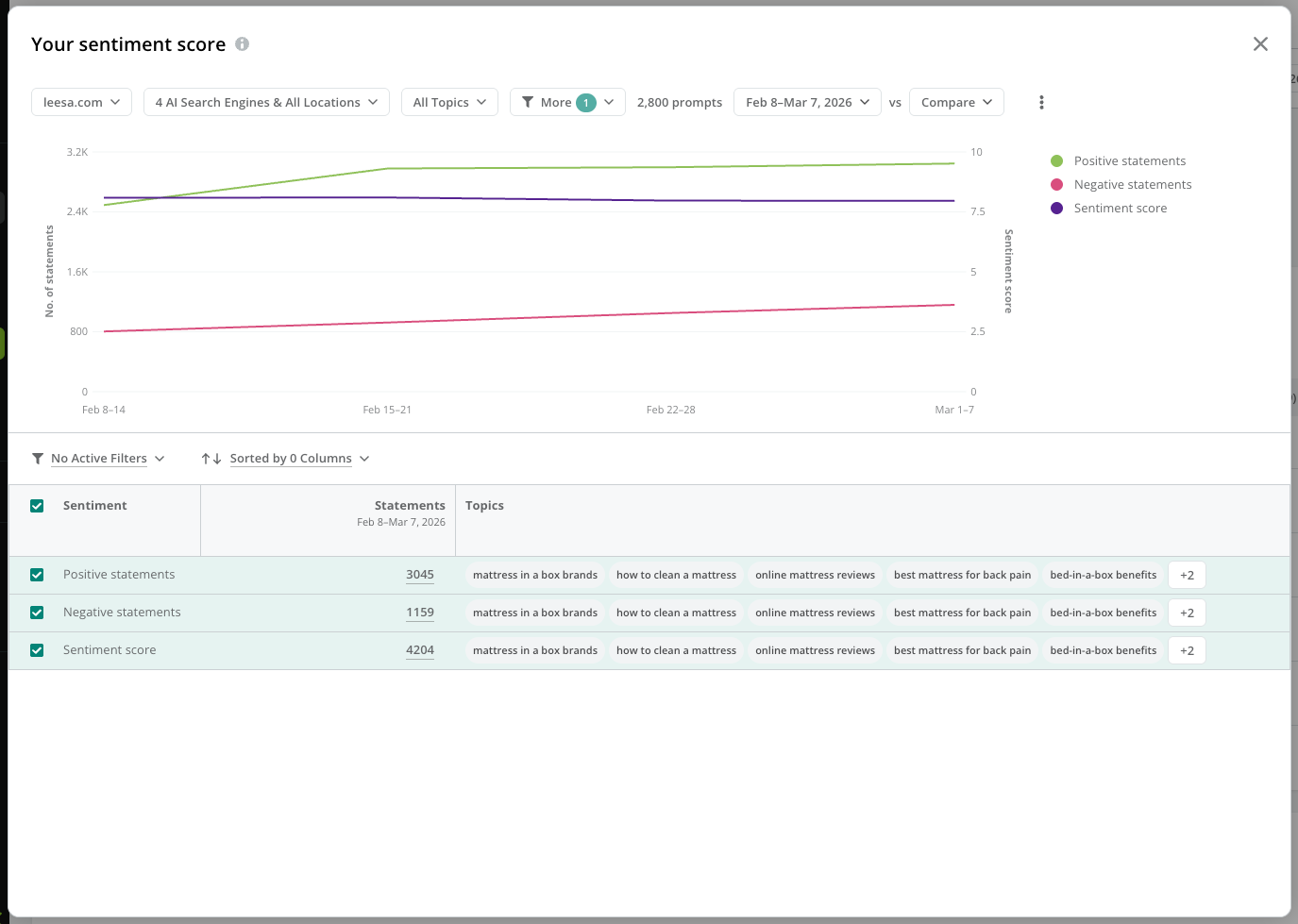
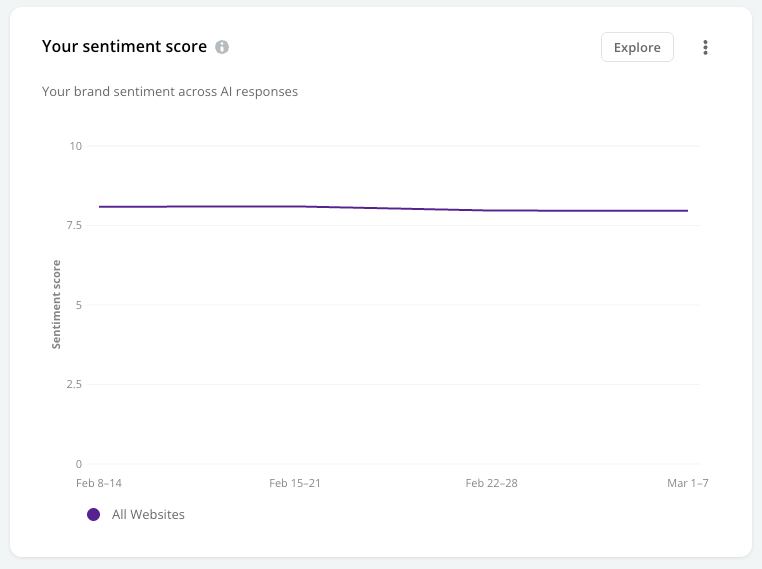 Click **Explore** to investigate whether your sentiment is positive or negative over time for the prompts you track, and research which prompts drive your trends.
 #### Review your influential sources
View the sources driving sentiment for brands mentioned in AI responses.
#### Review your influential sources
View the sources driving sentiment for brands mentioned in AI responses.
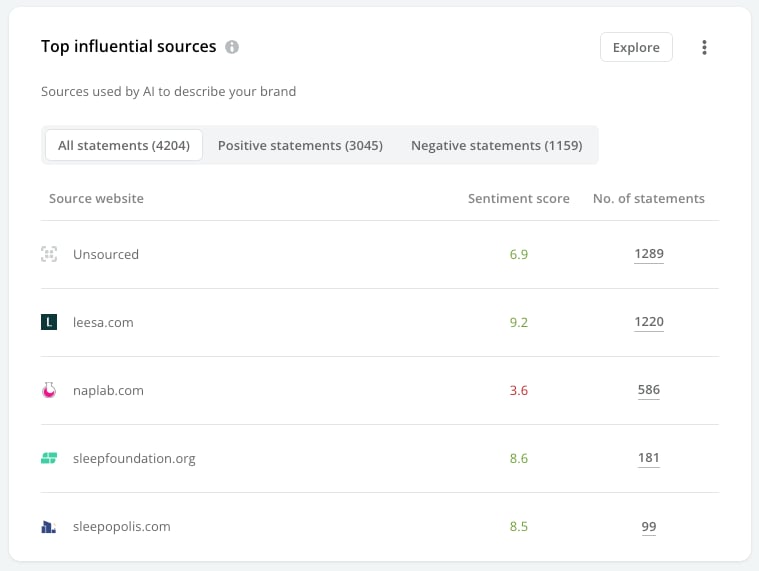 Click **Explore** to review details about each sentiment source.
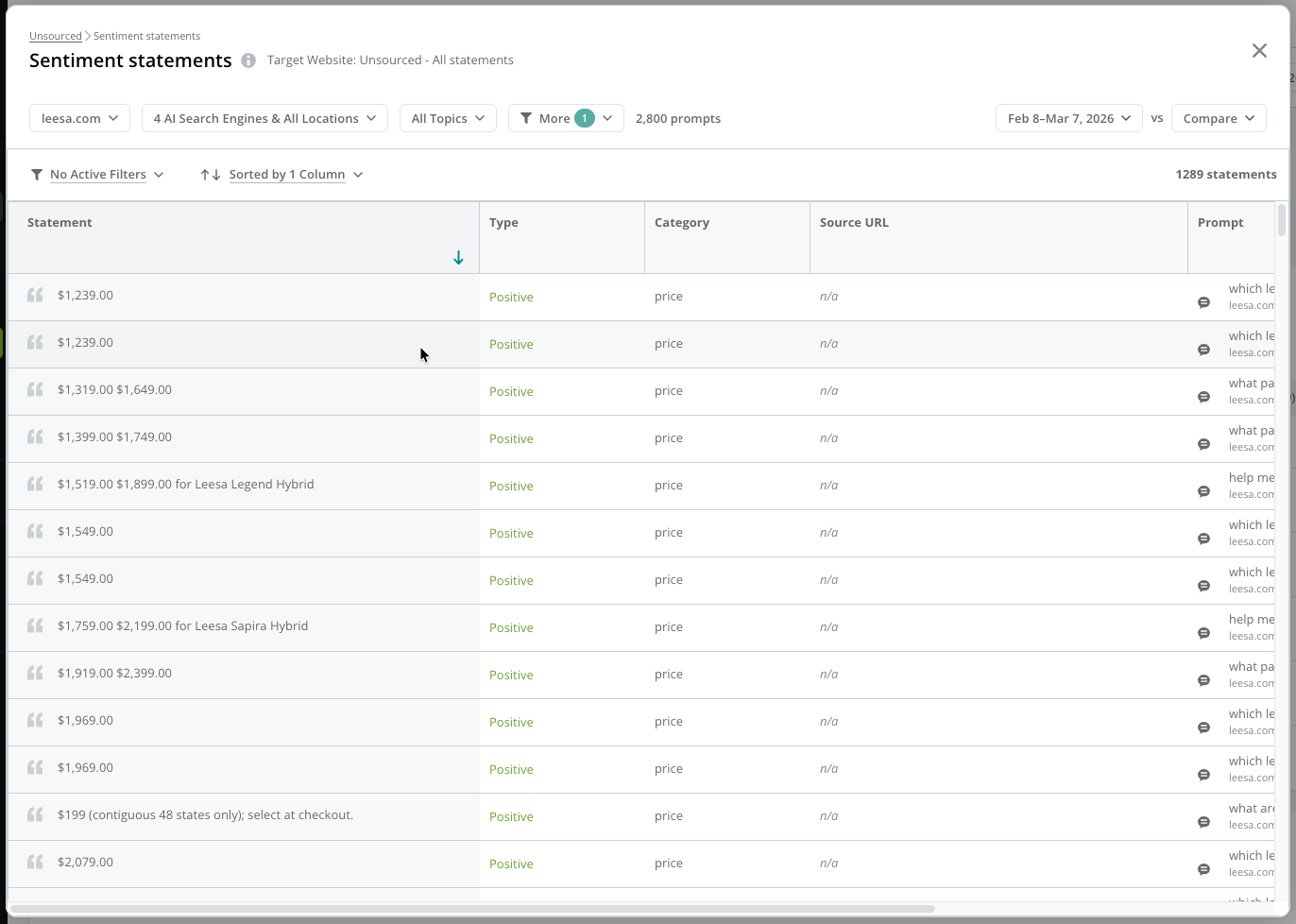
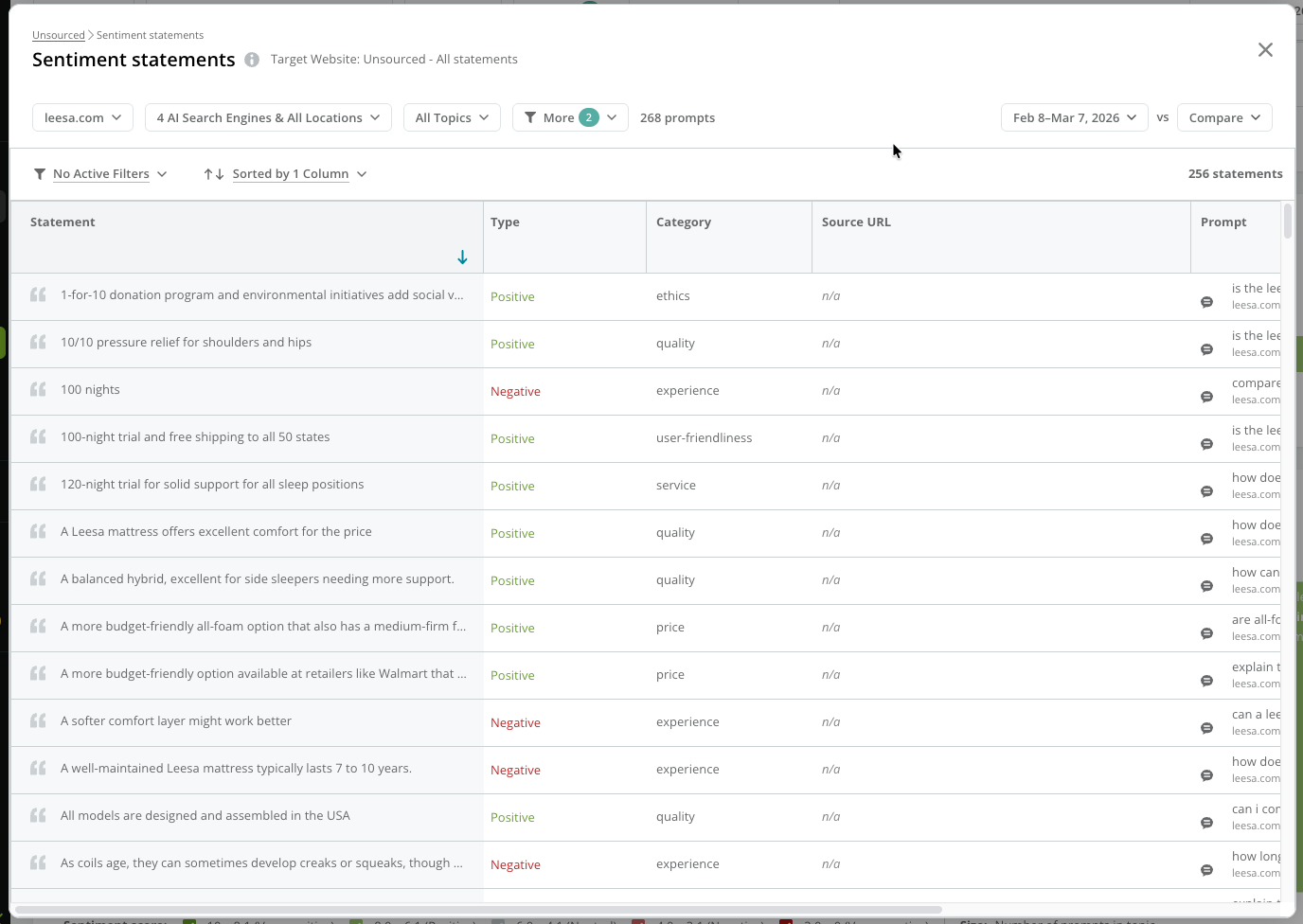
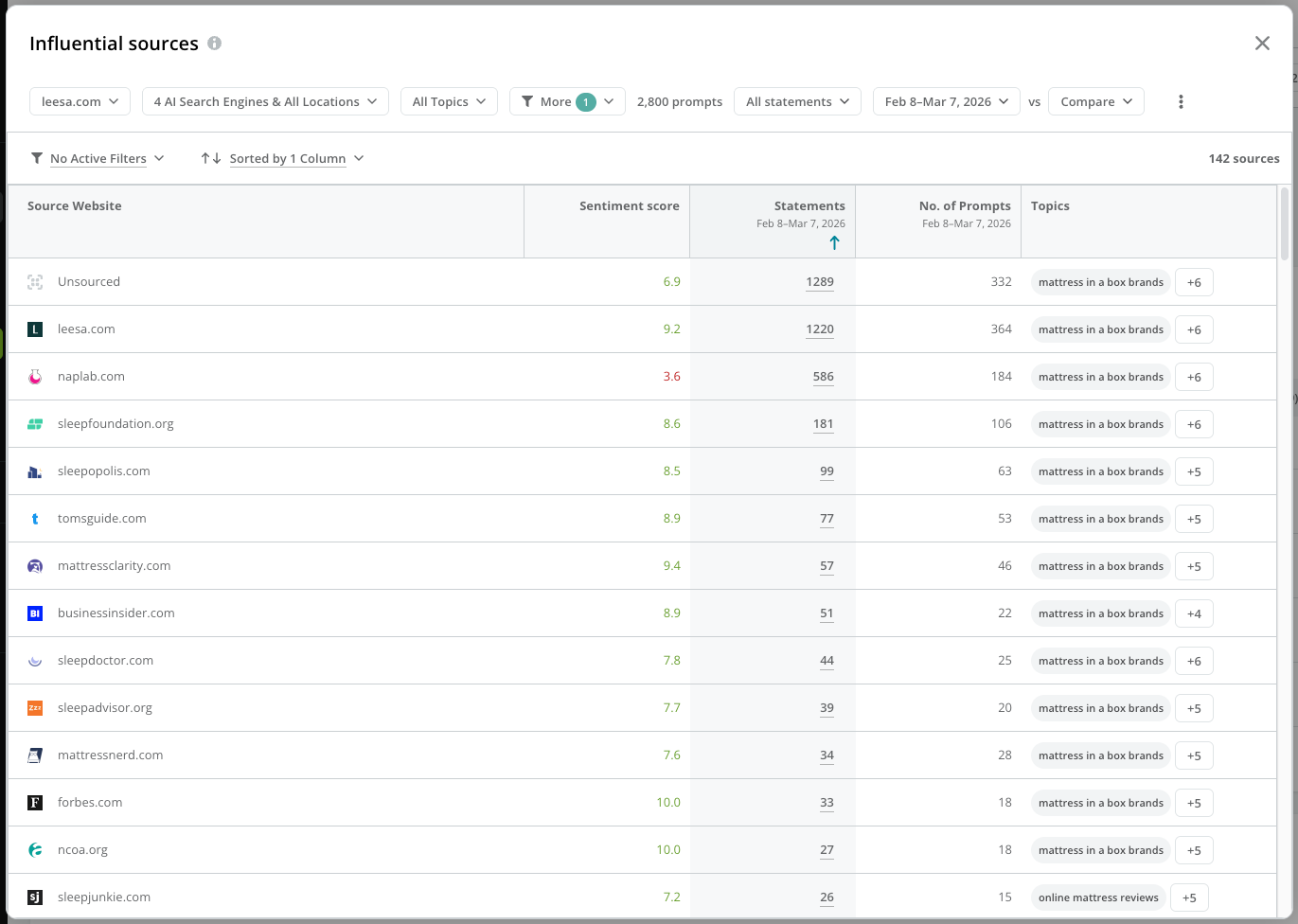 You can click the value in the **Statements** column to see the actual statement driving sentiment for the prompts.
 #### View your persona and search intent sentiment performance
Review your sentiment performance across different personas and search intents.
#### View your persona and search intent sentiment performance
Review your sentiment performance across different personas and search intents.
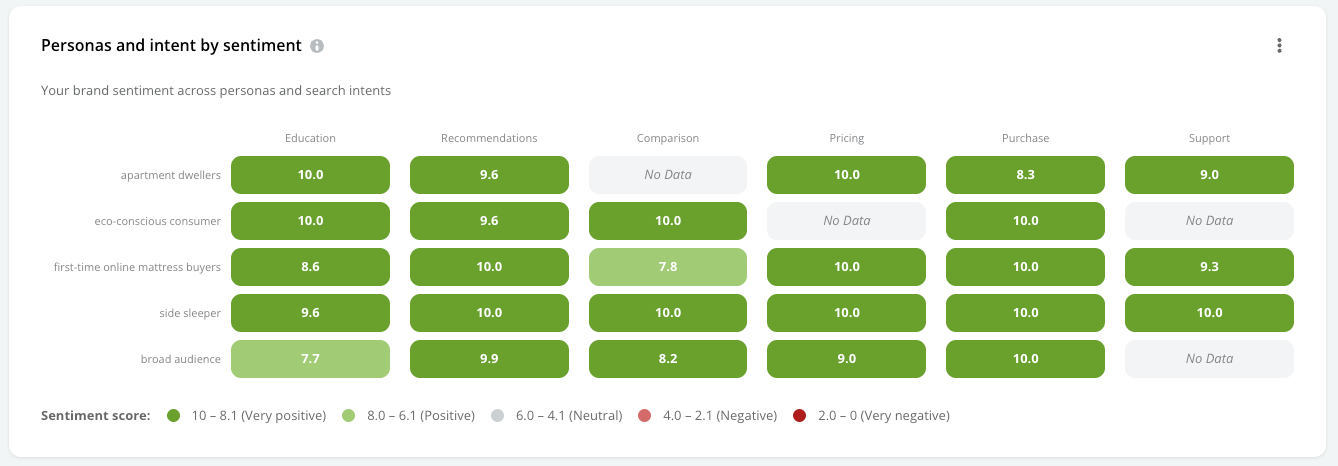 Click the intersection of a journey stage and persona to review the prompts with citations that represent the selected intersection.
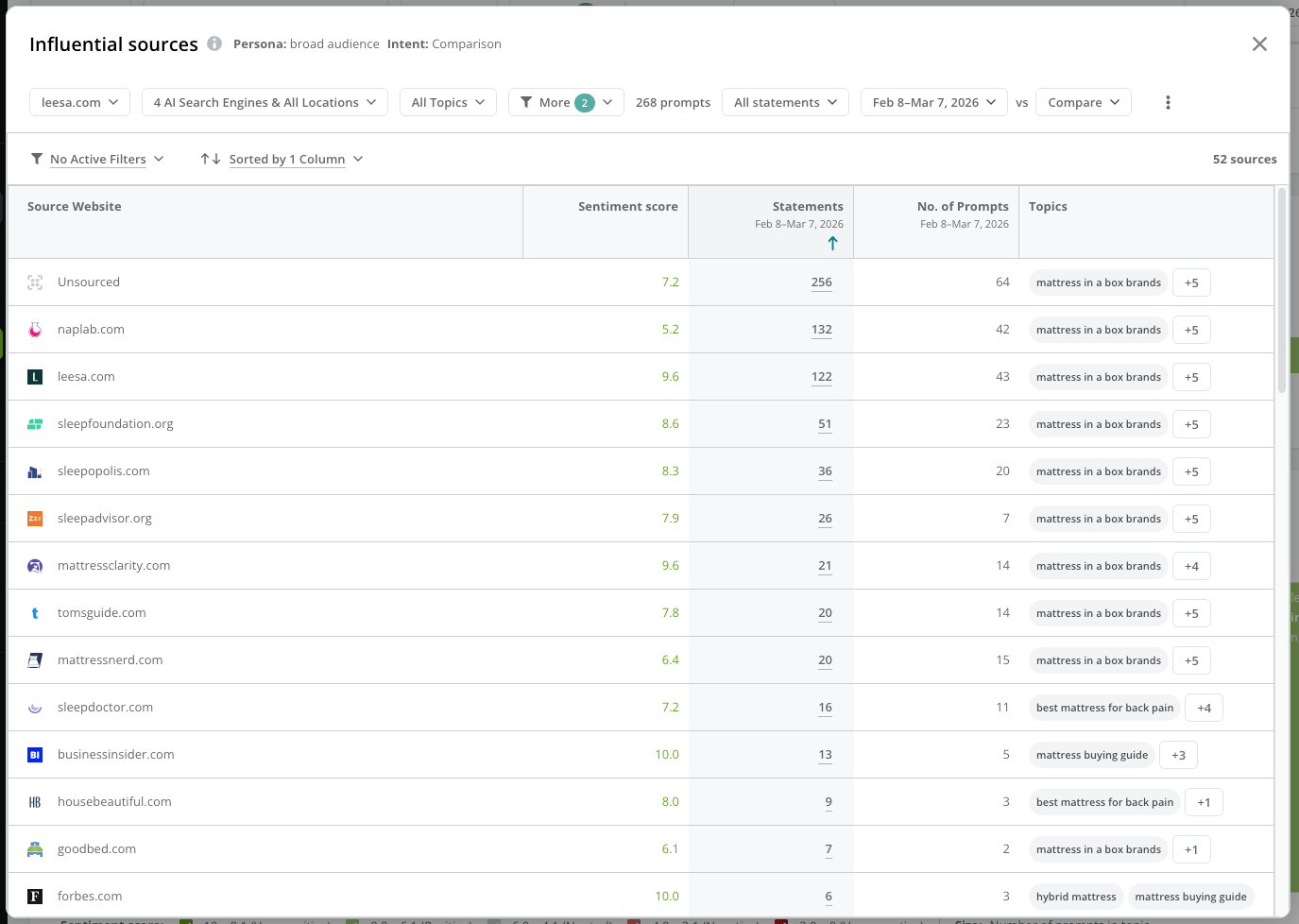 Click the value in the **Statements** column to see the statements driving sentiment for the sources.
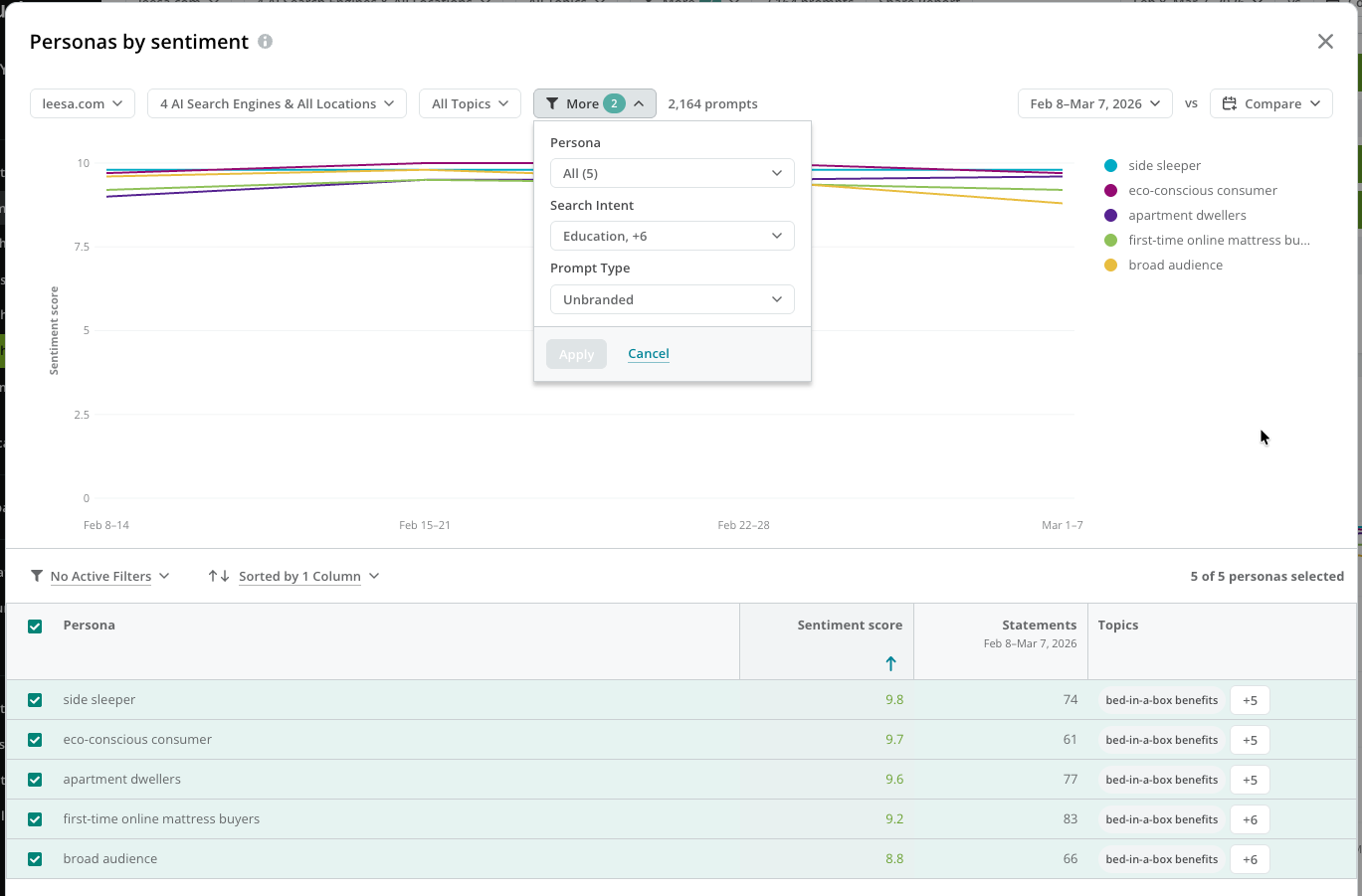
 #### Review the top search intents and personas by sentiment
Review the sentiment score for your tracked prompts, broken out by the prompts' search intent and persona.
#### Review the top search intents and personas by sentiment
Review the sentiment score for your tracked prompts, broken out by the prompts' search intent and persona.
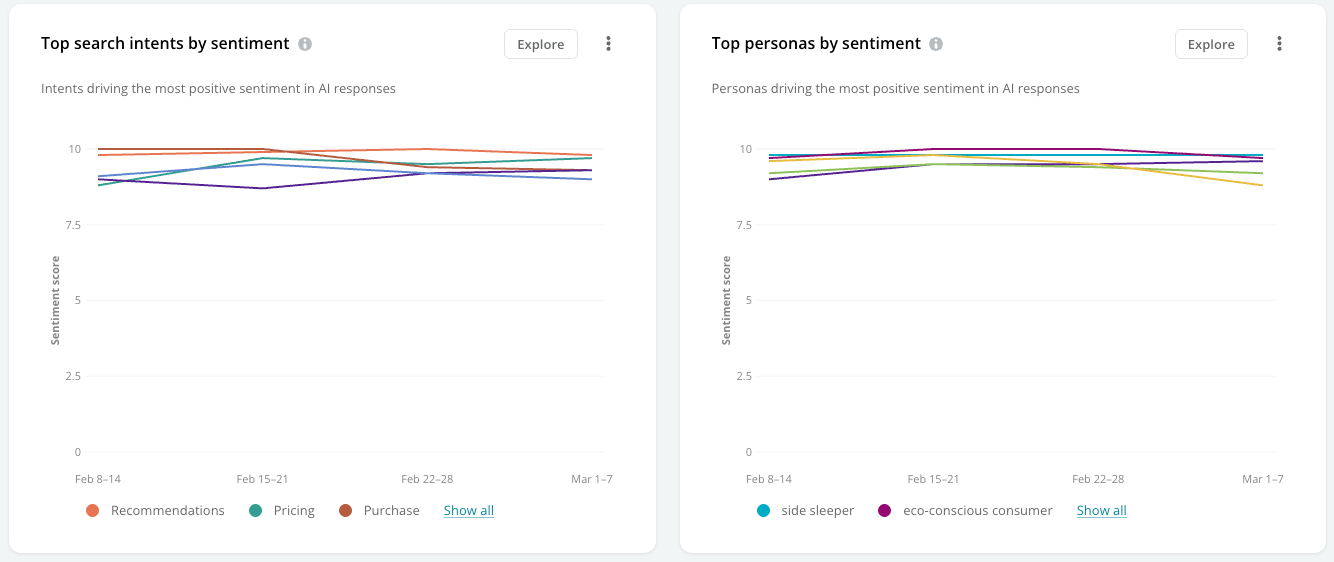 Click **Explore** to review and compare your search intent and persona performance for sentiment.
 #### View the coverage of your sentiment across your tracked topics
Review your coverage for topics grouped across tracked AI search engines and locations.
#### View the coverage of your sentiment across your tracked topics
Review your coverage for topics grouped across tracked AI search engines and locations.
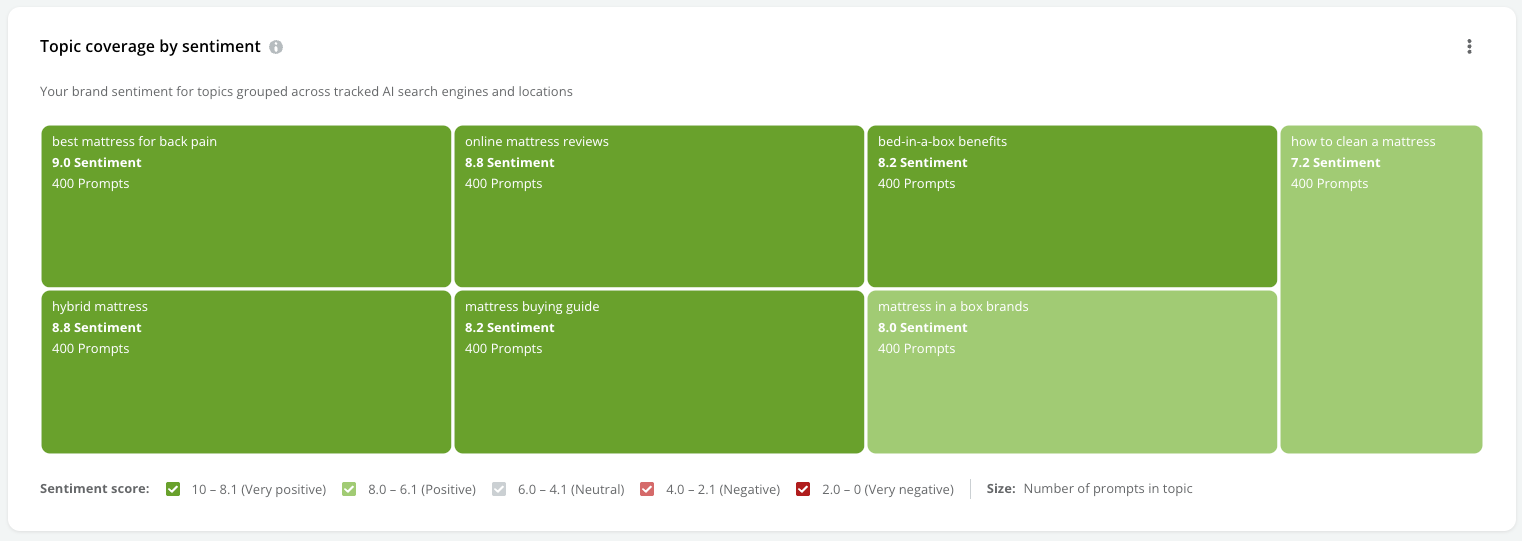 Click a topic to review the prompts tracked for it.
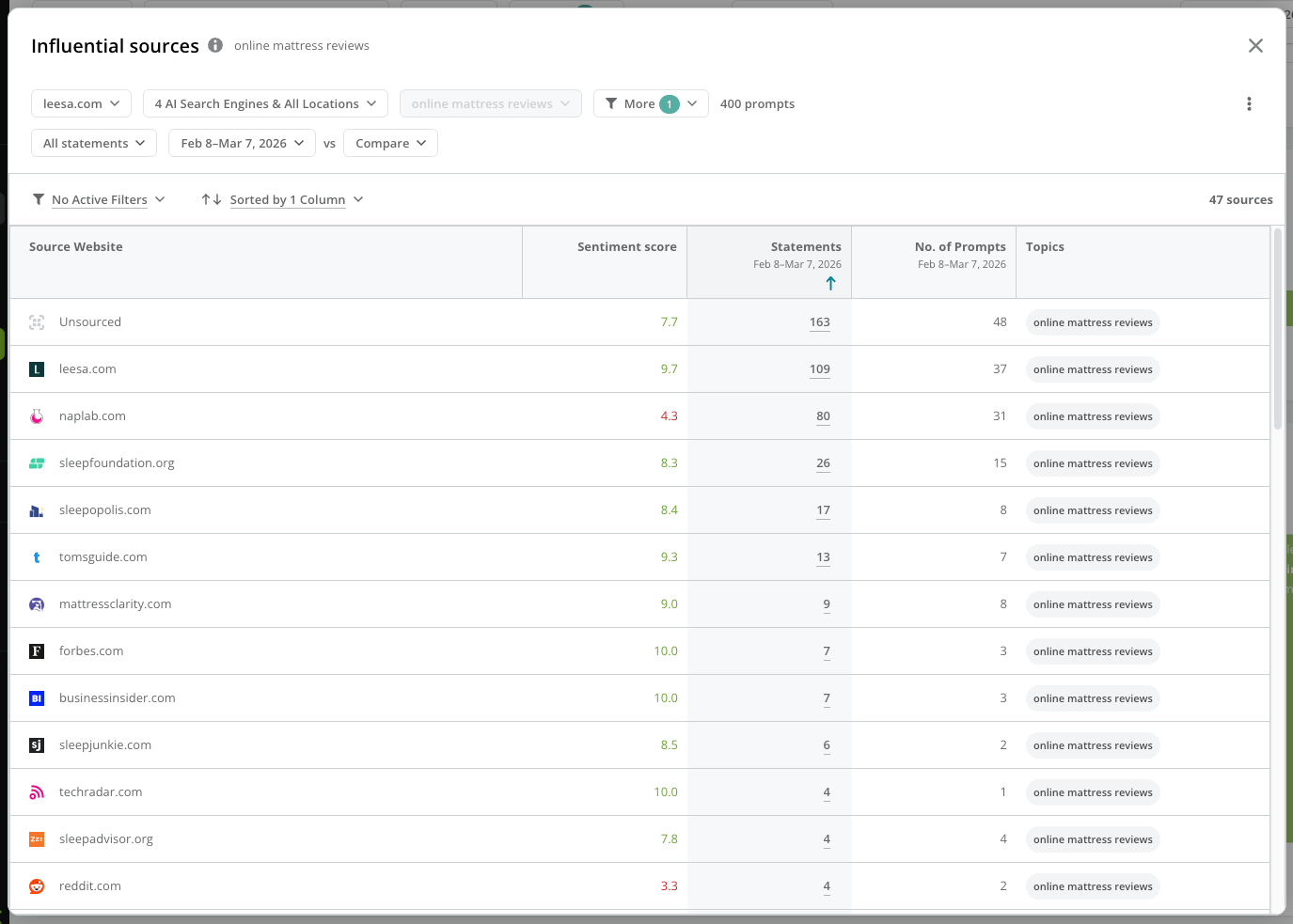 Click the value in the **Statements** column to see the statements driving sentiment for the prompts.
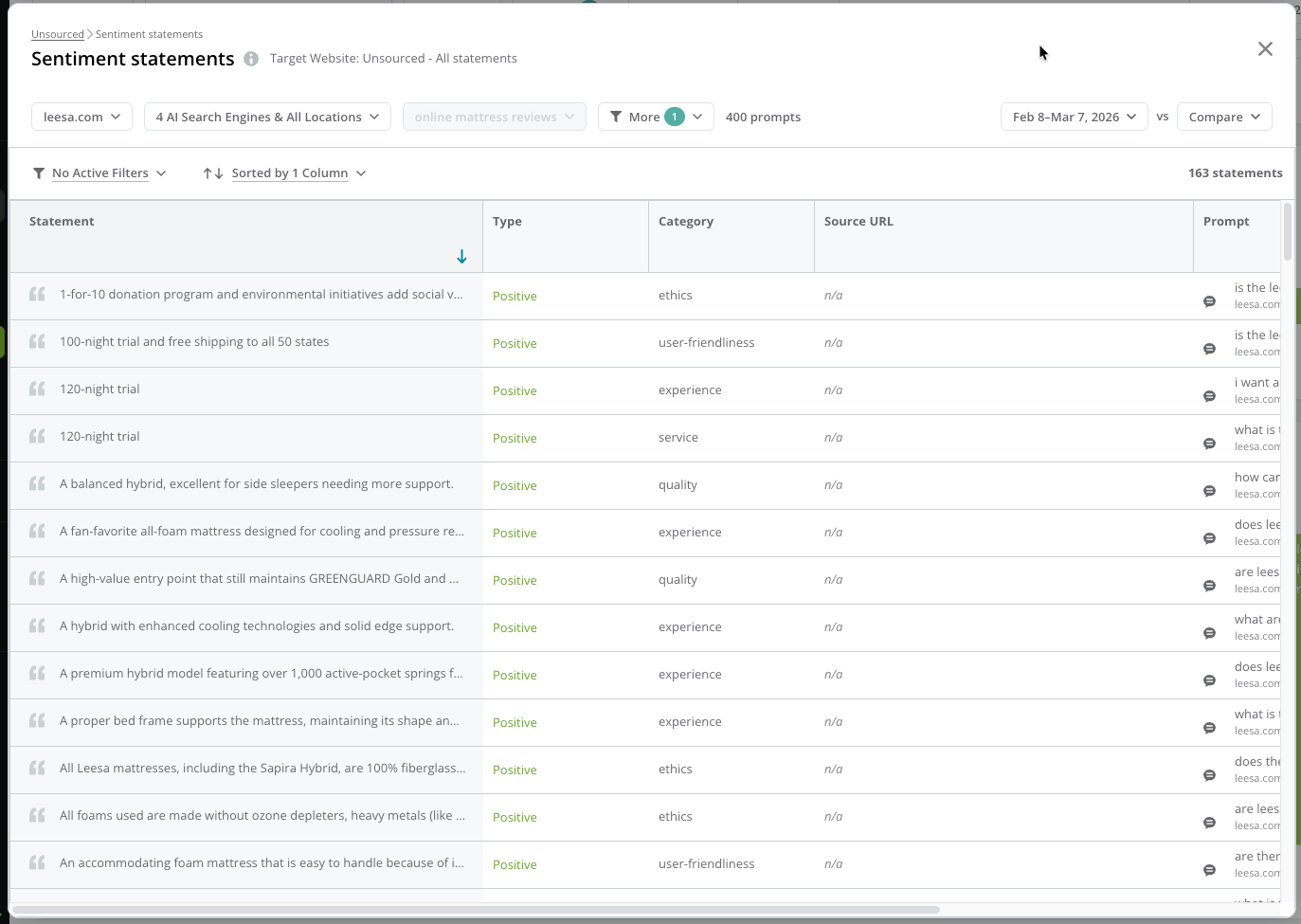 ## Review your tracked topic performance
The **Topics** tab gives you a view into the topics you track and the prompts that you track for those topics.
### Organize your table data
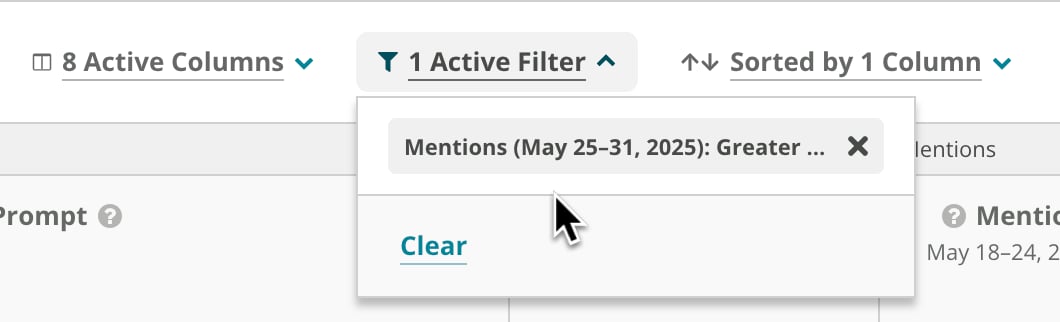
As with other tables in Conductor, you can use the controls above the table to:
* Include or exclude specific columns from the table.
* View and clear filters set on table columns.
* View and clear sorted table columns.
## Review your tracked topic performance
The **Topics** tab gives you a view into the topics you track and the prompts that you track for those topics.
### Organize your table data
As with other tables in Conductor, you can use the controls above the table to:
* Include or exclude specific columns from the table.
* View and clear filters set on table columns.
* View and clear sorted table columns.
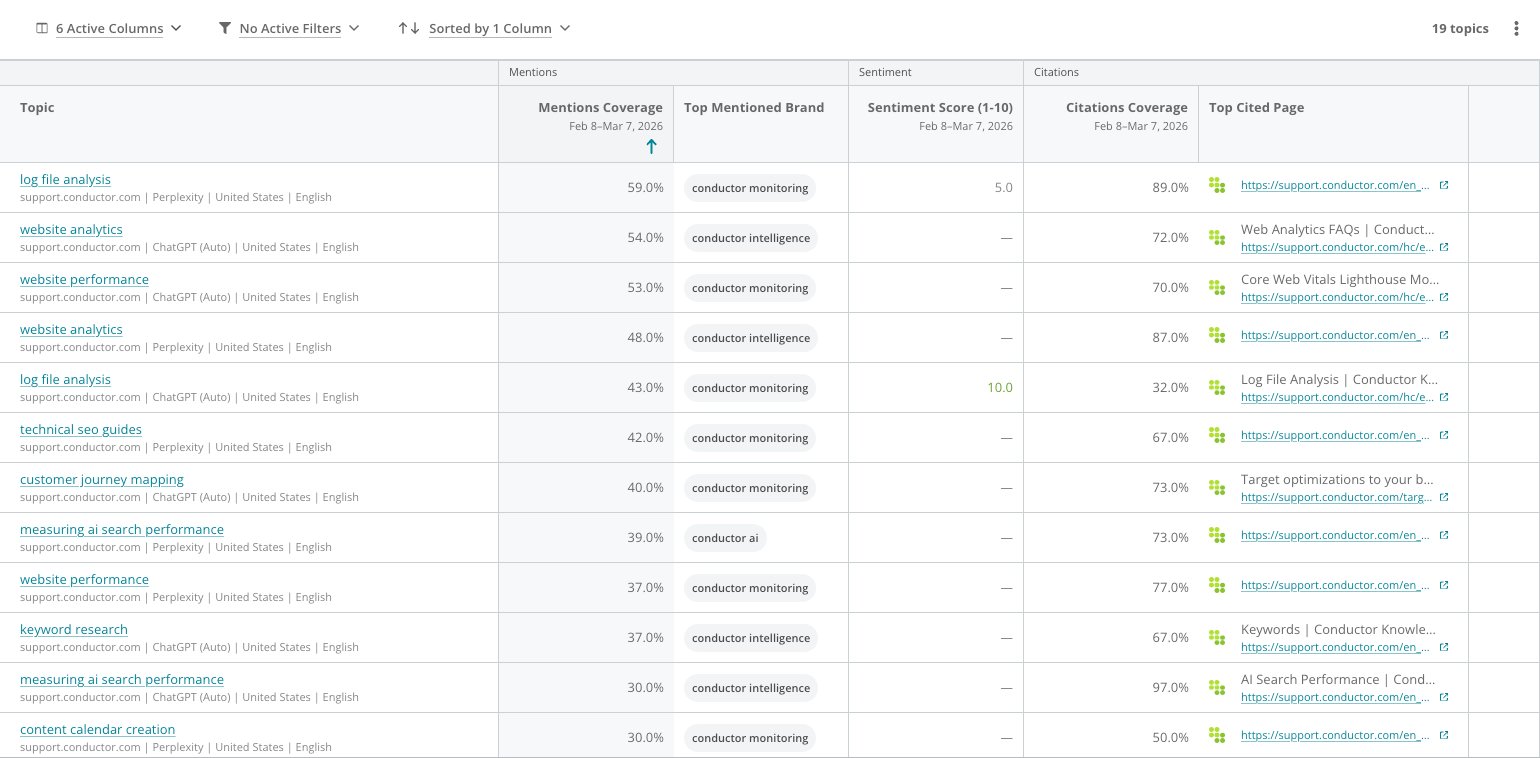
 #### Topic
Each row represents a topic you track with Conductor. You can click the topic to jump to the **Prompts** tab, filtered to show the prompts tracked for this topic.
#### Topic Details
* **Tracking Status**
Indicates whether a topic is **active** (tracked) or **inactive** (untracked).
* **No. of Prompts**
Indicates how many prompts are associated with each topic.
#### Mentions data
* **Prompts with Mentions** (First time period)
The number of prompts belonging to this topic for which the AI search response included an explicit mention of your brand.
* **Prompts with Mentions** (Second time period)
The number of prompts belonging to this topic for which the AI search response included an explicit mention of your brand.
* **Change** (No. of Mentions)
The increase or decrease in brand mentions compared to the previous time period, indicating shifts in brand visibility.
* **% Prompts with Mentions** (First time period)
The percentage of prompts belonging to this topic that included a direct mention of your brand, reflecting brand prominence.
* **% Prompts with Mentions** (Second time period)
The percentage of prompts belonging to this topic that included a direct mention of your brand, reflecting brand prominence.
* **Change** (% Prompts with Mentions)
The change in the percentage of prompts that mentioned your brand, compared to the previous period.
* **Top Mentioned Brand**
The brand mentioned most in your topics' mentions.
#### Sentiment
* **Sentiment Score** (1–10) (First time period)
Measures the overall emotional tone of the statements related to your brand. 10 reflects the most positive sentiment score; 1 reflects the most negative sentiment score.
* **Sentiment Score** (1–10) (Second time period)
Measures the overall emotional tone of the statements related to your brand. 10 reflects the most positive sentiment score; 1 reflects the most negative sentiment score.
* **Change**
The increase or decrease in the sentiment score compared to the previous period.
* **% Prompts with Positives**
The percentage of prompts belonging to this topic that included a positive statement about your brand.
* **% Prompts with Negatives**
The percentage of prompts belonging to this topic that included a negative statement about your brand.
#### Citations Data
* **Prompts with Citations** (First time period)
The number of times your website was cited as a source or included as a reference in AI search responses.
* **Prompts with Citations** (Second time period)
The number of times your website was cited as a source or included as a reference in AI search responses.
* **Change** (Total Citations)
The increase or decrease in citations from the previous time period, indicating growth or decline in authority or relevance.
* **% Prompts with Citations** (First time period)
The percentage of prompts in the topic that resulted in AI search responses with a citation of your website, highlighting how often your content is referenced.
* **% Prompts with Citations** (Second time period)
The percentage of prompts in the topic that resulted in AI search responses with a citation of your website, highlighting how often your content is referenced.
* **Change** (% Prompts with Citations)
The change in the citation percentage compared to the previous period, showing shifts in authority or relevance.
* **Top Cited Page**
The most frequently cited page on your website for this topic, typically indicating the most relevant or authoritative content.
#### Topic
Each row represents a topic you track with Conductor. You can click the topic to jump to the **Prompts** tab, filtered to show the prompts tracked for this topic.
#### Topic Details
* **Tracking Status**
Indicates whether a topic is **active** (tracked) or **inactive** (untracked).
* **No. of Prompts**
Indicates how many prompts are associated with each topic.
#### Mentions data
* **Prompts with Mentions** (First time period)
The number of prompts belonging to this topic for which the AI search response included an explicit mention of your brand.
* **Prompts with Mentions** (Second time period)
The number of prompts belonging to this topic for which the AI search response included an explicit mention of your brand.
* **Change** (No. of Mentions)
The increase or decrease in brand mentions compared to the previous time period, indicating shifts in brand visibility.
* **% Prompts with Mentions** (First time period)
The percentage of prompts belonging to this topic that included a direct mention of your brand, reflecting brand prominence.
* **% Prompts with Mentions** (Second time period)
The percentage of prompts belonging to this topic that included a direct mention of your brand, reflecting brand prominence.
* **Change** (% Prompts with Mentions)
The change in the percentage of prompts that mentioned your brand, compared to the previous period.
* **Top Mentioned Brand**
The brand mentioned most in your topics' mentions.
#### Sentiment
* **Sentiment Score** (1–10) (First time period)
Measures the overall emotional tone of the statements related to your brand. 10 reflects the most positive sentiment score; 1 reflects the most negative sentiment score.
* **Sentiment Score** (1–10) (Second time period)
Measures the overall emotional tone of the statements related to your brand. 10 reflects the most positive sentiment score; 1 reflects the most negative sentiment score.
* **Change**
The increase or decrease in the sentiment score compared to the previous period.
* **% Prompts with Positives**
The percentage of prompts belonging to this topic that included a positive statement about your brand.
* **% Prompts with Negatives**
The percentage of prompts belonging to this topic that included a negative statement about your brand.
#### Citations Data
* **Prompts with Citations** (First time period)
The number of times your website was cited as a source or included as a reference in AI search responses.
* **Prompts with Citations** (Second time period)
The number of times your website was cited as a source or included as a reference in AI search responses.
* **Change** (Total Citations)
The increase or decrease in citations from the previous time period, indicating growth or decline in authority or relevance.
* **% Prompts with Citations** (First time period)
The percentage of prompts in the topic that resulted in AI search responses with a citation of your website, highlighting how often your content is referenced.
* **% Prompts with Citations** (Second time period)
The percentage of prompts in the topic that resulted in AI search responses with a citation of your website, highlighting how often your content is referenced.
* **Change** (% Prompts with Citations)
The change in the citation percentage compared to the previous period, showing shifts in authority or relevance.
* **Top Cited Page**
The most frequently cited page on your website for this topic, typically indicating the most relevant or authoritative content.
 ## Review your tracked prompt performance
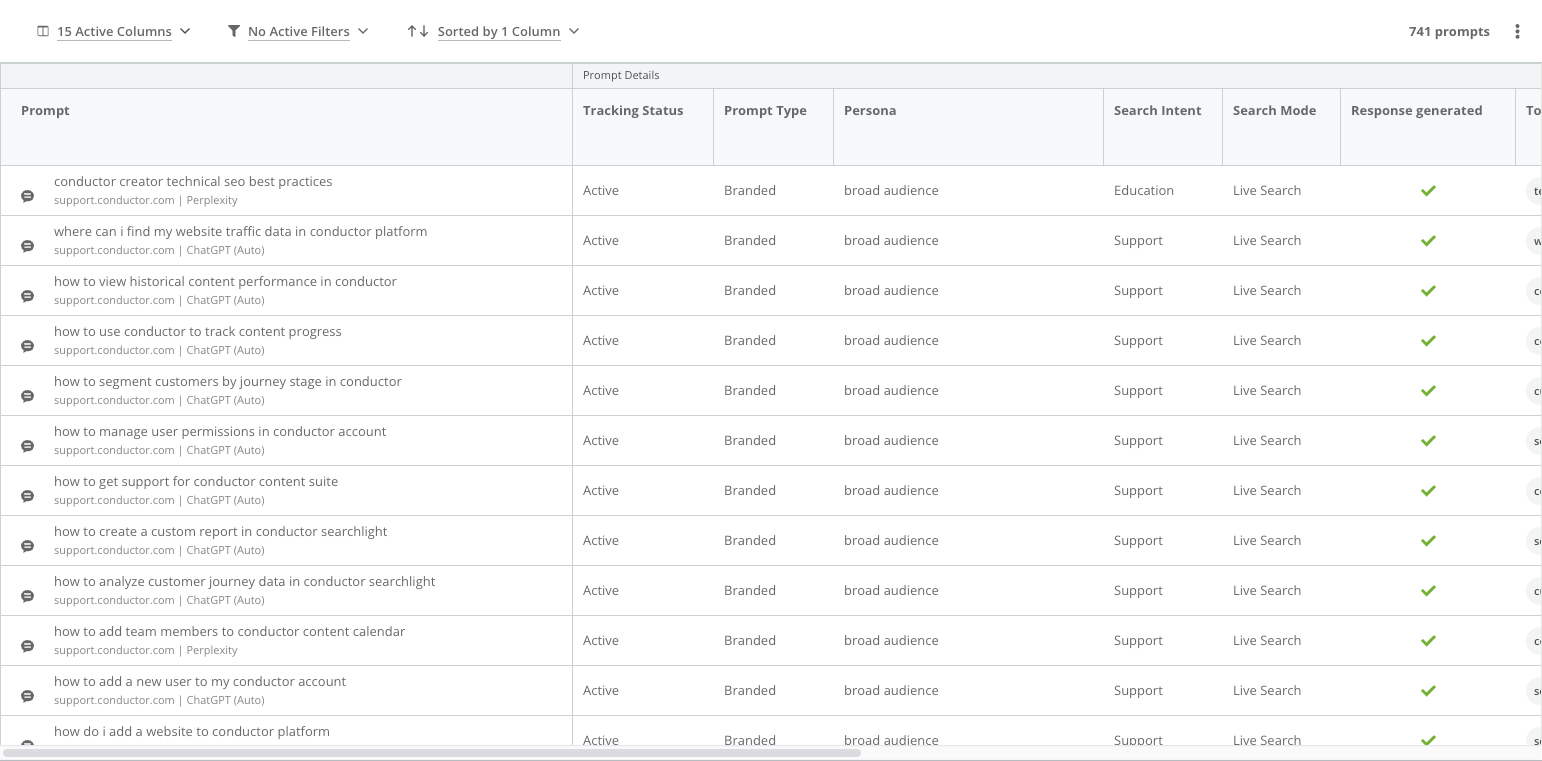
The **Prompts** tab includes data about all your tracked prompts.
#### Prompt
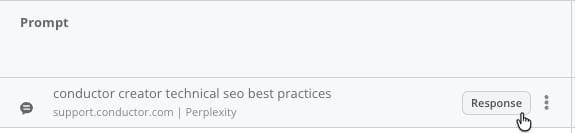
Each row represents a prompt you track with Conductor. Hovering over the prompt, you can click the **Response** button to see the AI search response for the prompt.
## Review your tracked prompt performance
The **Prompts** tab includes data about all your tracked prompts.
#### Prompt
Each row represents a prompt you track with Conductor. Hovering over the prompt, you can click the **Response** button to see the AI search response for the prompt.
 #### Prompt Details
* **Tracking Status**
Indicates whether the prompt is actively tracked or not.
* **Prompt Type**
Values might be **Branded** or **Unbranded**. Specifies whether the prompt explicitly names a company, brand, or unique product (branded) or does not (unbranded).
* **Persona**
The persona or personas associated with the prompt.
* **Search Intent**
The [search intent](/docs/intelligence/ai-search-faqs/#what-is-search-intent-in-conductors-ai-search-performance-reporting) associated with the prompt.
* **Search Mode**
Indicates how the search engine retrieved the response.
* **Live Search** uses real-time web data to answer the prompt.
* **Static Search** relies on the AI’s pre-trained knowledge and may not include citations or recent updates. Brand mentions and citations will only appear in Static Search if they were part of the model’s original training data.
* **Response generated**
Indicates whether a response was returned, not returned, or if Conductor is still collecting data (shown as blank). This is especially useful when reviewing prompts returned from the Google AIO search engine, for which Google may not always return an AIO response for a query.
* **Topic**
The corresponding topic for which you track the prompt.
#### Mentions
* **Mentions** (First time period)
The brand or brands mentioned in the AI search result during the first time period.
* **Brands** (First time period)
Indicates how many of your tracked brands are mentioned in the AI search response for this prompt. Note that "no brands" means the response included no mentions for any brands—yours or other websites'—while a "0" value means there were brands mentioned in the response, but none of your tracked brands were among those mentioned.
* **Mentions** (Second time period)
The brand or brands mentioned in the AI search result during the second time period.
* **Brands** (Second time period)
Indicates how many of your tracked brands are mentioned in the AI search response for this prompt. Note that "no brands" means the response included no mentions for any brands—yours or other websites'—while a "0" value means there were brands mentioned in the response, but none of your tracked brands were among those mentioned.
* **Change** (Brand Mentions)
The increase or decrease in tracked brand mentions in the AI search response compared to the previous time period, indicating shifts in brand visibility.
#### Sentiment
* **Sentiment Score** (1–10) (First time period)
Measures the overall emotional tone of the statements related to your brand. 10 reflects the most positive sentiment score; 1 reflects the most negative sentiment score.
* **Sentiment Score** (1–10) (Second time period)
Measures the overall emotional tone of the statements related to your brand. 10 reflects the most positive sentiment score; 1 reflects the most negative sentiment score.
* **Change**
The increase or decrease in the sentiment score compared to the previous period.
* **Positive Statements**
The number of positive statements about your brand during the most recent time period.
* **Negative Statements**
The number of negative statements about your brand during the most recent time period.
#### Citations
* **Citations** (First time period)
The number of times your website was cited as a source in AI search responses to this prompt.
* **Pages** (First time period)
Your pages cited for this prompt during the time period. Click the URL to jump to the live page.
* **Citations** (Second time period)
The number of times your website was cited as a source in AI search responses to this prompt.
* **Pages** (Second time period)
Your pages cited for this prompt during the time period. Click the URL to jump to the live page.
* **Change** (Pages Cited)
The increase or decrease in citations compared to the previous time period, indicating growth or decline in authority or relevance.
#### Prompt Details
* **Tracking Status**
Indicates whether the prompt is actively tracked or not.
* **Prompt Type**
Values might be **Branded** or **Unbranded**. Specifies whether the prompt explicitly names a company, brand, or unique product (branded) or does not (unbranded).
* **Persona**
The persona or personas associated with the prompt.
* **Search Intent**
The [search intent](/docs/intelligence/ai-search-faqs/#what-is-search-intent-in-conductors-ai-search-performance-reporting) associated with the prompt.
* **Search Mode**
Indicates how the search engine retrieved the response.
* **Live Search** uses real-time web data to answer the prompt.
* **Static Search** relies on the AI’s pre-trained knowledge and may not include citations or recent updates. Brand mentions and citations will only appear in Static Search if they were part of the model’s original training data.
* **Response generated**
Indicates whether a response was returned, not returned, or if Conductor is still collecting data (shown as blank). This is especially useful when reviewing prompts returned from the Google AIO search engine, for which Google may not always return an AIO response for a query.
* **Topic**
The corresponding topic for which you track the prompt.
#### Mentions
* **Mentions** (First time period)
The brand or brands mentioned in the AI search result during the first time period.
* **Brands** (First time period)
Indicates how many of your tracked brands are mentioned in the AI search response for this prompt. Note that "no brands" means the response included no mentions for any brands—yours or other websites'—while a "0" value means there were brands mentioned in the response, but none of your tracked brands were among those mentioned.
* **Mentions** (Second time period)
The brand or brands mentioned in the AI search result during the second time period.
* **Brands** (Second time period)
Indicates how many of your tracked brands are mentioned in the AI search response for this prompt. Note that "no brands" means the response included no mentions for any brands—yours or other websites'—while a "0" value means there were brands mentioned in the response, but none of your tracked brands were among those mentioned.
* **Change** (Brand Mentions)
The increase or decrease in tracked brand mentions in the AI search response compared to the previous time period, indicating shifts in brand visibility.
#### Sentiment
* **Sentiment Score** (1–10) (First time period)
Measures the overall emotional tone of the statements related to your brand. 10 reflects the most positive sentiment score; 1 reflects the most negative sentiment score.
* **Sentiment Score** (1–10) (Second time period)
Measures the overall emotional tone of the statements related to your brand. 10 reflects the most positive sentiment score; 1 reflects the most negative sentiment score.
* **Change**
The increase or decrease in the sentiment score compared to the previous period.
* **Positive Statements**
The number of positive statements about your brand during the most recent time period.
* **Negative Statements**
The number of negative statements about your brand during the most recent time period.
#### Citations
* **Citations** (First time period)
The number of times your website was cited as a source in AI search responses to this prompt.
* **Pages** (First time period)
Your pages cited for this prompt during the time period. Click the URL to jump to the live page.
* **Citations** (Second time period)
The number of times your website was cited as a source in AI search responses to this prompt.
* **Pages** (Second time period)
Your pages cited for this prompt during the time period. Click the URL to jump to the live page.
* **Change** (Pages Cited)
The increase or decrease in citations compared to the previous time period, indicating growth or decline in authority or relevance.
 ## Share and extend your AI search performance data
### Share a link to your AI Search Performance report
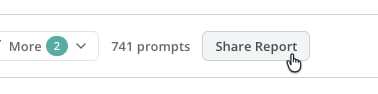
In the control bar, you can click the **Share Report** button to easily copy a link to your report with other Conductor users.
## Share and extend your AI search performance data
### Share a link to your AI Search Performance report
In the control bar, you can click the **Share Report** button to easily copy a link to your report with other Conductor users.
 ### Add widgets from the AI Search Performance report to workspaces
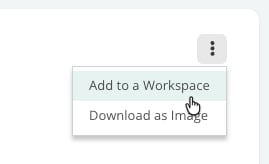
Throughout the report, you can add widgets to workspaces in your account. Click the **More** button and select **Add to Workspace**.
### Add widgets from the AI Search Performance report to workspaces
Throughout the report, you can add widgets to workspaces in your account. Click the **More** button and select **Add to Workspace**.
 ### Download images of widgets in the AI Search Performance report
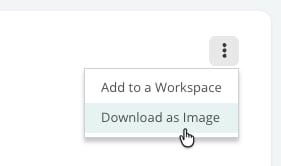
Each of the report's widgets can be downloaded as an image for you to use outside the Conductor platform. Click the **More** button and select **Download as Image**
### Download images of widgets in the AI Search Performance report
Each of the report's widgets can be downloaded as an image for you to use outside the Conductor platform. Click the **More** button and select **Download as Image**
 ### Export your tracked topic and prompt data
In both the **Topic** and **Prompts** tabs, you can click the **more** icon above the table to select **Download XLSX** to export a Microsoft Excel file with all the data in either table.
## FAQ
[Review this feature's frequently asked questions](/docs/intelligence/ai-search-faqs/)
### Export your tracked topic and prompt data
In both the **Topic** and **Prompts** tabs, you can click the **more** icon above the table to select **Download XLSX** to export a Microsoft Excel file with all the data in either table.
## FAQ
[Review this feature's frequently asked questions](/docs/intelligence/ai-search-faqs/)