> ## Documentation Index
> Fetch the complete documentation index at: https://www.conductor.com/docs/llms.txt
> Use this file to discover all available pages before exploring further.
# Rank Comparisons
> Compare keyword-level performance between your site and competitor web properties to identify gaps and opportunities.
The Rank Comparisons report lets you compare your keyword performance with other web properties. Monitoring your competitors can help you identify areas for optimization and share successes with your stakeholders.
With the Rank Comparisons report, you can:
* See data in the report based on location and device.
* Add the table to a [Workspace](/docs/platform/workspaces/).
* Export data into a native Excel file.
**Performance** > **Traditional Search** > **More** > [**Rank Comparisons**](https://app.conductor.com/u/rank-comparisons)
## Overview
### Determine the keywords you want to focus on
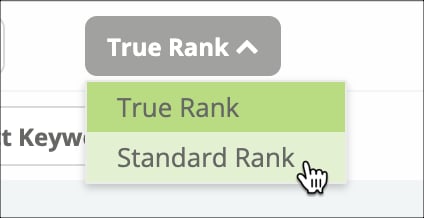
* Select whether you want to see keywords sorted by True Rank or rank.\\
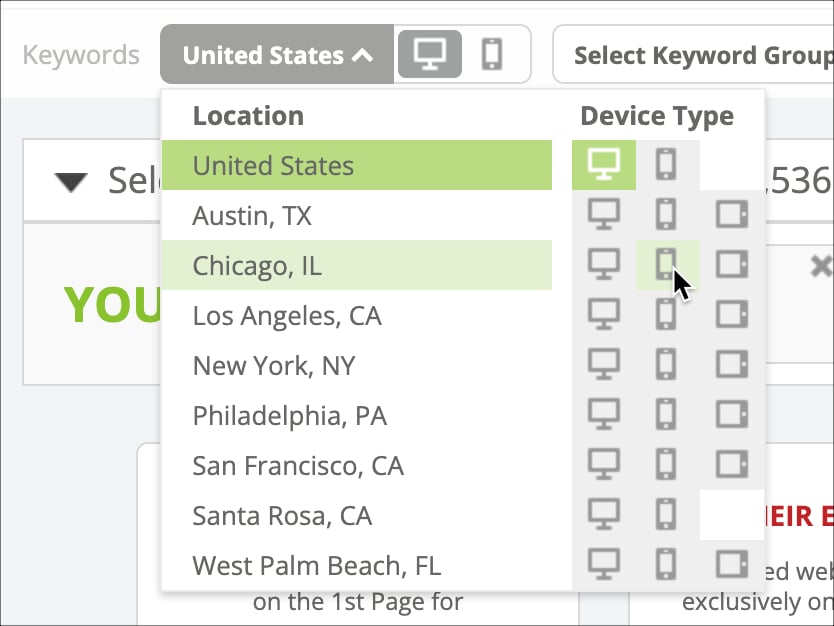
 * Choose the location and device you want to see results for.\\
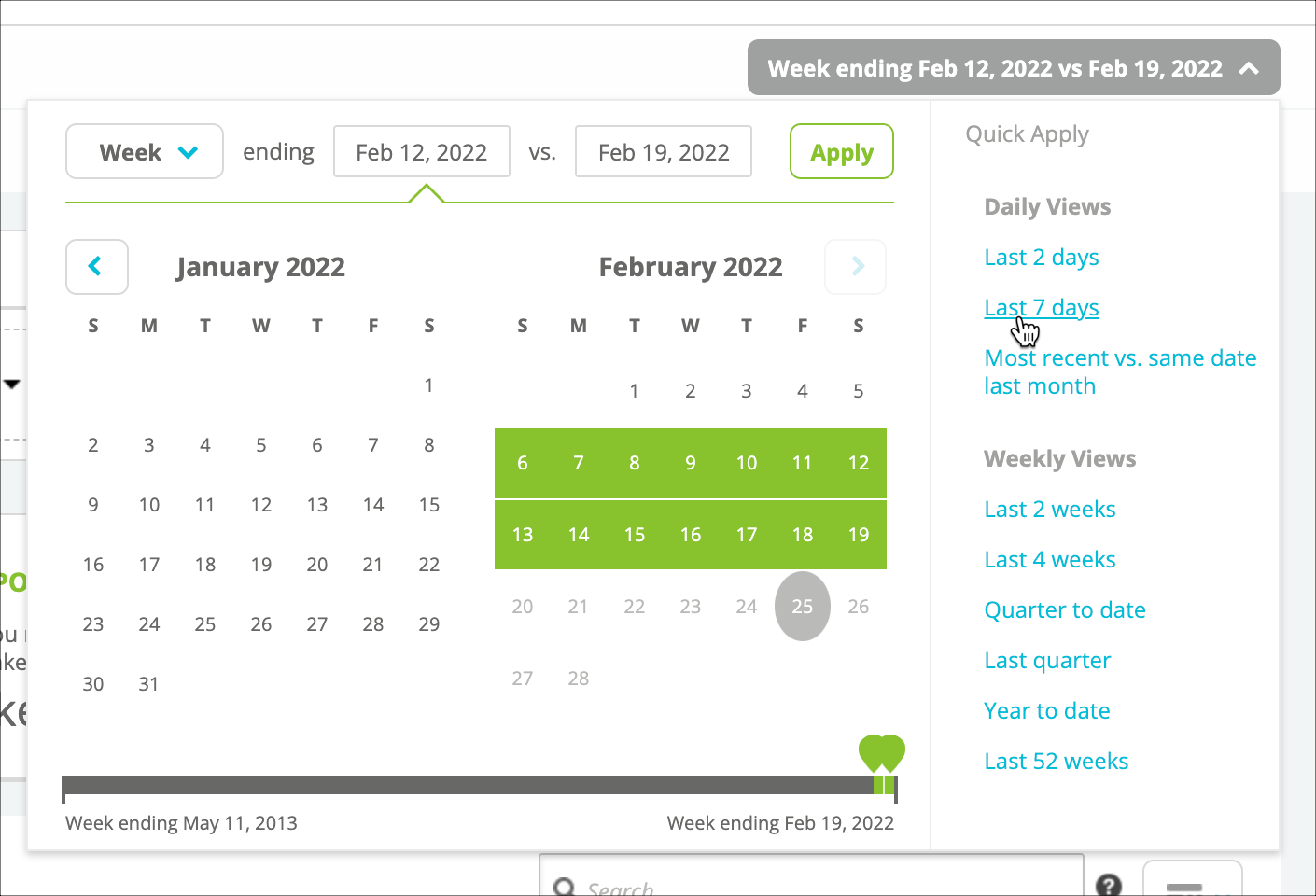
 * Choose the date range you want to see results for.\\
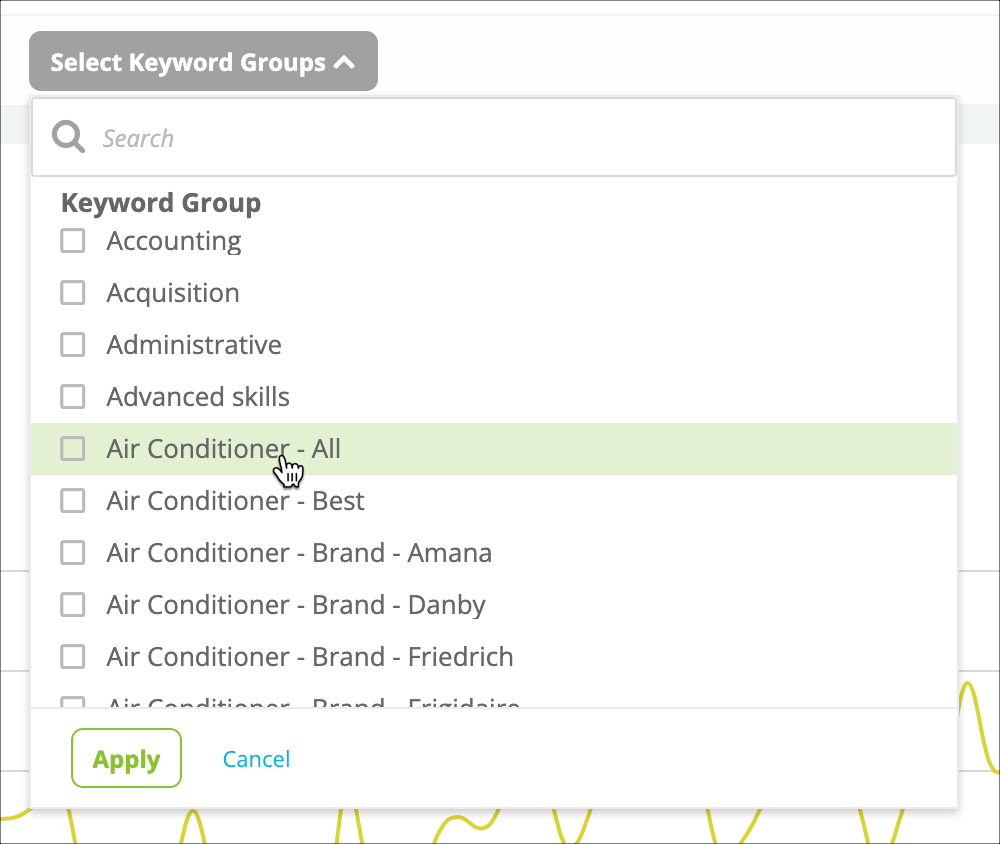
 * Select the keyword groups you want to analyze. Use the search bar if you have a lot of keyword groups.\\
 * From the "Select domains to compare" menu, choose up to four web properties from the top 100 performing domains or from your comparison web properties with the most ranking keywords that you want to compare to your web properties:\\
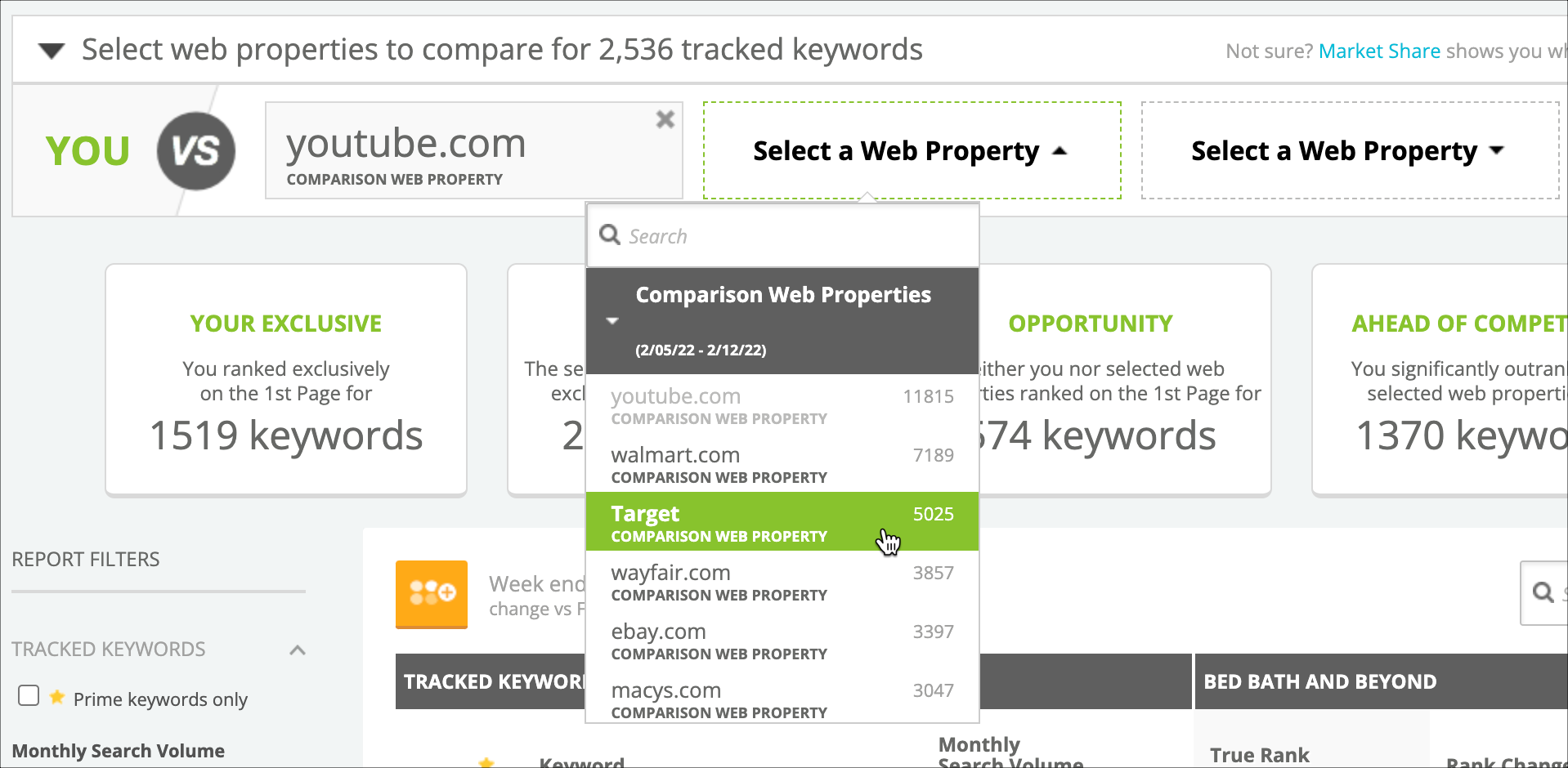 * If you want to research which web properties to choose based on their performance for a keyword group you have selected, you can use the Market Share link to jump to Conductor's [Market Share](/docs/intelligence/market-share/) report for that keyword group.
* Discover a [Top Ranker you want to add as Comparison Content](/docs/platform/web-properties-setup-in-conductor-creator-and-conductor-intelligence/#track-comparison-web-properties) for Conductor to track? Click the plus icon
* If you want to research which web properties to choose based on their performance for a keyword group you have selected, you can use the Market Share link to jump to Conductor's [Market Share](/docs/intelligence/market-share/) report for that keyword group.
* Discover a [Top Ranker you want to add as Comparison Content](/docs/platform/web-properties-setup-in-conductor-creator-and-conductor-intelligence/#track-comparison-web-properties) for Conductor to track? Click the plus icon  to add it directly from the summary bar.
* Note that the number shown in the menu reflects the number of results that appear for your tracked keywords and for which that web property appears.
* Use the Display Columns button to select the columns you want to see:
to add it directly from the summary bar.
* Note that the number shown in the menu reflects the number of results that appear for your tracked keywords and for which that web property appears.
* Use the Display Columns button to select the columns you want to see:  * Use Report filters to see only the keywords you want:
* Choose to see only keywords you've designated as prime.
* Focus on keywords with a specific monthly search volume range.
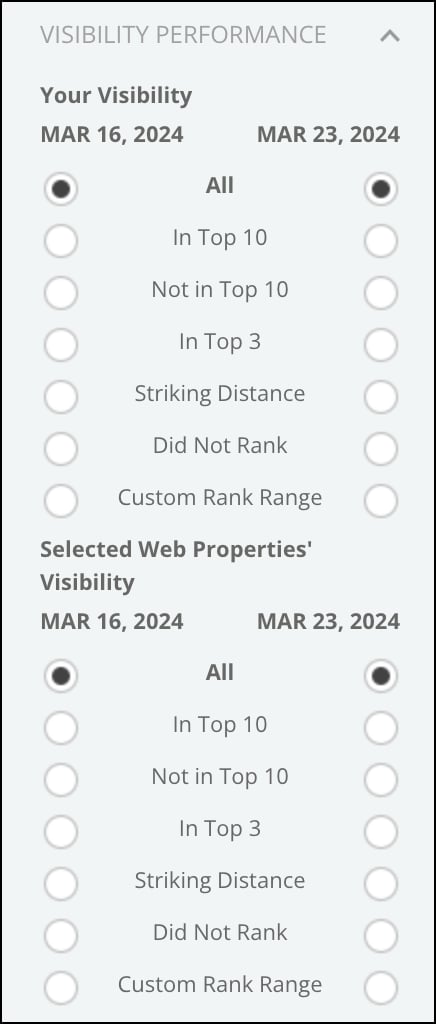
* Use the **Visibility Performance** filter to focus on keywords moving between visibility zones.\\
* Use Report filters to see only the keywords you want:
* Choose to see only keywords you've designated as prime.
* Focus on keywords with a specific monthly search volume range.
* Use the **Visibility Performance** filter to focus on keywords moving between visibility zones.\\
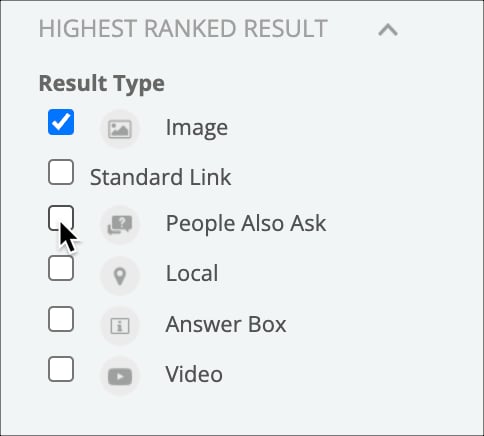
 * Use the **Result Type** filter to select whether you want to see data for certain types of universal result types, which represent different types of content.\\
 ### Review the data in the table
Results in the table reflect the keywords you track that meet the conditions determined by the filters you've applied. Keep in mind that the **Selected Web Properties' Visibility** filter applies to all web properties you are comparing to your own. This means that the results in the table reflect keywords where all of the compared properties fall into the visibility zones you selected in the filter. Put another way, the results reflect AND logic between the comparison properties rather than OR logic.
* To find specific keywords to compare, use the search bar to the upper right of the table.
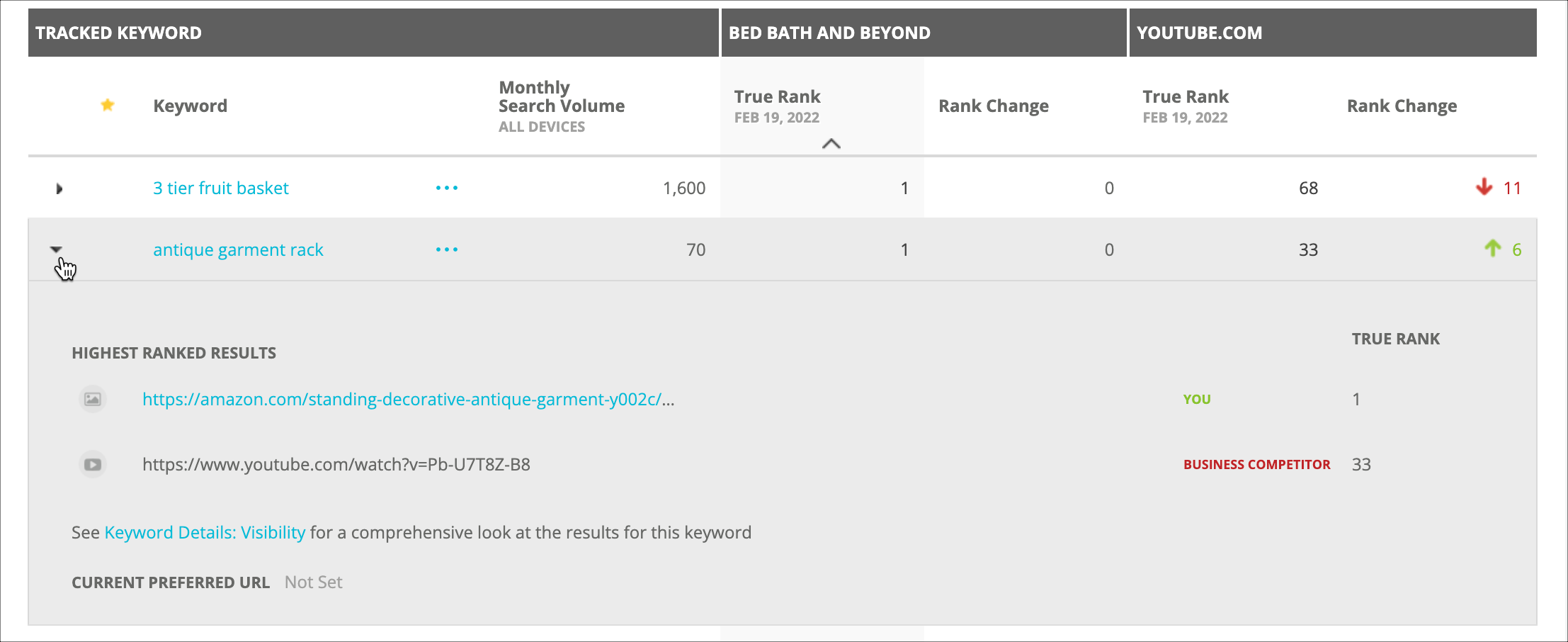
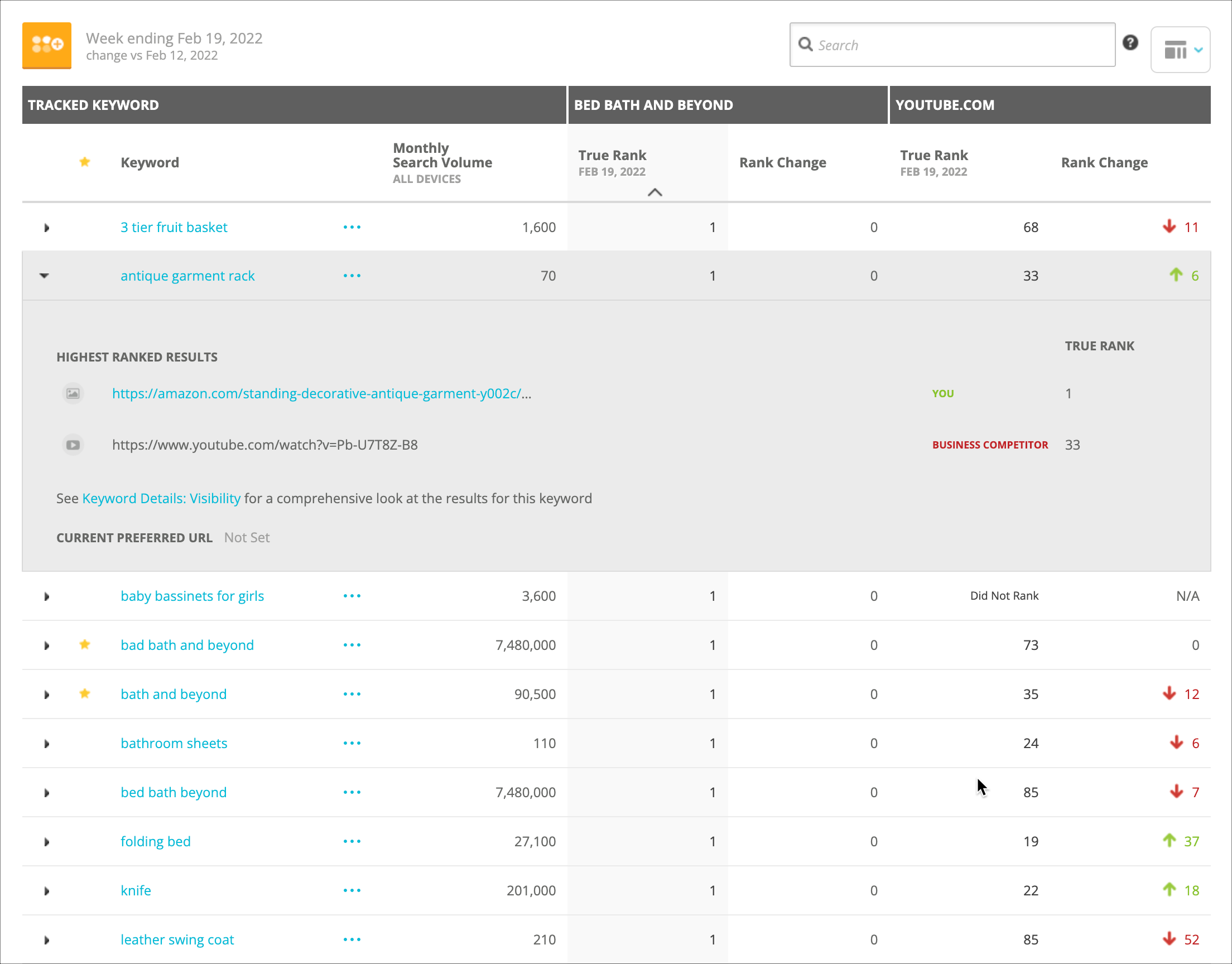
* In the Keyword column, you can click the down arrow to open a menu with information about the keyword for each web property:\\
### Review the data in the table
Results in the table reflect the keywords you track that meet the conditions determined by the filters you've applied. Keep in mind that the **Selected Web Properties' Visibility** filter applies to all web properties you are comparing to your own. This means that the results in the table reflect keywords where all of the compared properties fall into the visibility zones you selected in the filter. Put another way, the results reflect AND logic between the comparison properties rather than OR logic.
* To find specific keywords to compare, use the search bar to the upper right of the table.
* In the Keyword column, you can click the down arrow to open a menu with information about the keyword for each web property:\\
 * To dig into a particular keyword, click on its name in the Keywords column to go to the [Keyword Details](/docs/intelligence/keyword-details/) page.
 ## Using Rank Comparisons
* [Measure how you rank side-by-side to competitors for tracked keywords](https://app.conductor.com/u/community?ms_url=%2Fcourses%2Fdfe2877a-a1d6-474f-8e36-733be6e1fa8e%2Fstep%2Fc1bdddf0-0c2f-448a-b47f-a6b689f30bc9)
* [Generate new ideas for early-stage content by researching YouTube ranks](https://app.conductor.com/u/community?ms_url=%2Fcourses%2Fe658b180-d397-4557-9150-94300a99c78e%2Fstep%2F8d9fd815-0e71-49df-9a0a-498bd8f555de)
* [Compare and monitor your performance against your competitors across your tracked locations](https://app.conductor.com/u/community?ms_url=%2Fdocuments%2F15dfcaf0-e275-4133-8093-efa6959fe47b)
## FAQs
[Review this feature's frequently asked questions](/docs/intelligence/rank-comparisons-faqs/)
## Using Rank Comparisons
* [Measure how you rank side-by-side to competitors for tracked keywords](https://app.conductor.com/u/community?ms_url=%2Fcourses%2Fdfe2877a-a1d6-474f-8e36-733be6e1fa8e%2Fstep%2Fc1bdddf0-0c2f-448a-b47f-a6b689f30bc9)
* [Generate new ideas for early-stage content by researching YouTube ranks](https://app.conductor.com/u/community?ms_url=%2Fcourses%2Fe658b180-d397-4557-9150-94300a99c78e%2Fstep%2F8d9fd815-0e71-49df-9a0a-498bd8f555de)
* [Compare and monitor your performance against your competitors across your tracked locations](https://app.conductor.com/u/community?ms_url=%2Fdocuments%2F15dfcaf0-e275-4133-8093-efa6959fe47b)
## FAQs
[Review this feature's frequently asked questions](/docs/intelligence/rank-comparisons-faqs/)