> ## Documentation Index
> Fetch the complete documentation index at: https://www.conductor.com/docs/llms.txt
> Use this file to discover all available pages before exploring further.
# Health Score
> Understand how Conductor Monitoring scores each page and site against SEO best practices to surface optimization priorities.
## What is the Health score?
The Health score is a metric to determine the degree to which a page, or a website overall, is optimized for SEO. The higher the score the better. The score is based on industry surveys and common best practices within SEO.
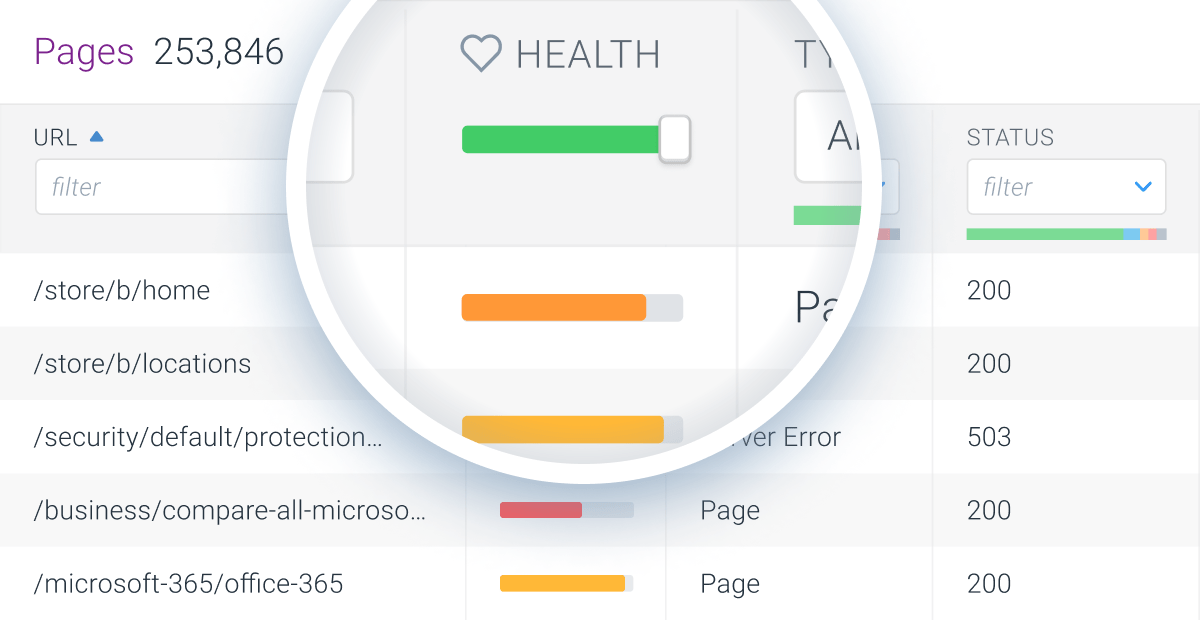
You can use the slider to filter for pages with a health score that’s below a certain amount.
 ## Scopes of the Health score in Conductor Monitoring
There are four scopes of Health score that you can see in Conductor Monitoring:
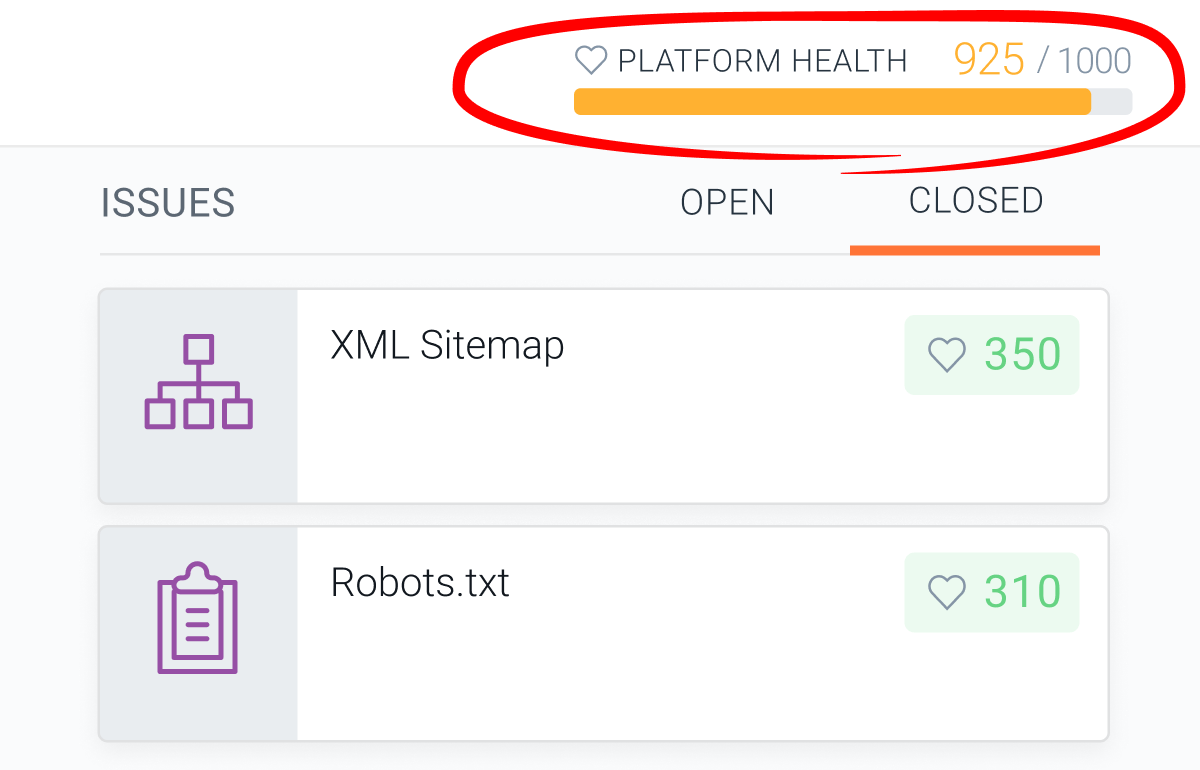
* **Platform Health**, which can be viewed in the **Platform** section. **Platform Health** determines how well optimized the technical platform of the website is (Domain, XML Sitemaps, Robots.txt, Web Vitals Origin).\\
## Scopes of the Health score in Conductor Monitoring
There are four scopes of Health score that you can see in Conductor Monitoring:
* **Platform Health**, which can be viewed in the **Platform** section. **Platform Health** determines how well optimized the technical platform of the website is (Domain, XML Sitemaps, Robots.txt, Web Vitals Origin).\\
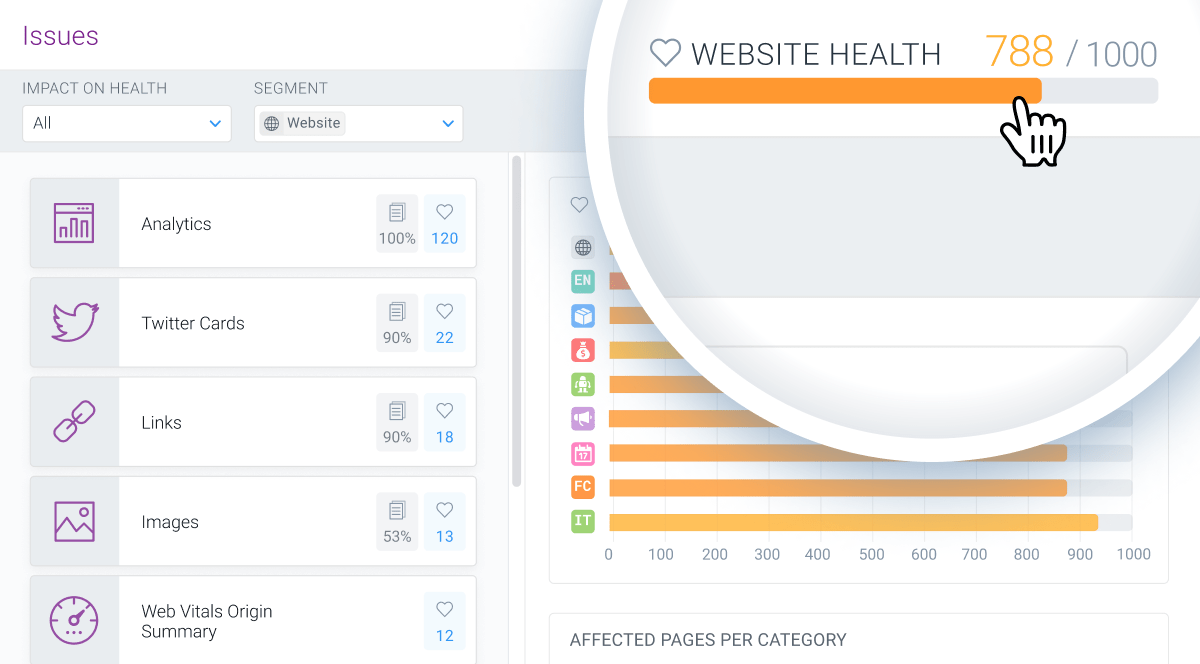
 * **Website Health,** which can be viewed in the **Issues** section. **Website Health** determines how well optimized the website is for SEO.\\
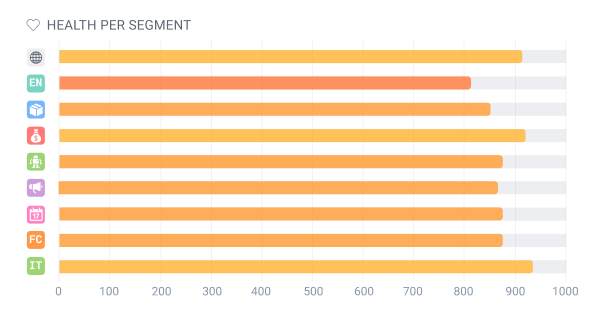
 * **Segment Health**, which can be viewed in the **Issues** section. **Segment Health** determines how well-optimized all pages in a specific segment are.\\
 * **Page Health**, which can be viewed for each page on the page detail screen. **Page Health** determines how well a certain page is optimized for SEO.
## How to track the Health score in Conductor Monitoring
### Dashboard
The **Dashboard** report gives you an overview of the website and all changes that happened, by default, in the past 14 days and up to 60 months back (depending on your Data Retention).
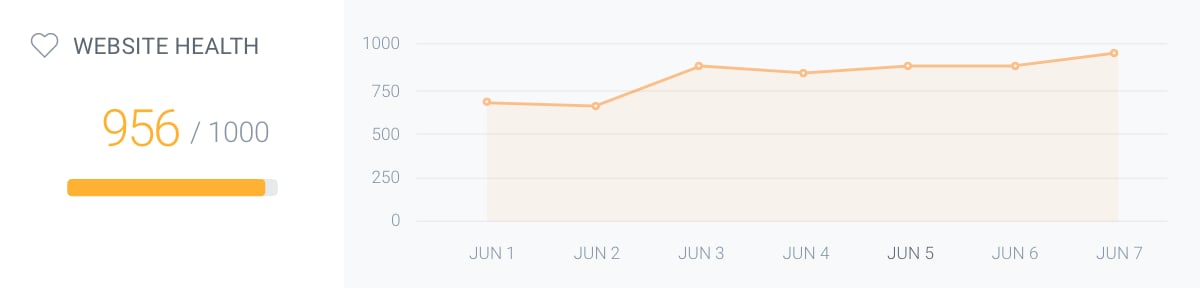
When it comes to the Health score, on the **Dashboard** you can see the current Health score of the website and a [chart](/docs/monitoring/change-tracking-on-issues/) of how the Health score developed in the period that you selected. If you've added [segments](/docs/monitoring/segments/) in the **Dashboard** scope selector, you will see the same information for each segment.
If you click on the **view Issues changes** button, you will be taken to a report where you can see how the Health score changed in the set time period. More on this in the dedicated support article [Change Tracking on Issues](/docs/monitoring/change-tracking-on-issues/).
* **Page Health**, which can be viewed for each page on the page detail screen. **Page Health** determines how well a certain page is optimized for SEO.
## How to track the Health score in Conductor Monitoring
### Dashboard
The **Dashboard** report gives you an overview of the website and all changes that happened, by default, in the past 14 days and up to 60 months back (depending on your Data Retention).
When it comes to the Health score, on the **Dashboard** you can see the current Health score of the website and a [chart](/docs/monitoring/change-tracking-on-issues/) of how the Health score developed in the period that you selected. If you've added [segments](/docs/monitoring/segments/) in the **Dashboard** scope selector, you will see the same information for each segment.
If you click on the **view Issues changes** button, you will be taken to a report where you can see how the Health score changed in the set time period. More on this in the dedicated support article [Change Tracking on Issues](/docs/monitoring/change-tracking-on-issues/).
 ### Pages
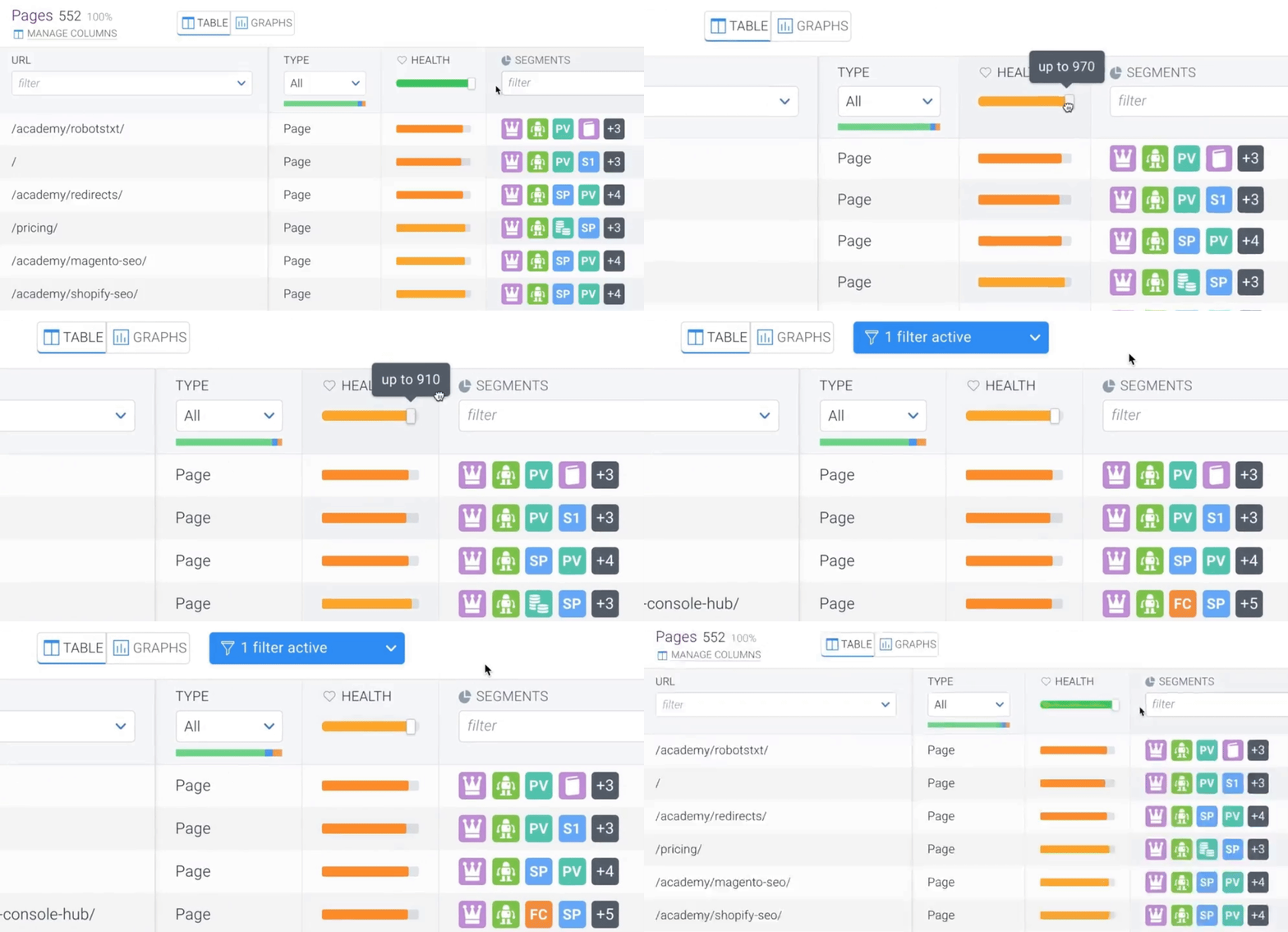
The **Pages** report gives you an overview of all the individual pages on the website, with [columns](/docs/monitoring/pages-conductor-monitoring/) for each page that represent different properties of URLs on the website level. The [**Health**](/docs/monitoring/pages-conductor-monitoring/) column shows the Health score of the individual pages. The score only applies to Pages and is not calculated for other URL Types.
The filter in this column has the form of a slider which you can use to set the score threshold according to your needs.
### Pages
The **Pages** report gives you an overview of all the individual pages on the website, with [columns](/docs/monitoring/pages-conductor-monitoring/) for each page that represent different properties of URLs on the website level. The [**Health**](/docs/monitoring/pages-conductor-monitoring/) column shows the Health score of the individual pages. The score only applies to Pages and is not calculated for other URL Types.
The filter in this column has the form of a slider which you can use to set the score threshold according to your needs.
 ### Health score and the Issues
The maximum possible value of the Health score is 1,000 points and it is influenced by [Issues](/docs/monitoring/issues/). Each issue is valued with a certain number of Health score points based on the impact it has on the SEO performance.
### Health score and the Issues
The maximum possible value of the Health score is 1,000 points and it is influenced by [Issues](/docs/monitoring/issues/). Each issue is valued with a certain number of Health score points based on the impact it has on the SEO performance.
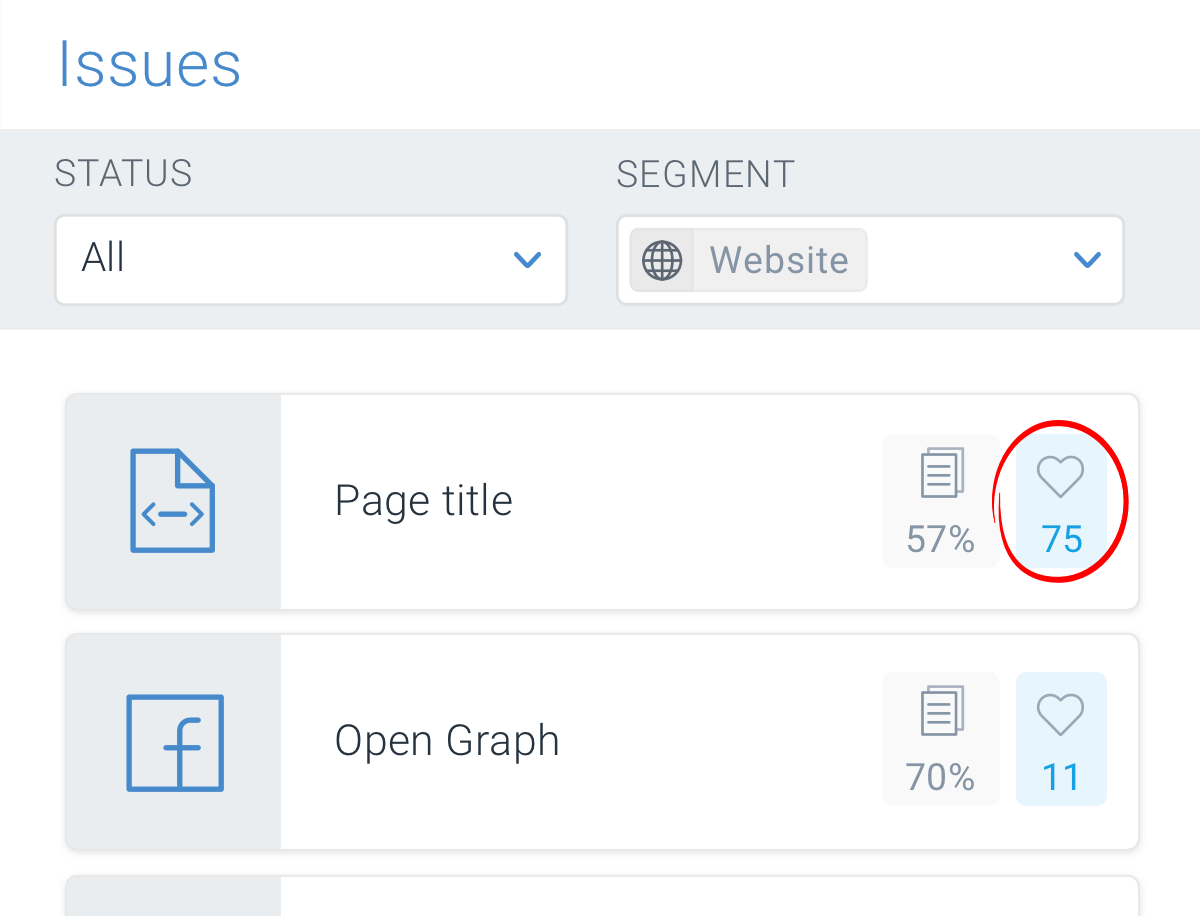 The Issues are always ordered by their impact on the Health score, which is represented by the number of Health score points on the right side of the issue category tab.
The impact of an issue on the **Website Health** is based on the number of affected pages as well as on the [Importance](/docs/monitoring/page-importance/) of the pages. This means that issues on important pages have a bigger impact on the Health score than issues on less important pages.
This helps you quickly discover the most pressing SEO issues of your website and prioritize your efforts in resolving them.
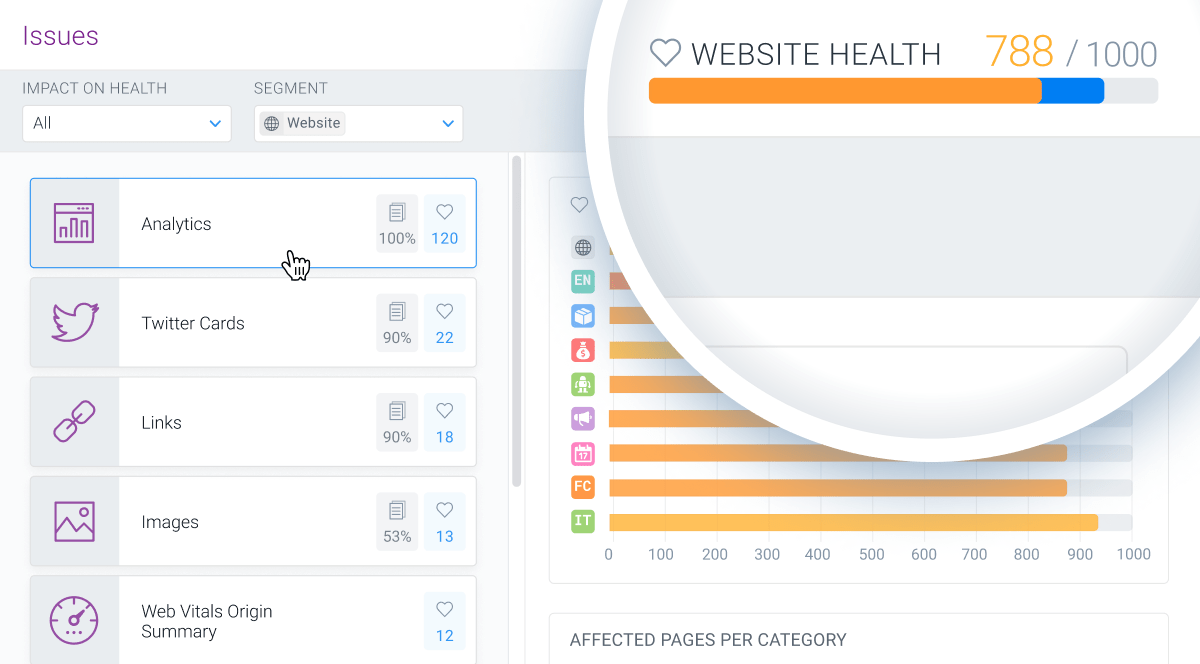
When hovering over or clicking on an issue category tab, the potential improvement of the Health score in case of resolving all issues in the category is marked with blue color on the Health score bar:
The Issues are always ordered by their impact on the Health score, which is represented by the number of Health score points on the right side of the issue category tab.
The impact of an issue on the **Website Health** is based on the number of affected pages as well as on the [Importance](/docs/monitoring/page-importance/) of the pages. This means that issues on important pages have a bigger impact on the Health score than issues on less important pages.
This helps you quickly discover the most pressing SEO issues of your website and prioritize your efforts in resolving them.
When hovering over or clicking on an issue category tab, the potential improvement of the Health score in case of resolving all issues in the category is marked with blue color on the Health score bar:
 Issues can also be ignored, which will award you the Health points as if the issue was closed. More on the Issue ignoring can be found [here](/docs/monitoring/issues/).