
First time in the new Pages Details report? Read our Quick Start Guide to the new experience.
Keep in mind, an Admin user at your organization will need to choose the subdomains and pages you want to continue to report on. Learn more in our Pages Onboarding Guide.
- Can this page be accessed by traditional and AI search engines?
- Are search engines able to index this page?
- What meta and semantic information is available for search engines to better understand this page?
- How will social media networks preview this content when it’s shared?
- Page Performance. View your integrated web analytics metrics for the page and the page’s performance for keywords, including year-over-year data to identify trends, measure changes between the reporting period and the previous year, and report on page KPIs.
- Keywords. The keywords your page ranks for.
- Content. Data about your page’s on-page elements.
- Technical. Data about your page’s technical configuration.
- Changelog. A log of the technical changes made to the URL over your selected time range.

Set your reporting time period
Use the date picker at the top to set the time period you want to report on.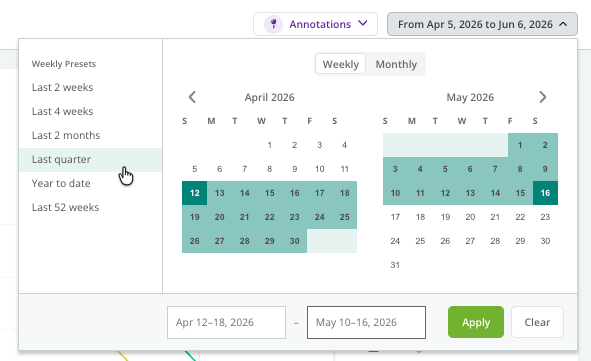
The Page Performance tab
The Page Performance tab shows this page’s organic performance across traditional and AI search.Monitor AI search and organic performance trends side by side
The AI vs Organic Performance widget shows you how AI and organic sources are driving traffic to your page, and subsequent patterns of on-site engagement. Use this chart to help contextualize the impact of AI Search on your page’s interactions. The aggregate and change calculations available measure performance for the page for the specified time period, leveraging your integrated Web Analytics metrics.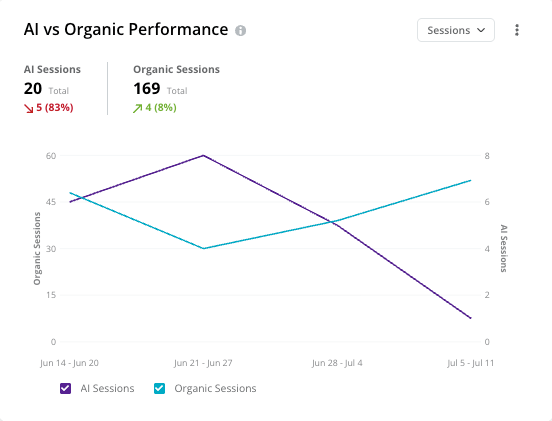
Monitor your page’s organic performance
The Organic Performance widget reports the page’s performance across the metrics integrated from your web analytics provider, with a chart below showing how the page has performed over time and year over year.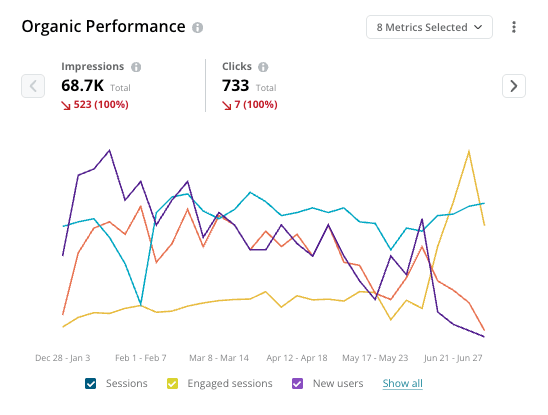
Monitor which AI search engines are driving traffic
The Performance by AI Engine widget shows you which AI search engines are driving traffic to this page, plus subsequent patterns of on-site engagement.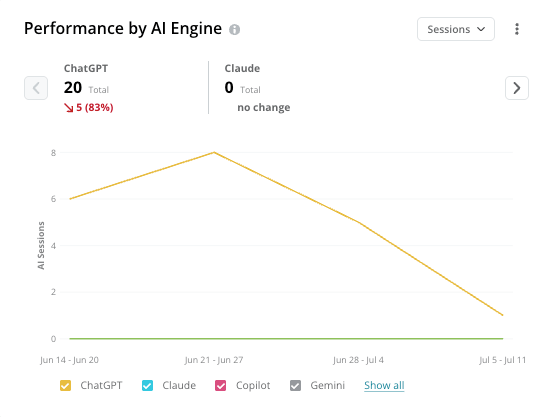
Monitor your AI citations performance
The AI Prompts with Citations widget lets you monitor performance for the page with trended measurements in the number of unique prompts where your page has been cited over time. Use this chart to help contextualize how the page is showing up in AI search and how this may be influencing the traffic coming to your site.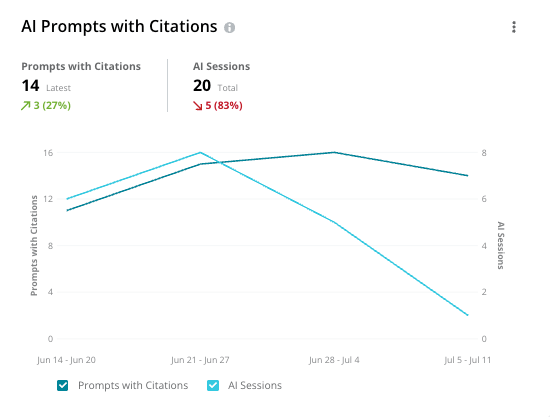
Review the prompts that result in citations
The AI Citation Prompts widget shows you the specific user prompts that are resulting in this page being cited in AI search results. This includes all unique prompts where the page was cited across the report time period.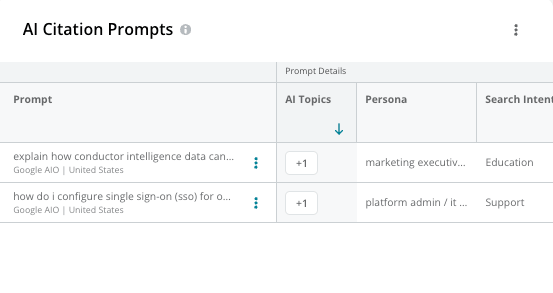
Compare your page’s performance against the previous year
The Year Over Year Performance widget lets you compare your page’s performance against the previous year as a benchmark to help differentiate natural seasonal patterns and tangible performance shifts. Choose one performance metric at a time leveraging your integrated metrics from your web analytics and Google Search Console.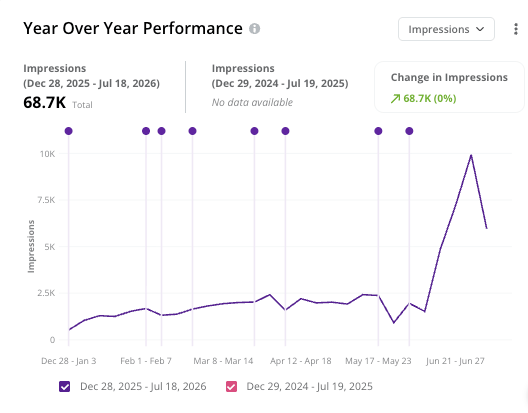
The Keywords tab
The Keywords tab shows you all the keywords for which the page is performing well. Use the Select search engines, locations, and devices control to set the search context for the data. For each keyword, the table groups columns into Keyword Details (keyword, monthly search volume, and Prime), Highest Ranking Page (Rank and Result Type), Google Search Console (Impressions, Clicks, CTR, and Average Position), and Preferred URL (whether the URL is your preferred URL and whether it’s the highest-ranking page). Keywords are sourced from your tracked keywords in Conductor—which appear linked so you can jump to Keyword Details—and from your integrated Google Search Console account.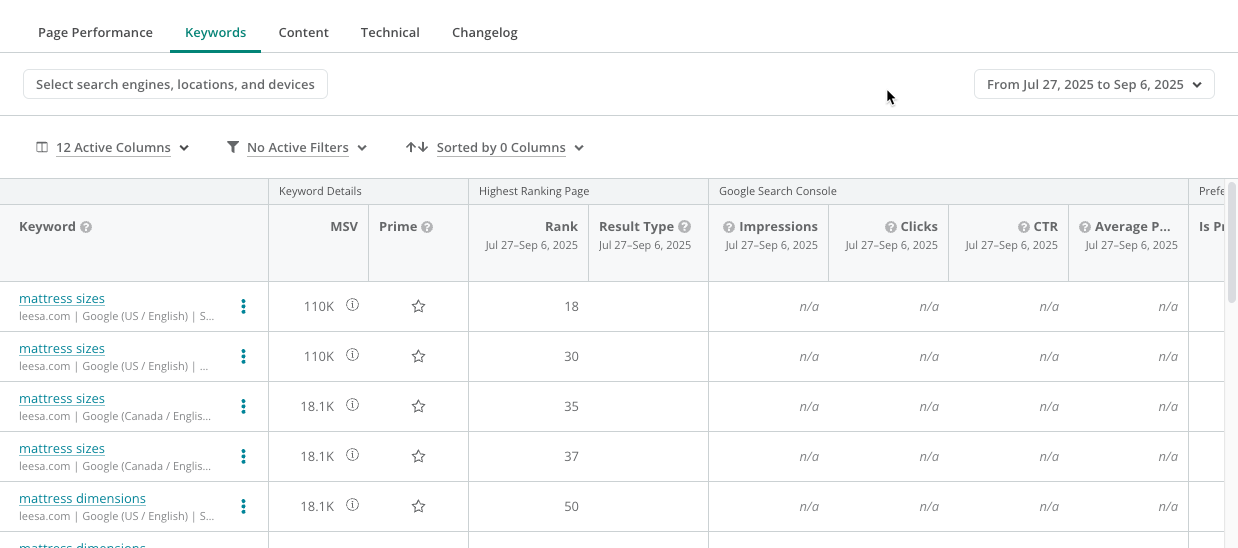
The Content tab
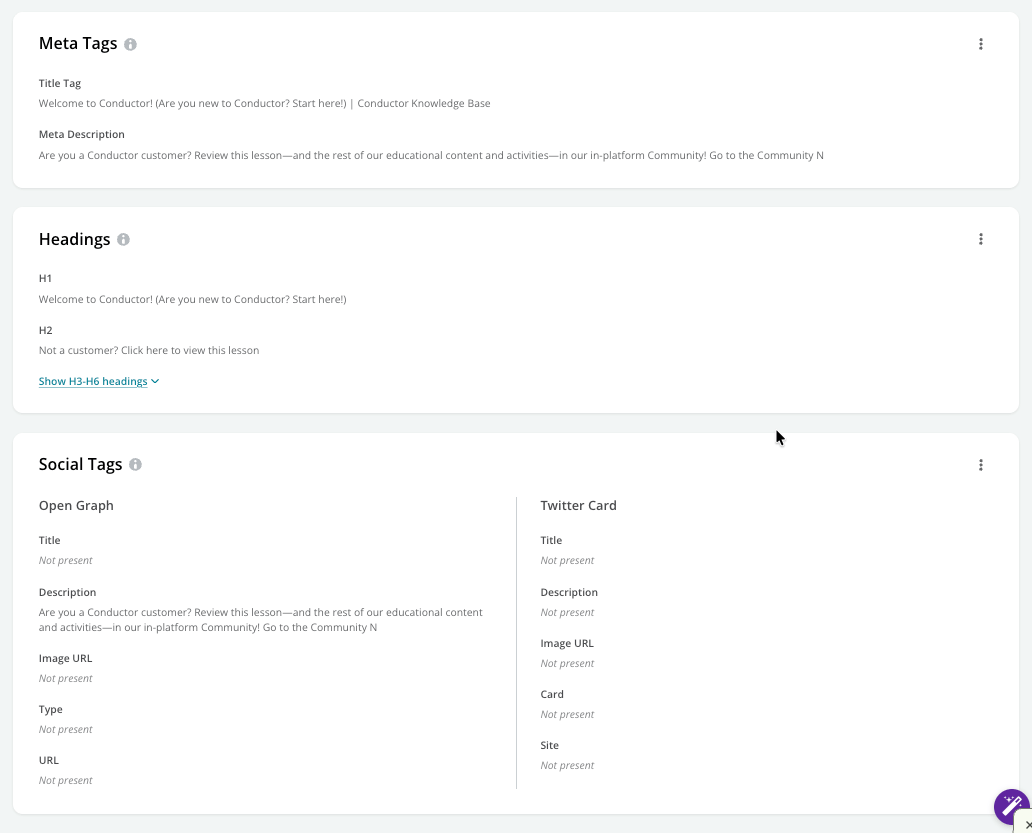
The Content tab includes on-page data about:- Meta tags like title tags and meta descriptions. Meta tags are elements within your page’s HTML code that convey the main topic users will find on the page. These can influence how your page shows up in AI and Organic search.
- Headings. Headings give visitors to your site—including search engines—important clues about the page’s structure and relevancy. In all, there are six heading levels, from the most important H1 heading to the least important H6 heading. Headings should be logically structured on a page, always starting with the H1 heading, followed by an H2 heading, H3 heading, and so on.
- Social Tags. Open Graph and Twitter Card meta tags allow you to determine the appearance of your page when it is shared on social media platforms such as Facebook, Twitter, or LinkedIn, and on communication platforms such as Slack or WhatsApp. With a proper choice of text and visuals, you can increase the clickthrough rate of your social media posts and messages.
The Technical tab
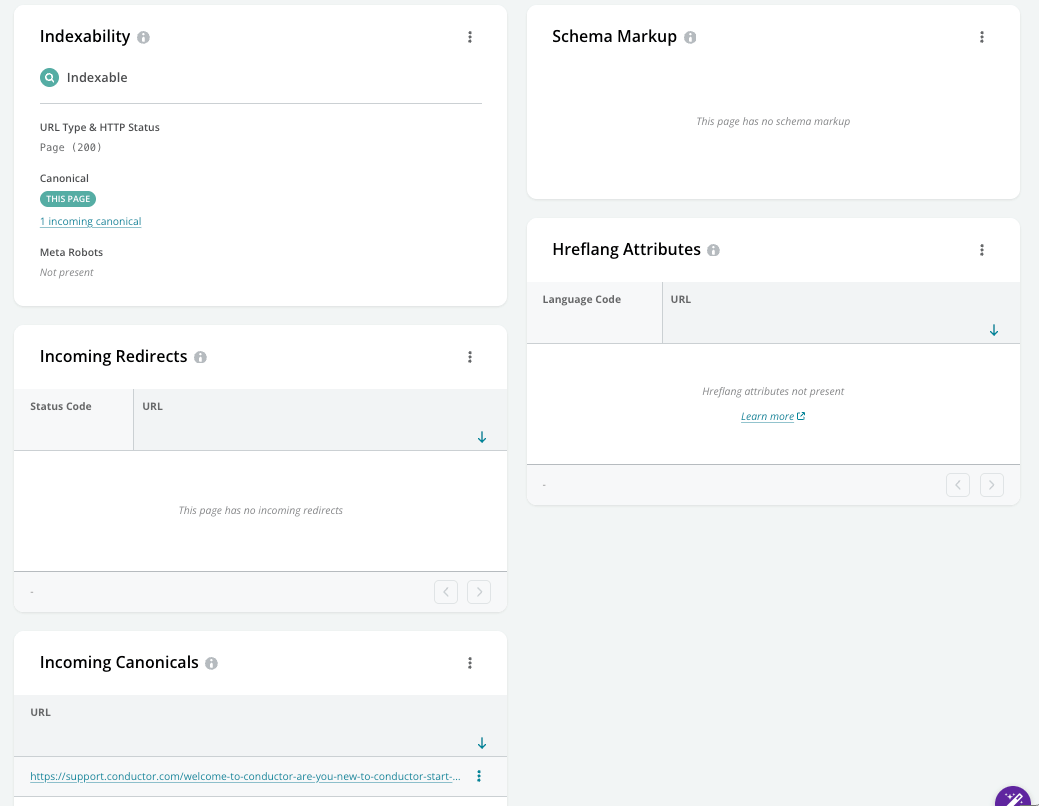
The Technical tab includes backend technical SEO data about:- Indexability. A page’s indexability status determines whether AI and organic search engines will crawl and index the page. There are various methods that can be used to control whether or not a page is crawlable and indexable. Depending on how many pages exist on your website, you may intentionally prevent some pages from being crawled and/or indexed to focus on the most important pages you want your users to find.
- Schema Markup. Schema.org is a structured markup that helps you to specify the type of content you have on a page. It allows you to tell AI and traditional search engines that you are referring to a person, event, product, new job position, or other categories, which can help improve your visibility in results.
- Hreflang Attributes. Hreflang attributes are used to indicate what language your content is in and what geographical region your content is meant for. If you have a website that’s available in multiple languages, hreflang is an essential tool to guide search engines so they can serve your content to the right audience.
- Incoming Redirects. Redirects are a way to forward visitors and search engines from one URL to another. They are used when moving content to a new URL, deleting pages, changing domain names, or merging websites. It’s important to understand which URLs are redirecting to a page, and what types of redirects are being used.
- Incoming Canonicals. Canonical URLs are an HTML element used to combat duplicate content problems when multiple variants of similar or identical pages exist. It allows you to specify the one variant to show up in the search engines, and the duplicate variants that should not rank.
The Changelog tab
The Changelog tab provides a comprehensive list of the technical changes that have been made to the page over your selected time range. You can filter the types of changes you would like to review, along with the exact timestamp of when each change was detected.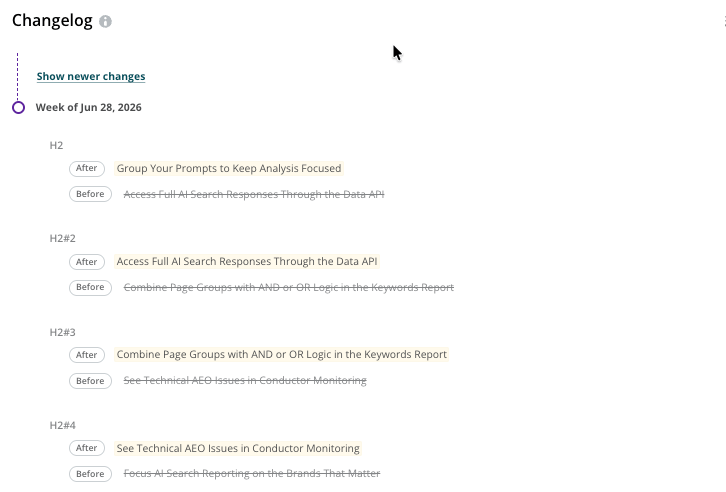
Using Page Details
- Track content changes using annotations
- Validate you are targeting the best variation of your keyword
- Discover keywords to track with Conductor based on your high-value pages
- Create a workspace to track your content’s performance