
What does this change mean for Conductor Monitoring Users?
The way you use Conductor Monitoring will stay exactly the same, but there are some administrative tasks you or someone at your organization will need to perform. Jump to a task:- Task 1: Update your bookmarks
- Task 2: Update your API connections
- Task 3: Whitelist the New User Agent String (if Necessary)
- Task 4: Update your user agent
Bookmarks
The URL for Conductor Monitoring is changing from our legacy app.contentkingapp.com domain toapp.cm.conductor.com. This means you will want to update any bookmarks you have to refer to this new domain.
If you access Conductor Monitoring through SSO from Conductor Intelligence, you won’t need to make changes to your bookmarks. You’ll continue accessing Conductor Monitoring from Conductor Intelligence.
API connections
If your organization uses any of Conductor Monitoring’s APIs, you’ll need to update the base URL from https://api.contentkingapp.com to the new base URLhttps://api.cm.conductor.com.
User Agent String
Conductor is updating our User Agent identifier, including the corresponding “What Is” string that helps identify our crawler. This change will affect how your CDN provider identifies our crawler. As a result, any whitelisting rules configured by your security team to allow our crawler may affect our crawler’s ability to access your site.Task 3: Whitelist the New User Agent String (if Necessary)If you use user agent string to whitelist Conductor’s crawler, you’ll need to work with your organization’s web dev team (or whichever team owns your CDN) to confirm that you update the string that appears under the option you have selected in the User Agent menu.The new string is identical to the previously whitelisted string except that 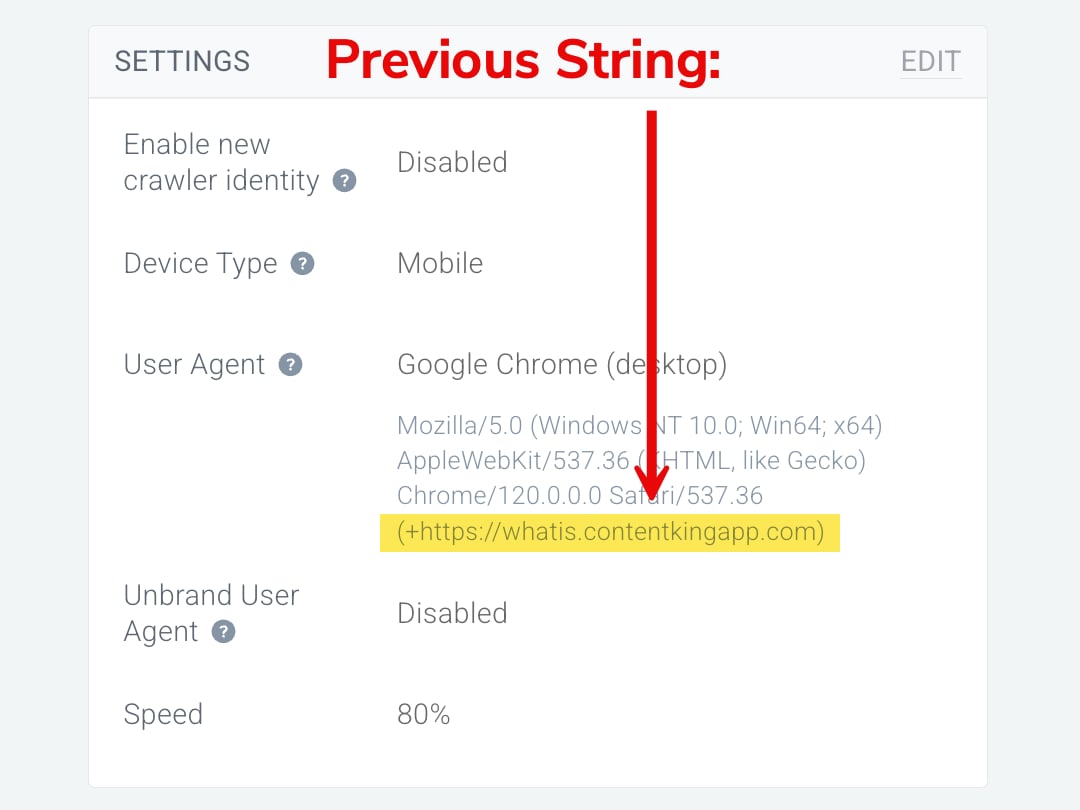
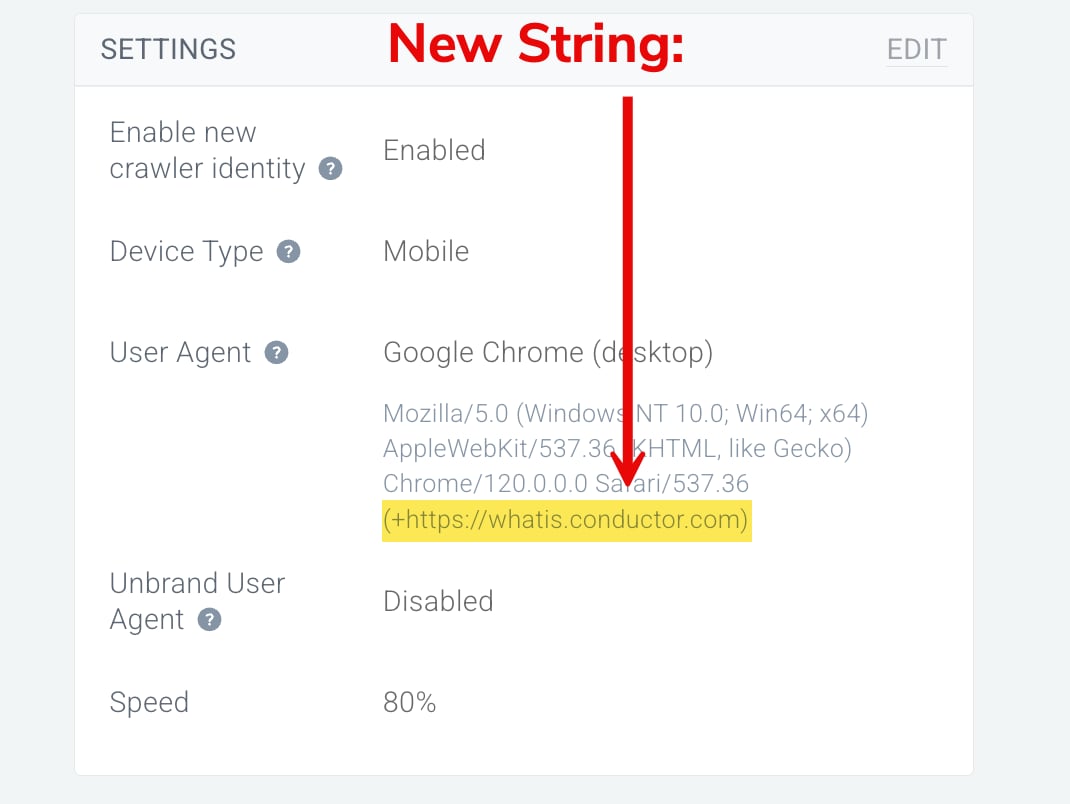
(+https://whatis.contentkingapp.com) has been replaced by (+https://whatis.conductor.com).Your team will simply need to swap out contentkingapp for conductor in your whitelisting rules.- If you are using the
ContentKinguser agent string in your monitoring settings, you will need to update it to the newConductoruser agent option. - If you are using any user agent other than
ContentKingagent, you will need to turn on the Enable new crawler identity toggle in your Monitoring settings to update the “What Is” string.
Task 4: Update your user agentIf you use user agent string to whitelist Conductor’s crawler, perform Task 4 only after your team has performed Task 3 above. The new string must be whitelisted for Conductor’s crawler to access your site.If you use
If you use any user agent other than
If you use ContentKing as your user agent
- In Conductor Monitoring, go to Settings.
- Click Monitoring.
- In the Settings section of this tab, check to see what User Agent field is set to.
- If it’s anything other than
ContentKing, skip to the next section in this task. - If it is
ContentKing, click Edit.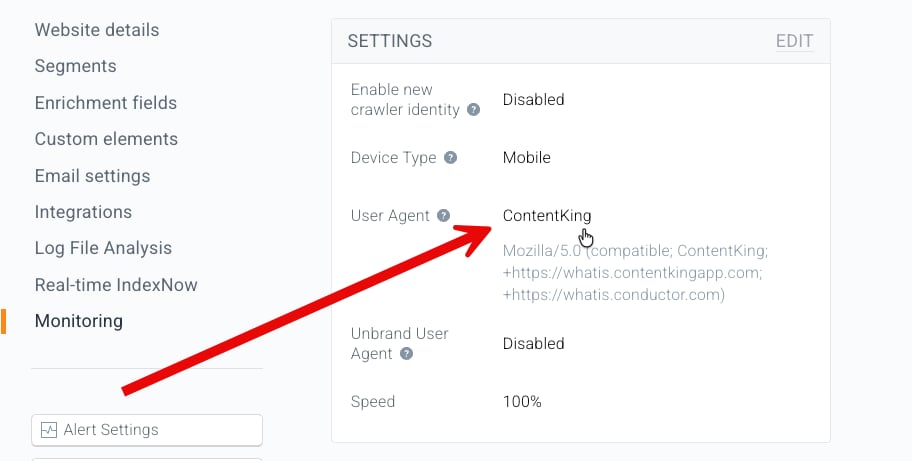
- If it’s anything other than
- From the User Agent menu, select Conductor.
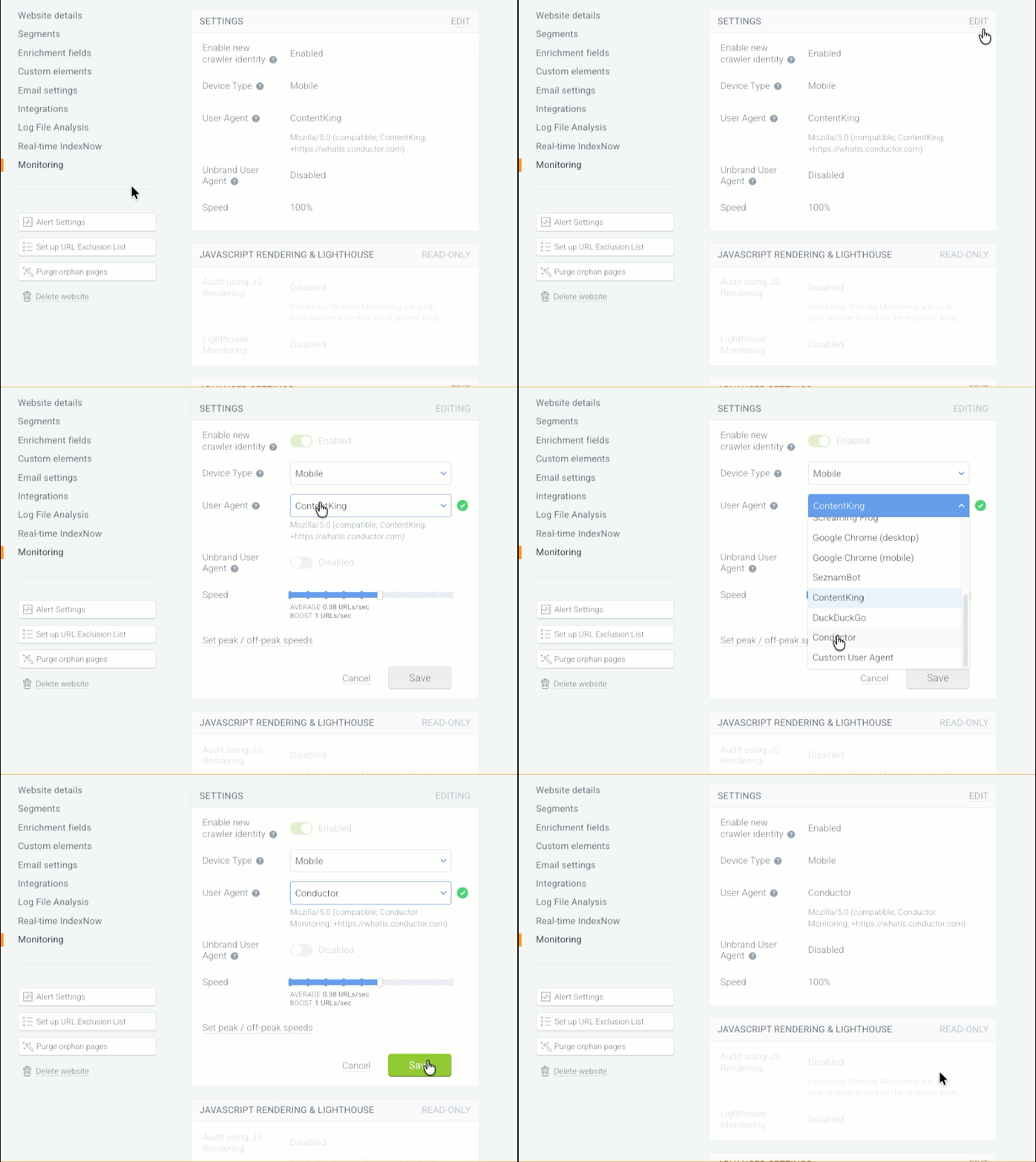
- Click Save.
If you use any user agent other than ContentKing
- In Conductor Monitoring, go to Settings.
- Click Monitoring.
- In the Settings section of this tab, click Edit.
- At the top, click to enable the Enable new crawler identity toggle.
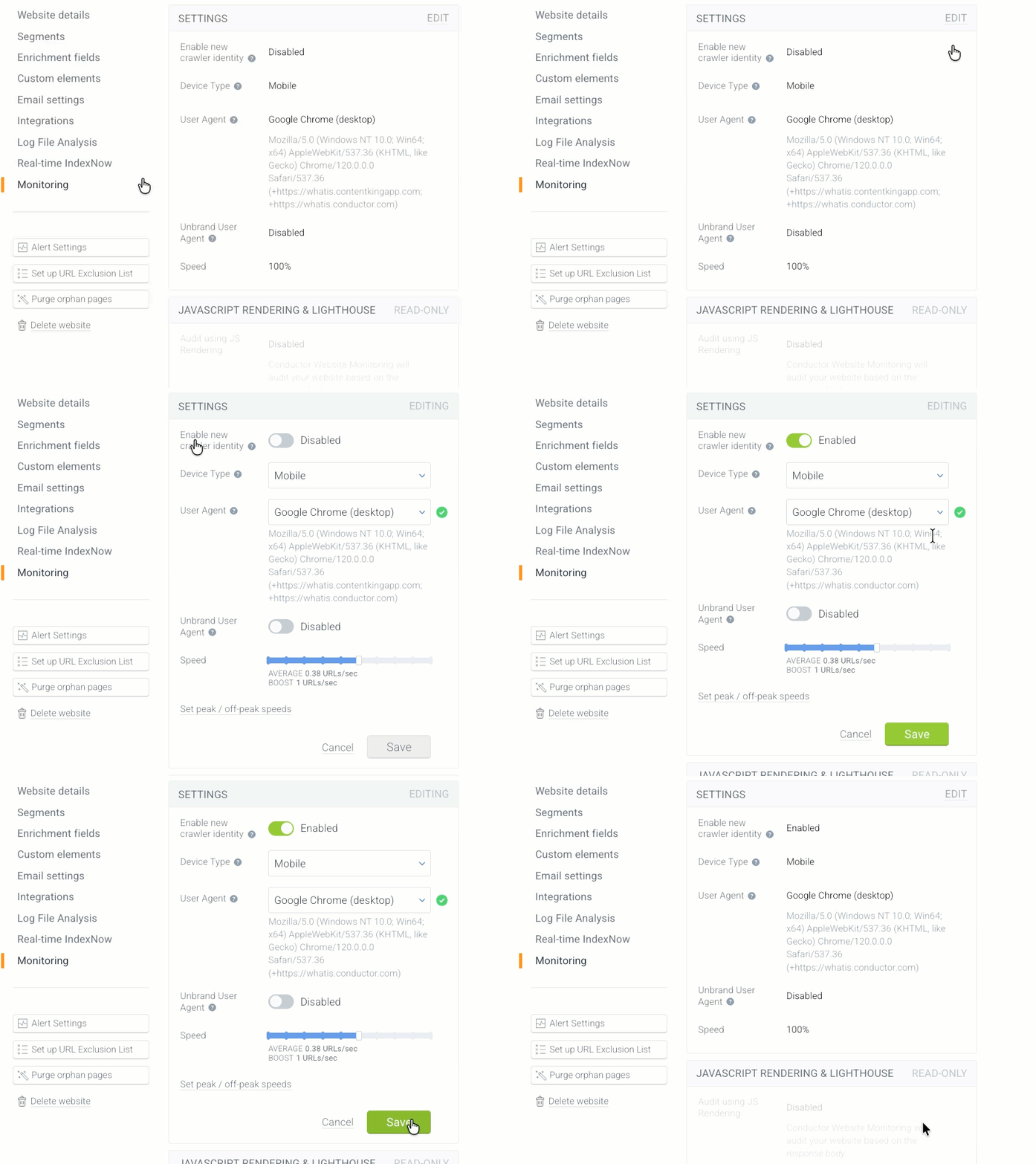
- Click Save.