
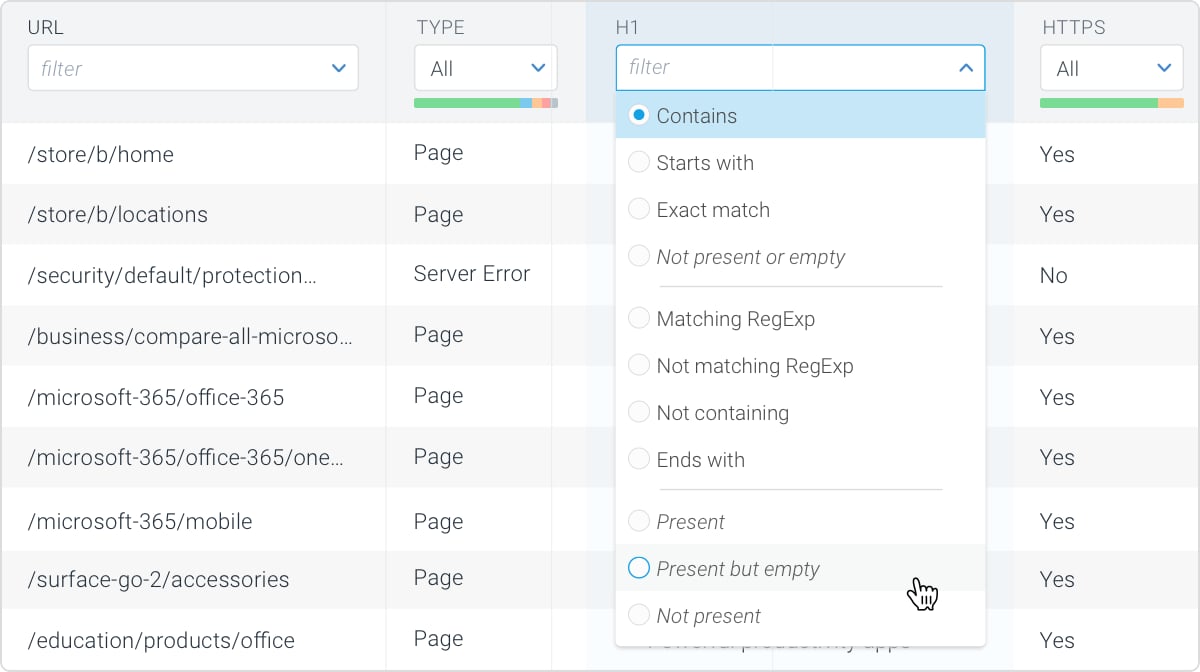
Contains
Result set must contain the entered value. When using this operator while filtering on the URL field with value /blog/ this is what the result set will look like:Not containing
Result set must not contain the entered value. When using this operator while filtering on the URL field with value /blog/ this is what the result set will look like:Starts with
Result set must start with the entered value (left-to-right matching). When using this operator while filtering on the URL field with value /blog/ this is what the result set will look like:Ends with
Result set must end with the entered value (left-to-right matching). When using this operator while filtering on the URL field with value /blog/ this is what the result set will look like:Exact match
The result set must exactly match the entered value, meaning that there can’t be any characters before or after the entered value which the Contains operator would allow. When using this operator while filtering on the URL field with value /blog/ this is what the result set will look like:Present
The result set must contain results that have the element defined, including the results where the element is defined and has an empty value. For example: if a page has a page title element defined, this operator will include that page in the result set. Note that this operator is only available for applicable fields. For example: the URL field can never have not found as a value (ie. the value is always present), and therefore this operator is not available for the URL field. When using this operator on the page title field this is what the result set will look like:Not present
The result set must only contain results that don’t have the element defined. For example: if a page doesn’t have a page title element defined this operator will include that page in the result set. Note that this operator is only available for applicable fields. For example: the URL field can never have not found as a value, and therefore this operator is not available for the URL field. When using this operator on the page title field this is what the result set will look like:Present but empty
The result set must only contain results that have the element defined but with an empty value. For example: if a page has a page title element defined but without a value this operator will include that page in the result set. Note that this operator is only available for applicable fields. For example: the URL field can never have an empty value and therefore this operator is not available for the URL field. When using this operator on the page title field this is what the result set will look like:Not present or empty
The result set must contain results that either don’t have the element defined at all or have the element defined but with an empty value. Note that this operator is only available for applicable fields. For example: the URL field can never have the not found or empty value and therefore this operator is not available for the URL field. When using this operator on the page title field this is what the result set will look like:Matching RegExp
The result set must match the entered regular expression. Our regular expressions are anchored. This means that it doesn’t support adding your own anchors like^ and $.
Regular expressions are a universal language that offers a very wide range of possibilities. Here are just a few examples of common use cases when filtering in Conductor Monitoring:
Not matching RegExp
The result set must not match the entered regular expression. This is the opposite of the Matching RegExp operator, which you can use to negate your expression. For example, using.*foo.*|.*bar.* together with the Not matching RegExp operator will give you all strings that don’t contain “foo” and don’t contain “bar”.