
Conductor also has an integration between Google Search Console and our Conductor Intelligence product. This article is about Conductor Monitoring’s integration with Google Search Console. If you are looking for our Conductor Intelligence integration, you can find it in this article.
Metrics
Conductor Monitoring displays the following metrics from Google Search Console:- Clicks
- Impressions
- CTR
- Position
Using the Google Search Console data in Conductor Monitoring
The Google Search Console data is available in the Pages screen: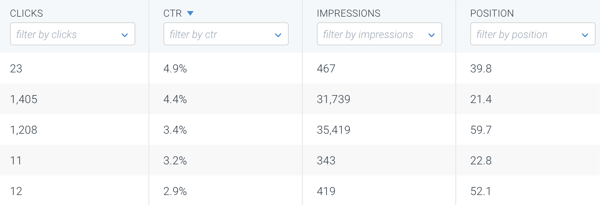
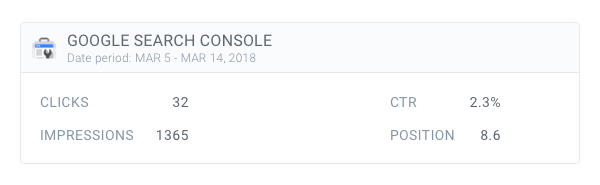
Setting up the Google Search Console integration in Conductor Monitoring
To authenticate and integrate Google Search Console in Conductor Monitoring, the integrating user must have Full user or Owner access in Google Search Console
- Click Account in the sidebar to get to the overview of your websites.
- Click the website you want to connect.
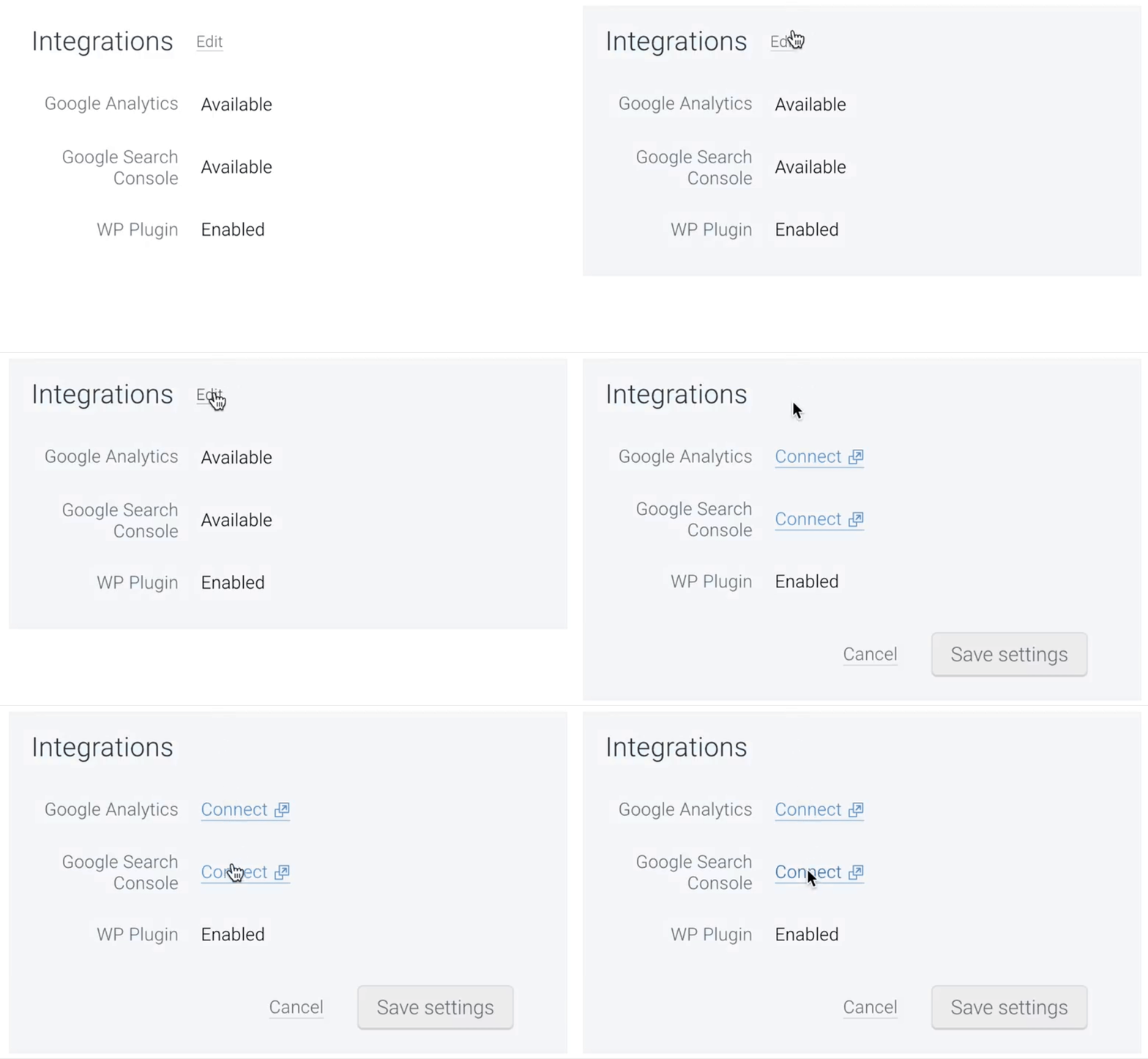
- In the Integrations section, click Edit.
- Click Connect and authenticate with Google Search Console.
Error: website not found in Google Search Console account
It might happen that you run into an error while trying to connect your Conductor Monitoring account to Google Search Console: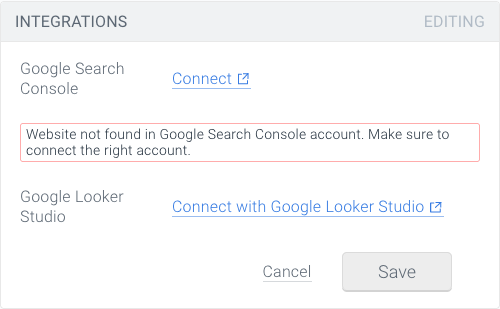
- You’re connecting the wrong Google Search Console account. In that case, simply click Connect again and authenticate the correct account.
- The Google account connecting the integration doesn’t have sufficient permissions to integrate the data to Conductor Monitoring. The user should have either Full user or Owner permissions for the properties in question to integrate them (more about the permissions can be found in the following Google support article).