
Getting Started
Overview
The Data Enrichment API allows you to create custom Enrichment Fields in Conductor Monitoring and populate them with any data you need from your end. You can work with these Enrichment Fields in Conductor Monitoring in the same way as the rest of the properties that Conductor Monitoring is already monitoring.How does the Data Enrichment API work?
The Data Enrichment API uses a single endpoint in Conductor Monitoring’s Reporting v1 API. After configuring Enrichment Fields, you can send data about these fields to Conductor Monitoring to include with other data in the platform.Example Use Cases
Sending page metrics data to Conductor Monitoring through our Data Enrichment API allows you to filter on these enrichment fields in the Pages report in Monitoring and combine them with other on-page properties that Conductor Monitoring is already monitoring to create segments. The potential use cases for Enrichment Fields are endless. Below you can find just a few examples to get you started:Owner of the Page
Does each of your pages have an owner who is responsible for them? Configure an Enrichment Field Owner, and then you can create new segments for each owner so that everyone knows which pages they need to keep their eye on.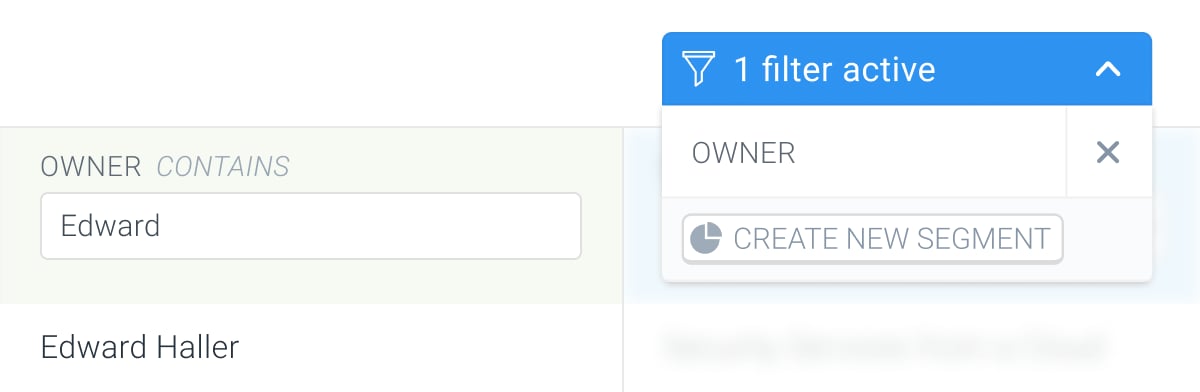
Revenue per page
Do you have a Revenue metric which shows you the revenue of each individual page? Send this metric directly to Conductor Monitoring and configure alerts to be notified about any changes to it. Find more about the alert here.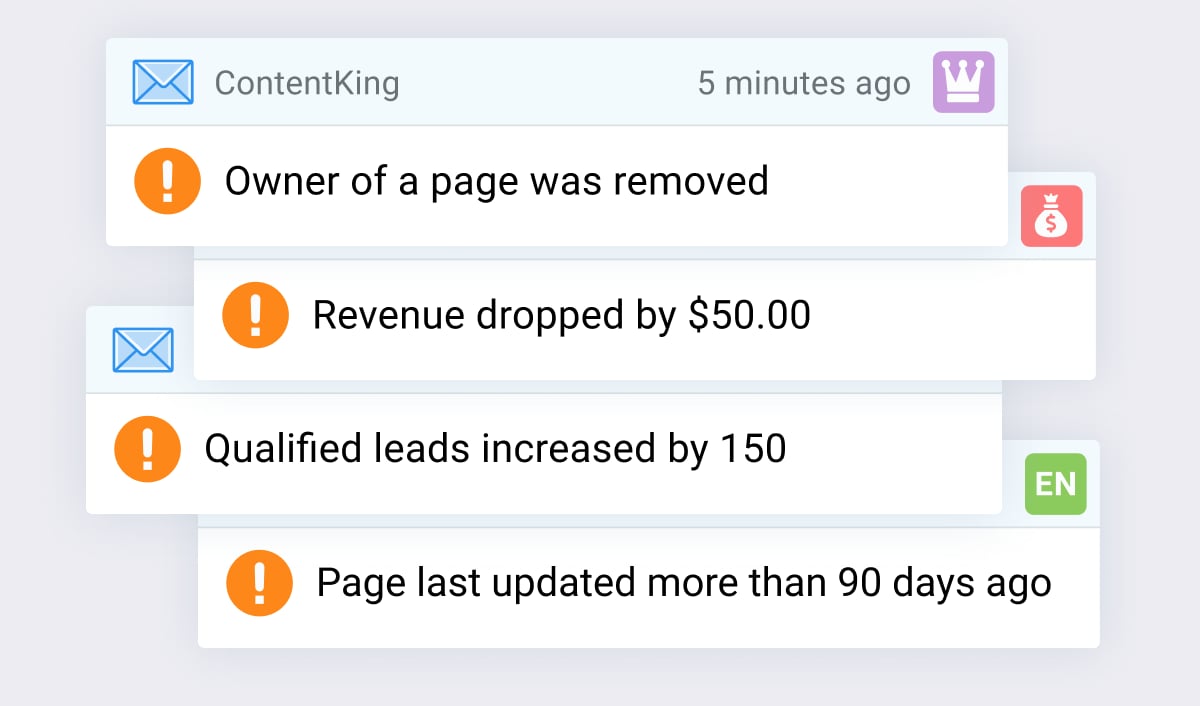
Qualified Leads
Counting how many qualified leads each page produces? Why not send this metric to Conductor Monitoring and create a segment that groups the highest performing pages together.Working with the Enrichment Fields in Conductor Monitoring
Once Enrichment Fields are added, you can work with the custom metrics across the whole platform, same as with the other page properties and metrics Conductor Monitoring is monitoring.Using Enrichment Fields in Pages
Each Enrichment Field has its own dedicated column on the Pages screen which you can use for filtering: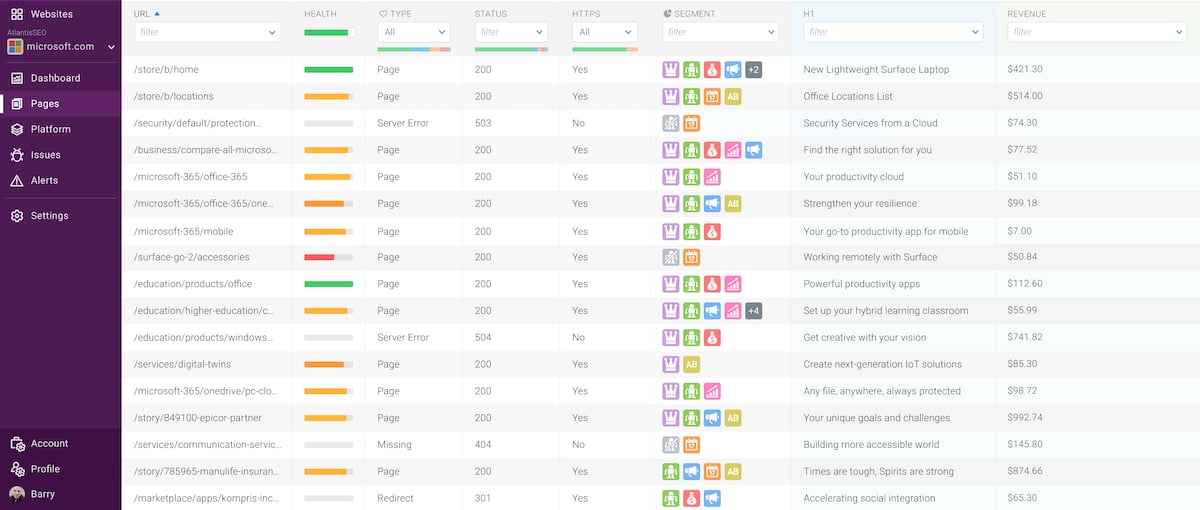
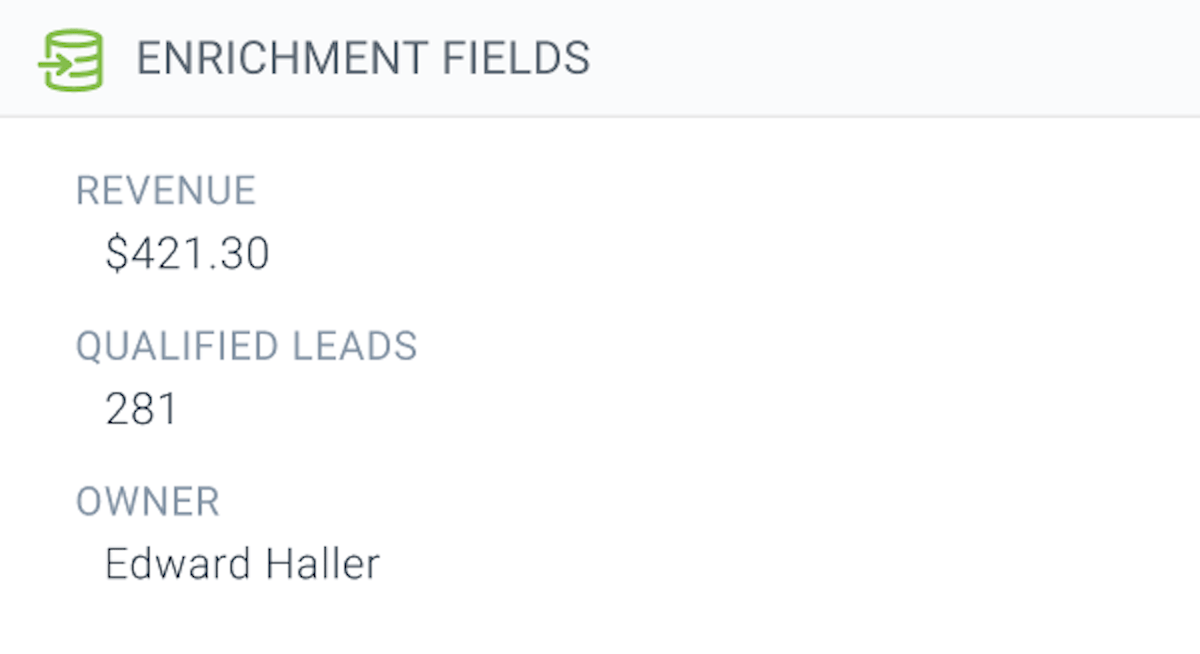
Using the Enrichment Field data in Alerts
Alerts on Enrichment Fields allow you to be notified about changes of any custom metric that you send to Conductor Monitoring. This alert type is really useful as it allows you to stay on top of any changes that are being made to the metrics you are most interested in. Find more about this alert here.Data Enrichment API Terms of Use
By using the Data Enrichment API you agree to the Terms of Use.Setting up the Enrichment Fields
To create Enrichment Fields in Conductor Monitoring:- Follow the path Settings > Enrichment Fields.
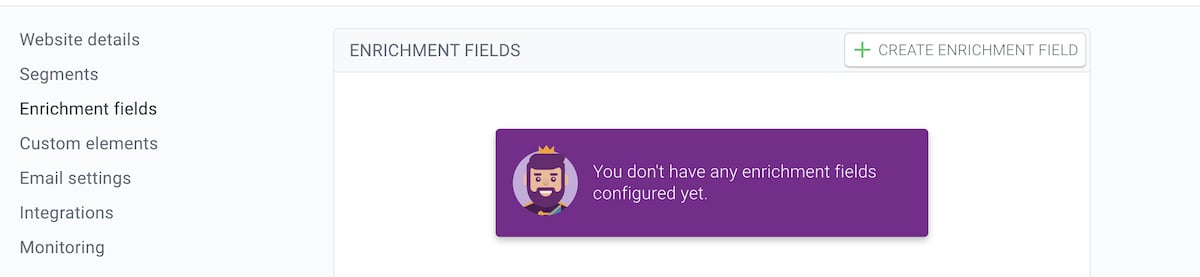
- In the Enrichment Fields Editor, click Create Enrichment Field.
- Enter the Name for the Enrichment Field that best describes the custom metric you are going to send to Conductor Monitoring. For example, Revenue (USD) for the revenue metric or Owner for the owner of the page.
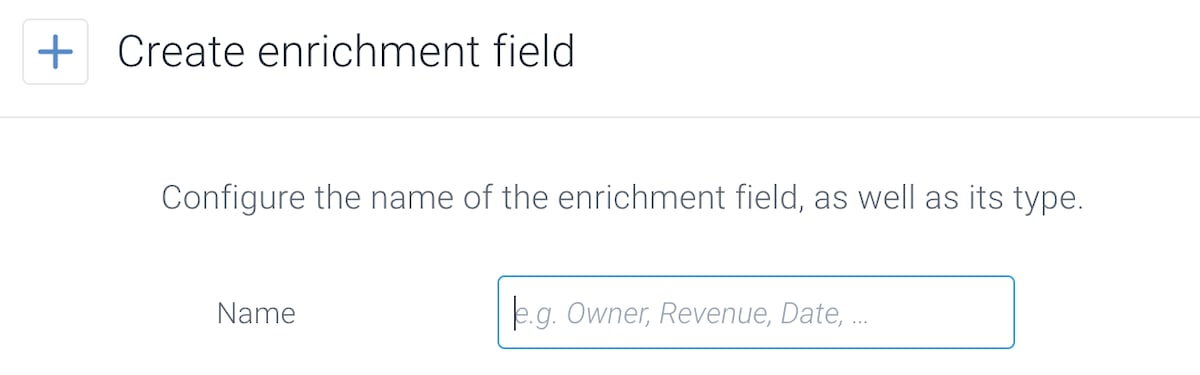
Keep names of your Enrichment Fields consistent across websites so that Conductor Monitoring knows they are related.That way, when you filter on a column for an Enrichment Field on one website and switch to another website that has an Enrichment Field with the same name, the value in the filter will carry over. The same applies for reordering the columns in the Enrichment Field section of Manage columns.
- Choose the format of the Enrichment Field you want to send to Conductor Monitoring. You can choose from the following formats:
- string
- number
- boolean
- date
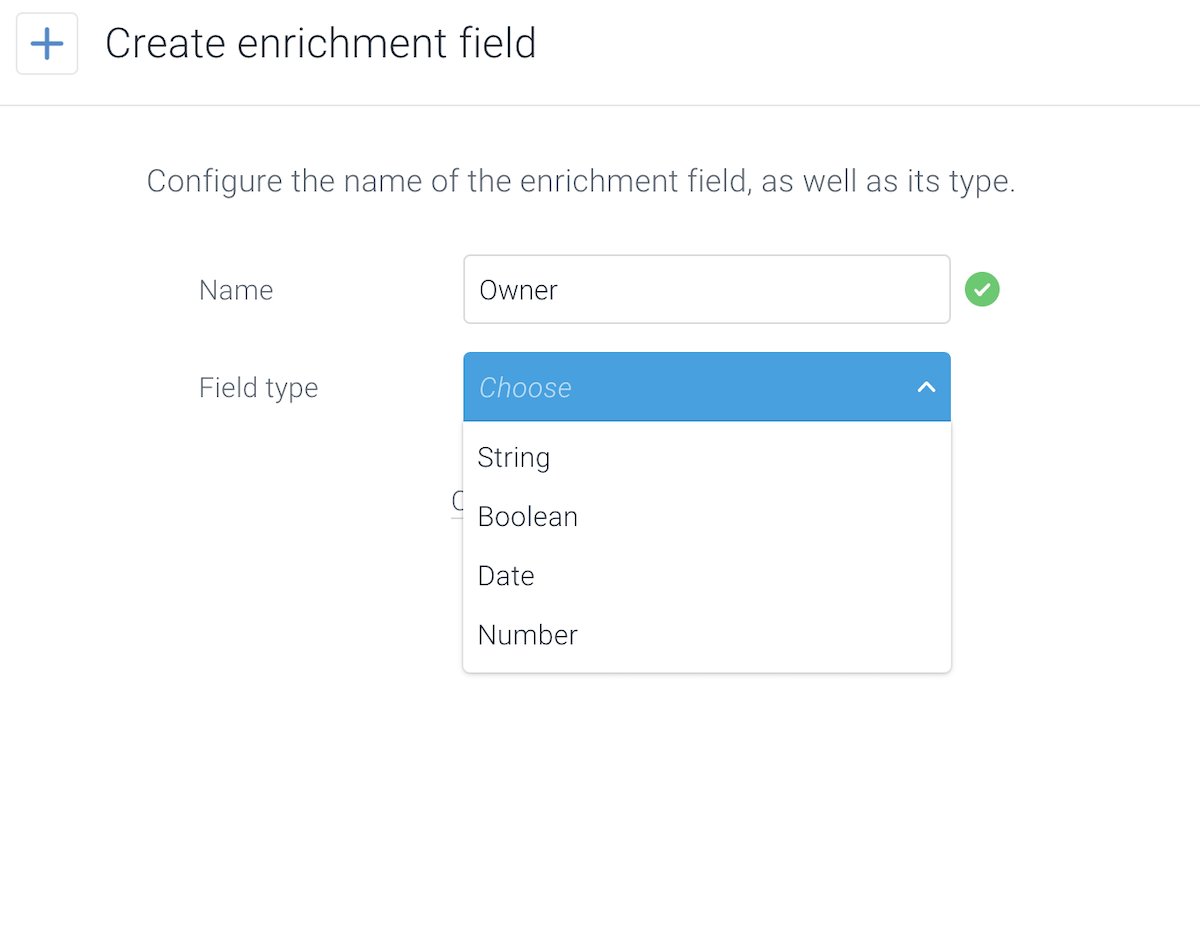
The Enrichment Field value for all pages that you send in the API request needs to correspond to the field type selected in step 4. Otherwise Conductor Monitoring won’t process the API request and will return an error.
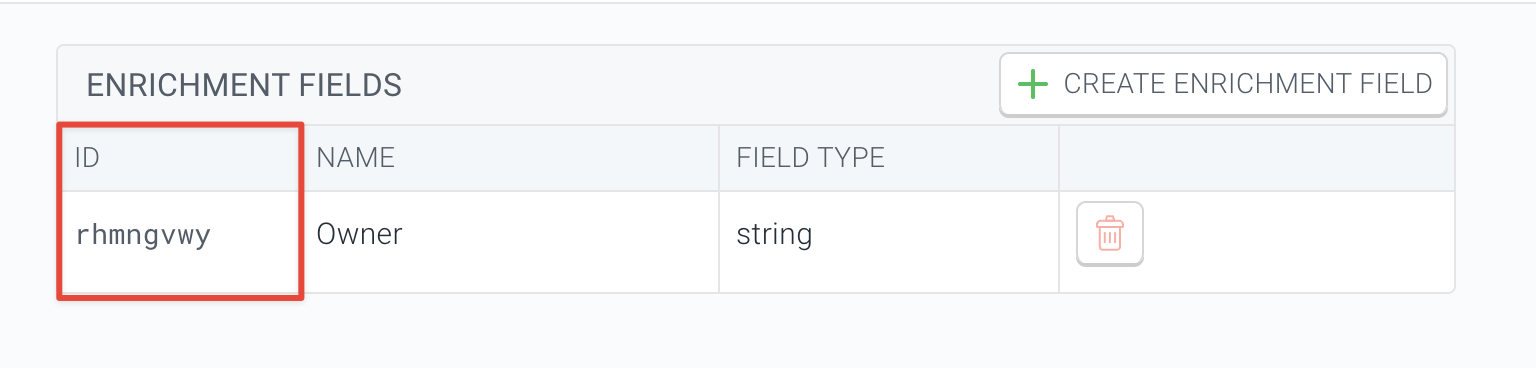
- Note the Enrichment Field ID, which you will need to send with the API request in the documentation below.
Authentication
Get your Data Enrichment API integration token
To use the Data Enrichment API you need to get your Conductor Monitoring account’s Data Enrichment API token. You’ll find it in the Integration Tokens section under the Account tab in the main Account section.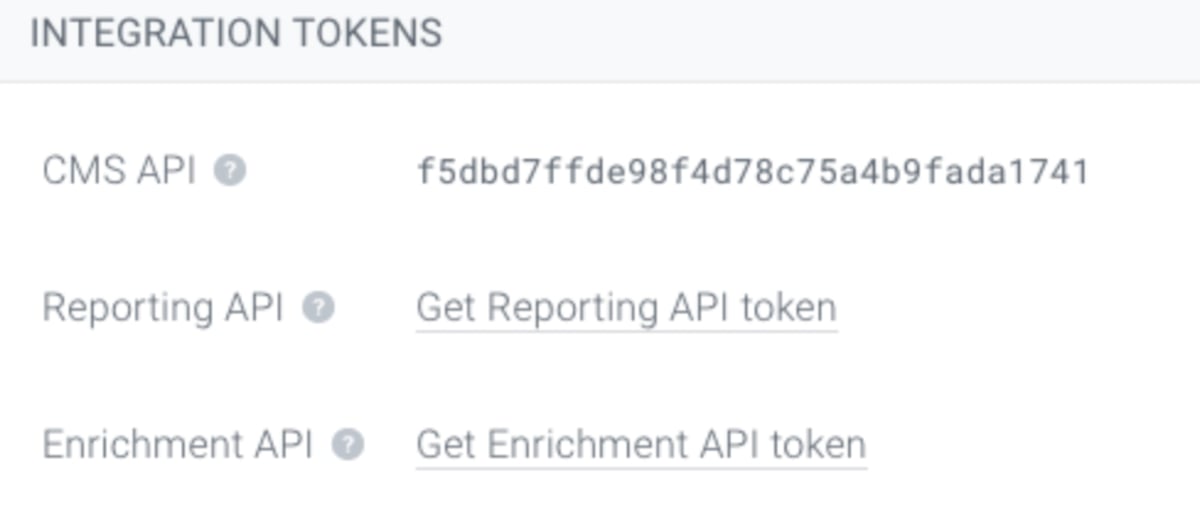
Configure your request headers
To authenticate your requests, you need to include the following request headers:Using the Data Enrichment API
Send your Enrichment Field values to Conductor Monitoring with a singlePOST request. One request can carry many URLs, many fields per URL, and a mix of field types.
Push enrichment data
POST /v1/enrich — includes an interactive Try it form and ready-made request bodies for every field type: string, number, boolean, date, several fields at once, and clearing a value with null.The Enrichment Field value you send must match the field type you chose in step 4 above. If it doesn’t, Conductor Monitoring won’t process the request and will return an error.
YYYY-MM-DDTHH:MM:SS+HH:MM.
Removing Enrichment Field values
To clear a value, sendnull for that Enrichment Field ID. See the Clear Enrichment Data example on the endpoint page.
For the complete interactive reference, see the Data Enrichment API Playground.
Rate limits
Rate limits define the maximum number of requests which can be made in a given time range. Conductor Monitoring’s Data Enrichment API has the following rate limits:- 1000 URLs can be sent per request
- 1 request/second/website