
The Keyword Groups report provides an overview of how the keywords in a keyword group are performing.
Overview
Determine the keyword groups you want to focus on
There are a number of ways you can drill down to focus on only those keyword groups you’re interested in:- Select the web property from which you want to see data
- Select whether you want to see keywords sorted by True Rank or Standard Rank.
- Choose the location and device you want to see results for:
- Choose the date range for which you want to see results:

Review the data in the report
The summary bar reports the keyword group with the largest market share and the keyword group with the best content opportunity.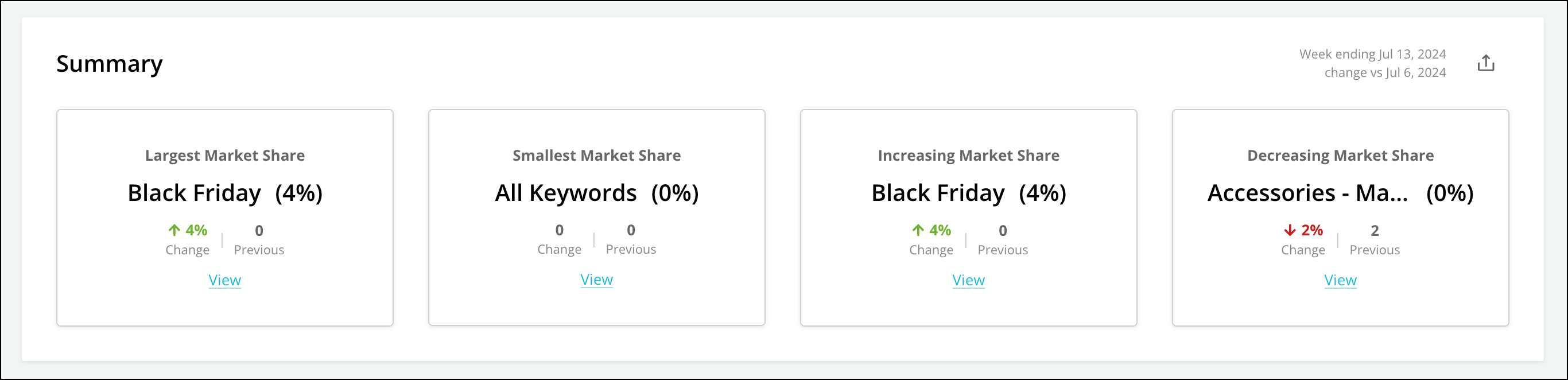
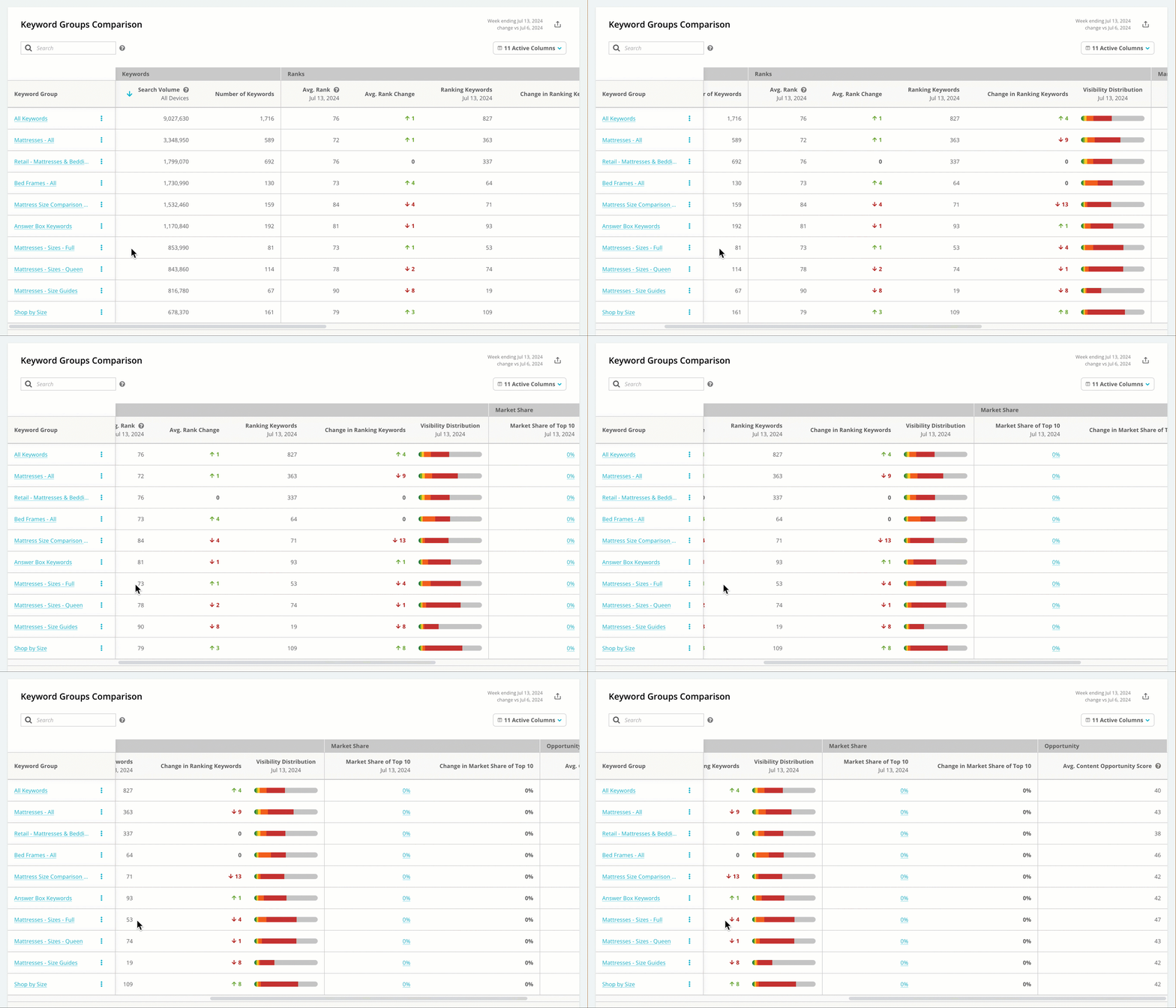
- Keyword Group Name. Click on a name in this column to jump to the Visibility Performance report, filtered for that keyword group.
- Number of Searches in the keyword group
- Monthly Search Volume
- Visibility Distribution
- Average Rank
- Number of Searches Ranked in Top 100
- Market Share of Top 10. Click on the value in this column to jump to the Market Share report, filtered for that keyword group.
- Average Content Opportunity Score. This score, on a scale of 1 to 100, reflects where you can prioritize your SEO efforts. The score is calculated based on search volume and rank.
Using Keyword Groups
- Use keywords rank to identify opportunities
- Find content gaps across the customer journey with keyword groups