
Conductor customers: Review this lesson in our Community
- In Conductor, go to the Pages ↗️ report.
- In the table, find a page you want to view keyword rankings for. If you’re not sure which to choose, consider choosing the page with the highest traffic or other metric integrated from your web analytics, such as revenue or conversions.
- In the table, click the page title and URL to go to the Page Details report.
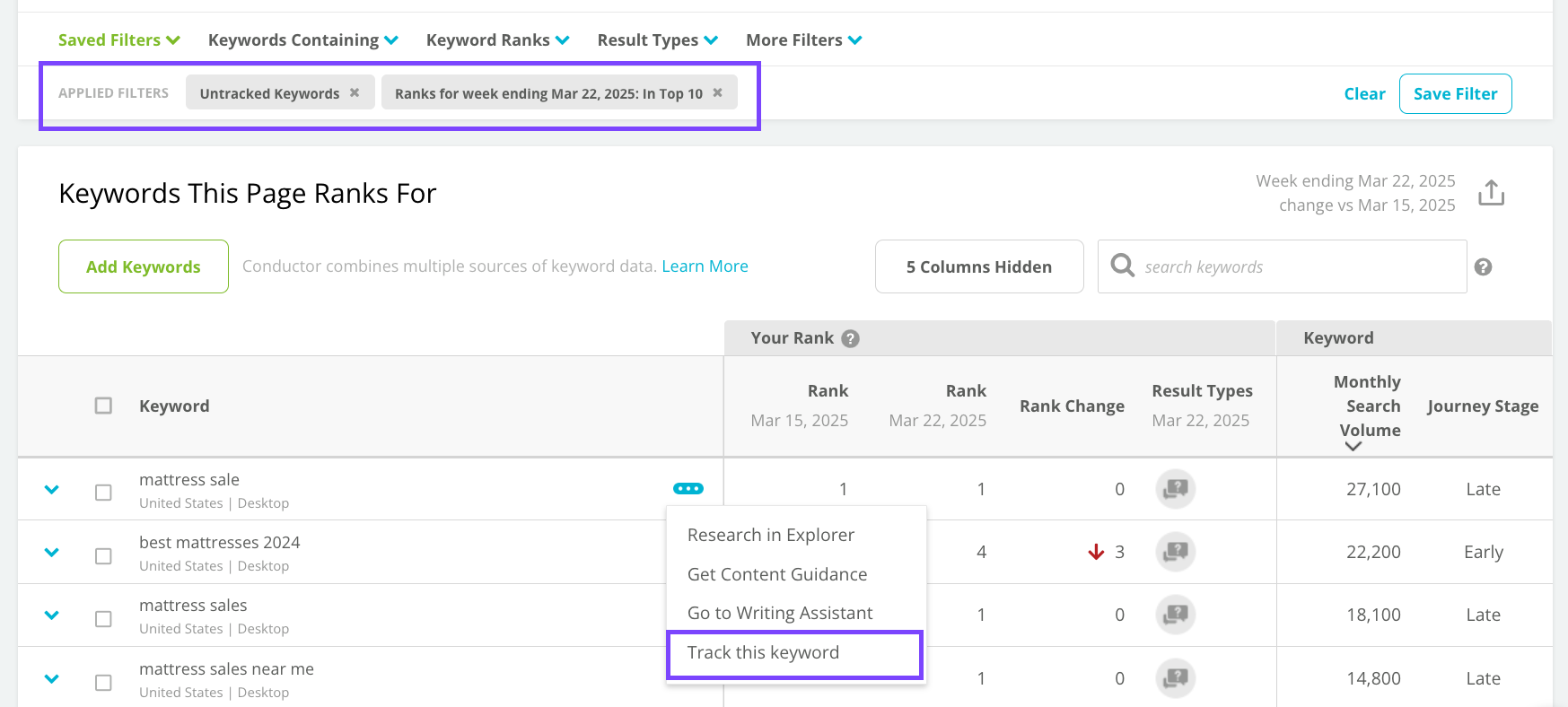
- In Page Details, scroll down to the Keywords This Page Ranks For table.
- Review the tracked and untracked keywords the page is ranks for.
- If you identify keywords your page ranks well for that you do not currently track in your Conductor account, click the ellipses icon next to the keyword and click Track this keyword. After new data is next collected, you will see keyword rank data for the keywords you added.
 What’s next?
Consider using these discovered keywords as new topical areas to address with your page’s content to better provide value to your audience using the language they are already using to find your page in search.
What’s next?
Consider using these discovered keywords as new topical areas to address with your page’s content to better provide value to your audience using the language they are already using to find your page in search.