Review Usage Data
The Subscription page shows organization-level and user-level usage data.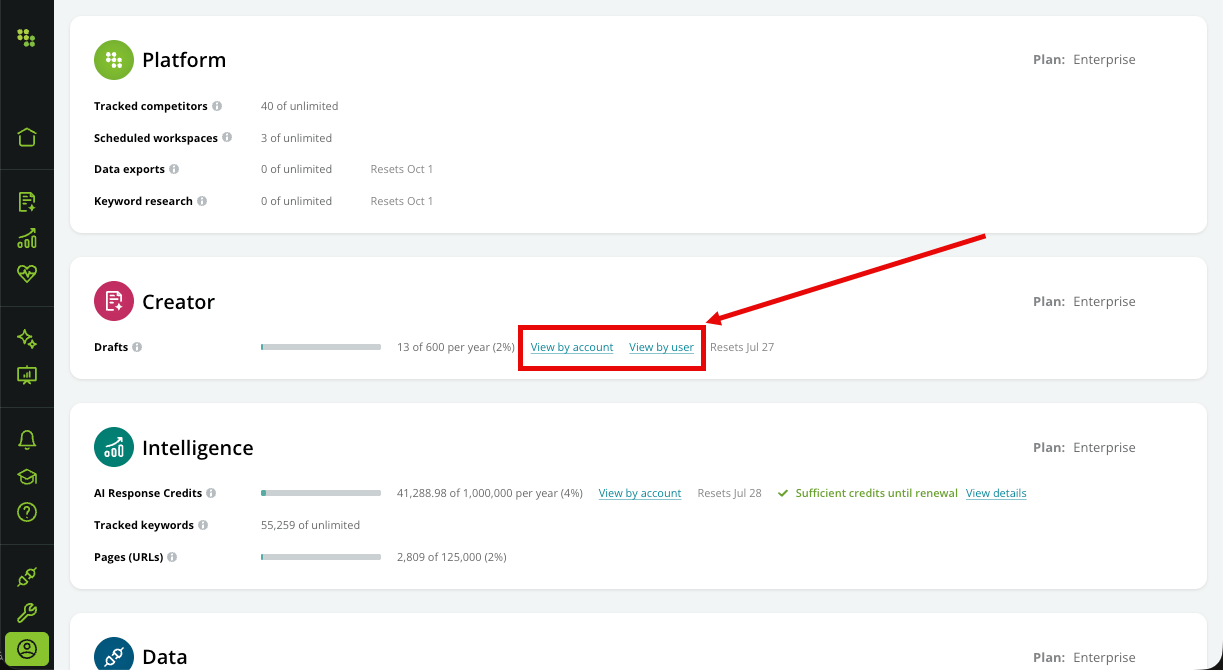
Review Account-Level Usage
You can see usage data across any accounts you have by clicking the View by account link. Each product section includes its own account breakdown, indicating the relevant usage. Accounts you don’t have access to are grouped into a single Other Accounts row. Only accounts with actual usage appear in the breakdown.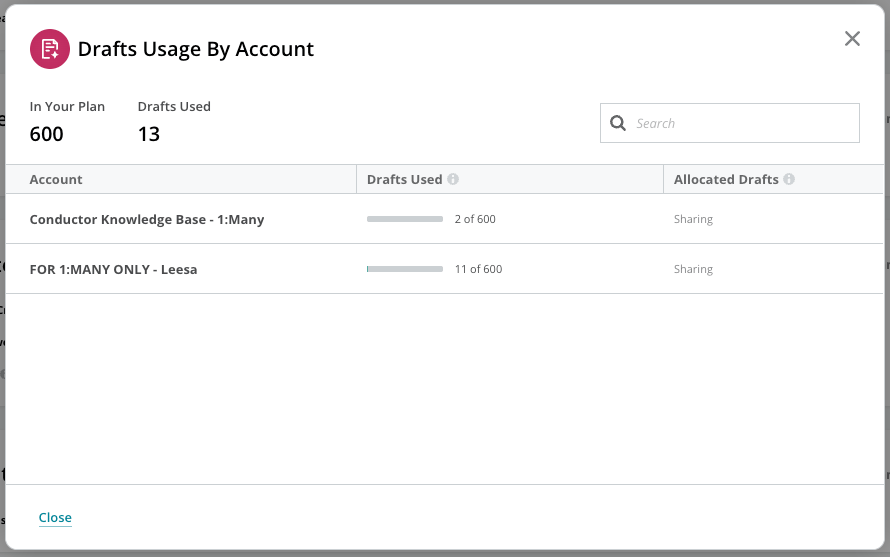
Review User-Level Usage
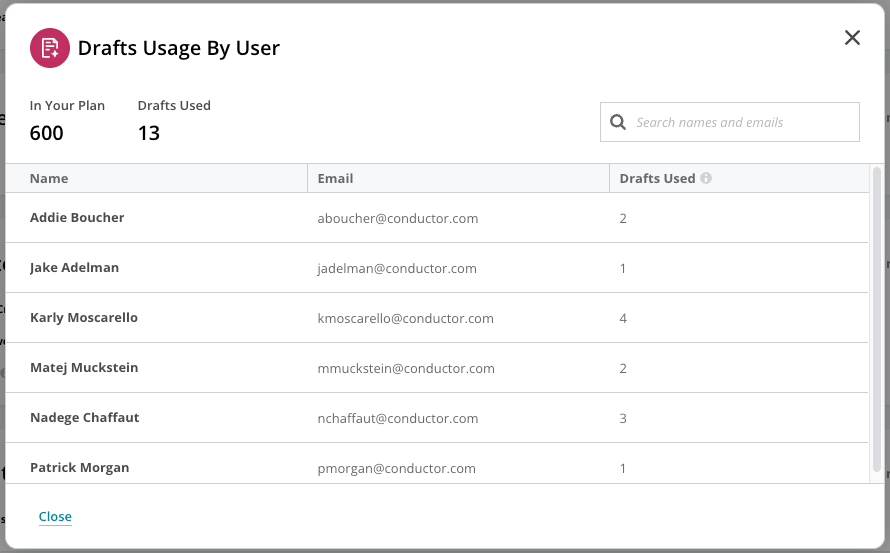
For some usage data, you can also see which individual users consumed them. Click the View by user link next to the lever to open a breakdown of each user’s consumption, shown alongside your plan’s allocation and how much of it you’ve used. View by user is available for:- MCP Tool Calls, in the Data section.
- Drafts, in the Creator section.
The user breakdown reflects your current subscription period—counts reset when the period does. It’s a view-only report: you can’t set per-user limits or allocate usage to individual users from it.
Review AI Response Credit Usage
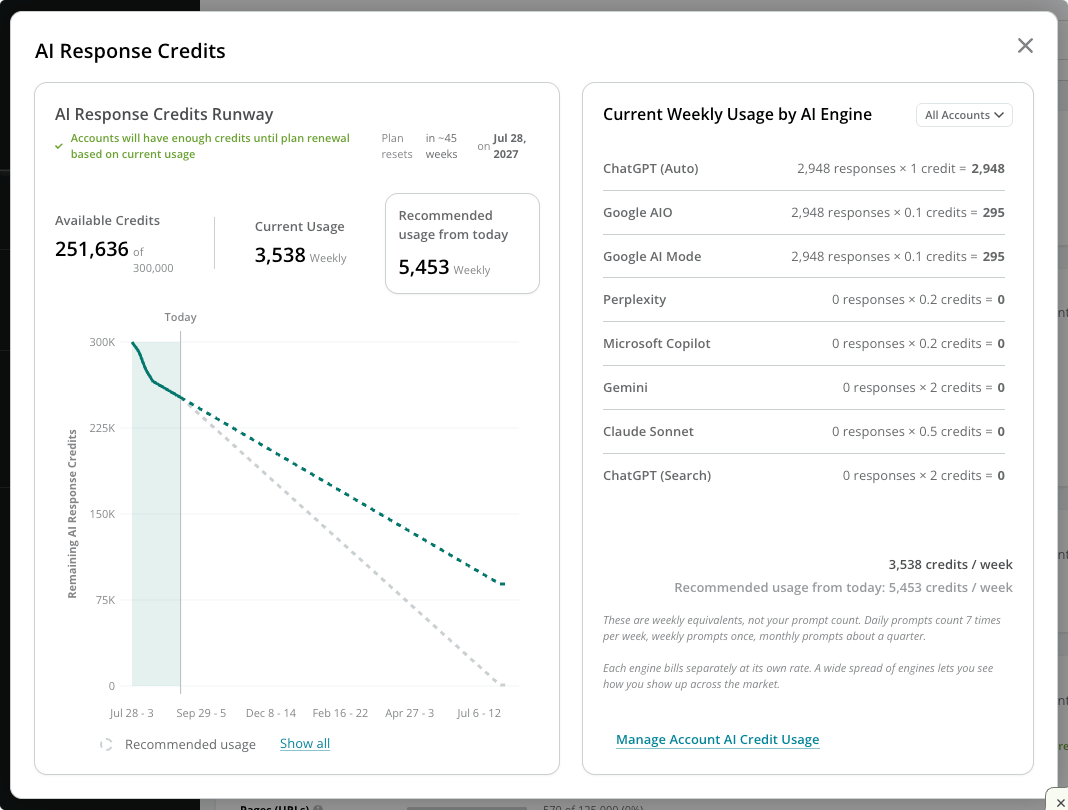
You can review your organization’s AI Response Credit usage relative to your subscription end date, across each AI engine, and across all of your accounts. In the Intelligence section, click View details. You’ll find:- Summary information about your Available Credits and Current Usage—including Conductor’s Recommended usage from today.
- The AI Response Credits Runway chart, demonstrating your Actual usage compared to Conductor’s Projected remaining usage at your current usage rate and Recommended usage.
- Current Weekly Usage by AI Engine, which you can review in aggregate or by individual account.