
AI Search Concepts
What is a brand in Conductor's AI Search Performance reporting?
What is a brand in Conductor's AI Search Performance reporting?
What is a topic in Conductor's AI Search Performance reporting?
What is a topic in Conductor's AI Search Performance reporting?
What is a prompt in Conductor's AI Search Performance reporting?
What is a prompt in Conductor's AI Search Performance reporting?
What is a persona in Conductor's AI Search Performance reporting?
What is a persona in Conductor's AI Search Performance reporting?
What is a mention in Conductor's AI Search Performance reporting?
What is a mention in Conductor's AI Search Performance reporting?
How does Conductor handle brand mentions if I have multiple domains with different brand names?
Brand configurations, including brand names and associated domains, are managed at the web property level in Conductor’s settings. This allows you to define specific brands for each web property you are tracking in AI Search.For example, if you have two different domains with distinct brand identities, you would set them up as separate web properties with their respective brand names configured. Conductor will then track mentions for those specific configured brands in relation to that web property.How are multiple mentions of the same brand counted for a single AI response?
If a specific brand is mentioned multiple times in a single AI response for a prompt, it is counted as one unique brand mention for that prompt. In other words, Conductor looks at the AI response and asks “Does this brand appear at all in this response?” If the answer is “Yes” then AI Search Performance considers it a mention.However, note that if the same response includes multiple citations of your website, each distinct citation is counted.What is a citation in Conductor's AI Search Performance reporting?
What is a citation in Conductor's AI Search Performance reporting?
How are multiple citations of the same website counted for a single AI response?
If a specific website is cited multiple times in a single AI response for a prompt, each link is counted as a citation for that prompt.However, note that if the same response includes multiple mentions of one of your brands, those mentions will be counted as one, unique mention.What does Conductor consider a "website" in AI Search Performance reporting?
What does Conductor consider a "website" in AI Search Performance reporting?
What is search intent in Conductor's AI Search Performance reporting?
What is search intent in Conductor's AI Search Performance reporting?
- Brand/Service Navigation: User seeks a specific brand, site, or known service. Not all branded prompts are of this type.
- Comparison: User directly compares alternatives.
- Education: User seeks to learn or understand.
- Other: The prompt doesn’t fit neatly into the other categories.
- Pricing: User seeks cost information.
- Purchase: User shows intent to buy or take conversion action.
- Recommendations: User seeks suggestions or options (not direct comparison).
- Support: User needs help or customer service.
What is sentiment score in AI Search Performance reporting?
What is sentiment score in AI Search Performance reporting?
How is sentiment score calculated?
AI Search Performance calculates sentiment score using a weighted average formula where each of a prompt’s mentions receives a numeric value between 1 and 10, based on whether they are positive, neutral, or negative. Those values are aggregated and then divided by the total number of mentions (for a single prompt or across all the prompts in a topic) to determine the sentiment score.This produces a score between 1 (mostly negative) and 10 (mostly positive) reflecting the overall tone of AI search responses mentioning your brand or competitors.What is sentiment category in AI Search Performance reporting?
What is sentiment category in AI Search Performance reporting?
- Health. Example sentiment: “made with nutritious and junk-free ingredients”, “improved skin texture”
- Quality. Example sentiment: “great sound”
- Price. Example sentiment: “expensive”, “budget-friendly”
- User-friendliness. Example sentiment: “Easy to use”, “Confusing Labeling”
- Popularity. Example sentiment: “two popular choices are…”
- Ethics. Example sentiment: “cruelty-free”, “more environmentally friendly”
- Service. Example sentiment: “email support”, “personalized assistance”
- Experience. Example sentiment: “tasty and organic”, “smooth on the skin”
- Misc. Catch-all for uncategorized or other miscellaneous sentiments
What are fan out queries in AI Search Performance?
What are fan out queries in AI Search Performance?
- How AI interprets questions about your brand, products, and competitors.
- Which topics and keywords AI treats as relevant when researching them.
- Content gaps—things AI is searching for that your site doesn’t authoritatively cover.
AI Search Data
How soon after adding topics and prompts to track will data appear for them in the AI Search Performance report?
How soon after adding topics and prompts to track will data appear for them in the AI Search Performance report?
How does Conductor get data about AI search engine results?
How does Conductor get data about AI search engine results?
Does tracking the same prompts repeatedly influence the AI responses Conductor collects?
Does tracking the same prompts repeatedly influence the AI responses Conductor collects?
- No previous prompts or responses are included in the request.
- No account, user, or session information is attached to the request.
- No conversation history or memory is stored or linked across collections.
Will I keep a prompt's historical data if I track it for a different topic?
Will I keep a prompt's historical data if I track it for a different topic?
- You track the prompt “best enterprise SEO platforms” for Topic A.
- You stop tracking the prompt for Topic A.
- You track the same prompt for Topic B.
- The prompt text is exactly the same.
- The prompt is tracked on the same AI search engine.
- The prompt is tracked for the same location and language.
How long will it take AI search engines to update their results based on our optimizations?
How long will it take AI search engines to update their results based on our optimizations?
Can I review mention and citation data even if my own brand isn't mentioned or cited?
Can I review mention and citation data even if my own brand isn't mentioned or cited?
Does Conductor provide the search volume for each AI prompt or topic?
Does Conductor provide the search volume for each AI prompt or topic?
- Any figures provided by other tools are typically based on sampling or proxy data.
- Measuring prompt-level search volume may not be meaningful due to their highly specific and personalized nature.
- A widely accepted method for measuring topic-level volume has not yet been established.
Why doesn't my report show sentiment, intent, or persona data?
Why doesn't my report show sentiment, intent, or persona data?
What is the difference between “No AI response generated” and “No AI response collected”?
What is the difference between “No AI response generated” and “No AI response collected”?
No AI response generated
Conductor successfully submits a tracked prompt to an AI search engine, but no AI response is returned. This is most common for Google AI Overviews, where AI responses are generated only for 50–70% of prompts.No AI response collected
Conductor could not successfully collect a response from the AI search engine for the tracked prompt.Can I export AI responses and fan out data?
Can I export AI responses and fan out data?
- AI Response—the full text of the AI search response for each prompt.
- No of Fan out Searches—the number of fan out queries the AI engine ran for the prompt.
- Fan out Search Queries—the individual fan out queries the AI engine generated for the prompt.
Which AI response appears for a monthly or weekly time period?
Which AI response appears for a monthly or weekly time period?
- If you are the only account tracking a prompt monthly, the collection most likely ran at the beginning of the month.
- If another account tracks the same prompt daily, Conductor uses the latest daily collection in the period. For example, the response for September comes from the September 30 collection.
- If another account tracks the same prompt weekly, Conductor uses the latest weekly collection in the period. For example, the response for the week of October 11–17 comes from the October 17 collection.
AI Search Configuration
Who can configure topics and prompts in AI Search Performance?
Who can configure topics and prompts in AI Search Performance?
What’s the difference between Daily, Weekly, and Monthly tracking?
What’s the difference between Daily, Weekly, and Monthly tracking?
- Daily — for high-priority or fast-moving areas.
- Weekly — for active strategic monitoring.
- Monthly — for broader, lower-frequency coverage.
How does Conductor generate suggested topics and prompts for AI Search Performance tracking?
How does Conductor generate suggested topics and prompts for AI Search Performance tracking?
How does Conductor determine the topics it generates?
When you track a topic in Conductor’s AI Search Performance, the AI engine automatically generates a set of up to 100 prompts that represent the topic. These prompts are designed to reflect how users might signal their interest in that topic in AI search engines. The data collected from these prompts helps to understand how your brand performs in terms of visibility in AI search results, providing insights into user intents and behaviors. Here’s how our process gets you the best results:1. Domain Context Gathering
We collect essential information about your business environment. Using our proprietary web intelligence data, we gather signals like your organization’s description, your industry, recent news, and important themes in your market to ensure that generated topics align with your real-world business context.2. Keyword Analysis (If Applicable)
If you are already tracking keywords in Conductor Intelligence, we analyze your keywords with the highest search volumes to understand your current SEO strategy, and identify which themes are generating the most search demand.3. Content Analysis (If Applicable)
If Conductor Intelligence has crawled your website content, we analyze your pages using semantic clustering to understand which topics your site already covers well and where your content authority exists.4. Topic Generation
We combine domain context, keyword analysis (when available), and content analysis (when available) to generate relevant topic suggestions. These suggestions are designed to help you defend and expand your organic search reach while focusing on topics that matter to your audience.How does Conductor determine that the prompts it generates are the best prompts to represent the topic?
Your prompts are generated based on your keyword tracking, and consider factors like search intent and your configured personas. This provides a holistic approach for understanding what your organization cares about and the kinds of queries your customers might pose to an AI search engine. The process involves a few key steps:Identifying Topics
- With Tracked Keywords: The system analyzes your top 1,000 keywords with the highest search volume to suggest relevant topics.
- Without Tracked Keywords: The system uses your website domain to understand your business and recommend topics based on your content.
Generating Prompts
For each topic, the system generates an initial set of 100 prompts.It uses a “natural distribution” approach, using the AI’s training on billions of data points to create a diverse set of questions that reflect how people actually ask questions. The goal is to provide a realistic and broad sample of queries, rather than forcing a rigid structure.Classifying Personas and Intent
After the prompts are generated, the AI analyzes each prompt and assigns personas and a search intent to them.This approach ensures the prompts are not artificially constrained, allowing for a more authentic and natural distribution of questions. This is why the number of prompts per persona or intent may vary—it reflects real-world search patterns.Branded vs. Unbranded Prompts
By default, the system generates a mix of branded and unbranded prompts based on a natural distribution.You can use a toggle to exclude branded queries, which instructs the AI to avoid creating prompts that mention your brand or your competitors’ names.Custom Instructions
You can also provide free-form custom instructions at either the topic level or the prompt level to guide how the generator works. Instructions are plain-English and layered on top of the default generation logic — they don’t replace your keyword data, content analysis, or persona signals. Four common instruction patterns:Establish hard constraints: Words to require or avoid, audience locks (B2B vs. B2C), or fixed splits across intents.Shape the purpose behind prompts: Bias the set toward a specific stance, like “problem-aware” topics or “how-to” prompts.Set context:- Provide one to two example topics or prompts in the format you want and the generator will mirror the pattern.
- Anchor generation to a season, event, or time horizon.
Need more prompts?
If you want more prompts generated for more topic coverage or fewer to account for AI Response Credit budgeting, you can contact your Conductor representative to learn more about your options.How should I write a good custom instruction?
How should I write a good custom instruction?
- State the rule as a constraint, not a preference. “Exclude any B2C or retail-oriented topics” beats “we prefer B2B topics.”
- Provide 1–2 concrete examples of what “good” looks like. “Follow this pattern: [Technology] + [Industry] + [Outcome]” gives the generator a target.
- Anchor timeframes explicitly. “Emerging trends for the next 6 months” is more useful than “recent topics.”
- Keep each instruction to one idea. If you have several rules, list them on separate lines.
How does Conductor differentiate brand mentions if I have multiple domains with different brand names?
How does Conductor differentiate brand mentions if I have multiple domains with different brand names?
How does Conductor differentiate brand mentions when I track a primary brand and its sub-brands?
How does Conductor differentiate brand mentions when I track a primary brand and its sub-brands?
Which AI search engines does Conductor support for topic tracking in AI Search Performance?
Which AI search engines does Conductor support for topic tracking in AI Search Performance?
- ChatGPT (Auto). This reflects the default experience when using OpenAI’s consumer ChatGPT product, which may include live web search results.
- ChatGPT (Search). This reflects the experience when using OpenAI’s consumer ChatGPT product and specifically choosing to use the Web Search mode.

- Claude Sonnet. This is the model Claude uses by default.
- Gemini. Note that, depending on the prompt, Gemini strategically uses live search only when it determines that external, current information is necessary to provide an accurate and relevant answer.
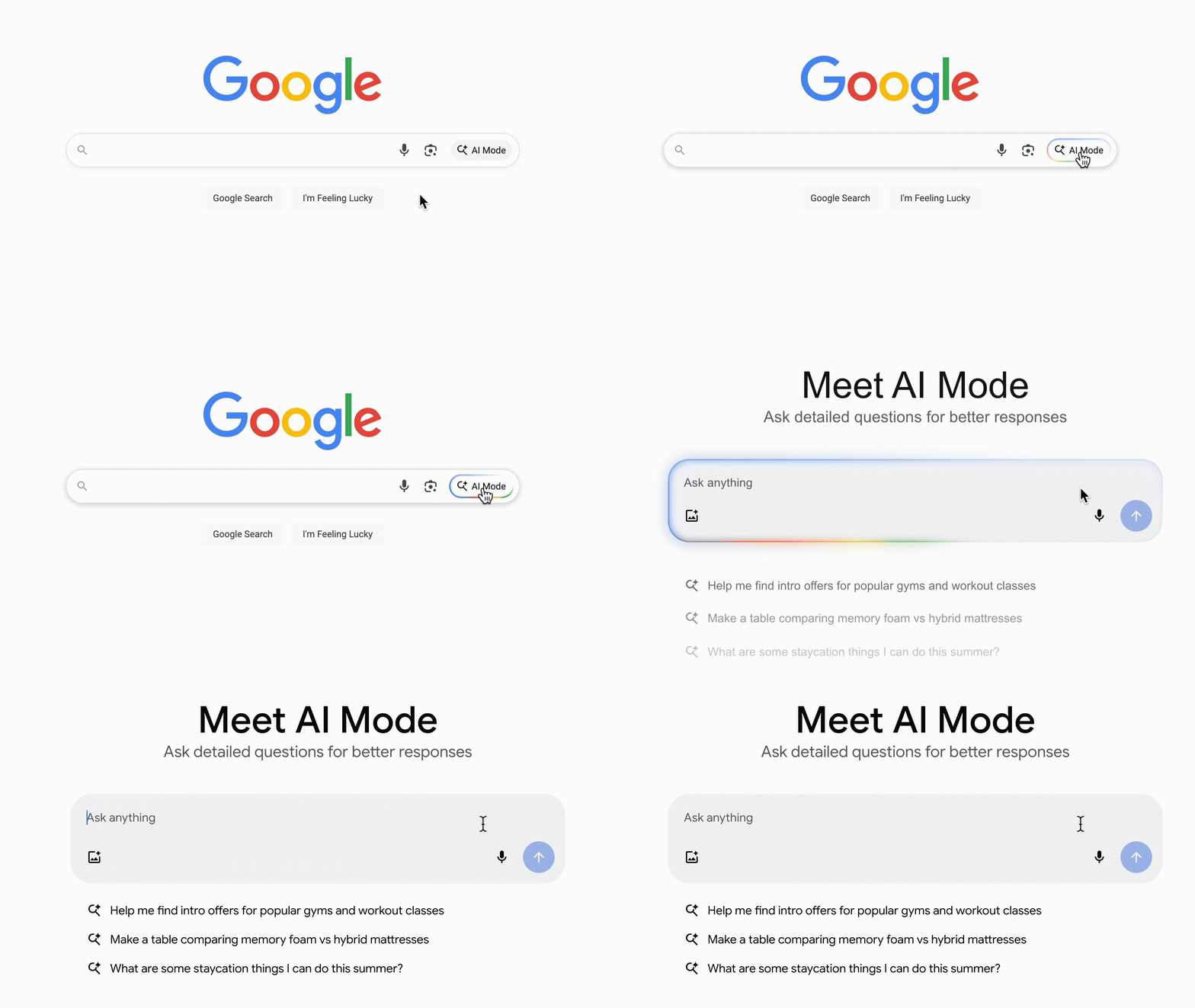
- Google AI Mode. This refers to queries made in Google’s AI Mode.
- Google AIO. This refers to Google’s AI Overview results.
- Grok (Auto)
- Microsoft Copilot
- Perplexity
How does Conductor decide which AI search engines to track?
Conductor evaluates which AI search engines to track based on their overall popular usage and on our customers’ feedback. If there are specific engines that you think we should add to the platform, please let us know: Conductor SupportWhat locations and languages does Conductor support for tracking topics with AI Search Performance?
What locations and languages does Conductor support for tracking topics with AI Search Performance?
Country-Level Locations
Conductor supports the country-level locations and languages that are available to gather data from the APIs provided by our supported AI search engines. If the search engine provides data for a particular country through their API, then you’ll be able to see data for that location in Conductor. The list of current supported locations is listed below.More-Granular Locations
Specific location tracking is available for prompts tracked on all supported engines except Claude Sonnet, Google AI Mode, and Microsoft Copilot. Available cities and states reflect the same list Conductor Intelligence uses for keyword tracking. Just select the location and language and you’ll see a link to add more-specific locations: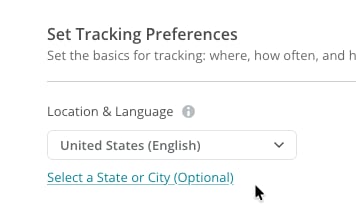
Can I see a list of popular prompts for which my brand is appearing as a mention or my website is used in a citation without specifying topics by entering my domain or brand name?
Can I see a list of popular prompts for which my brand is appearing as a mention or my website is used in a citation without specifying topics by entering my domain or brand name?
Can I rename a topic I already track?
Can I rename a topic I already track?
Why are topics used for grouping prompts in AI Search Performance?
Why are topics used for grouping prompts in AI Search Performance?
Can I explicitly include or exclude specific prompts in each topic?
Can I explicitly include or exclude specific prompts in each topic?
- Custom Instructions (during topic and prompt generation): Use hard constraints like “Exclude competitor names X and Y” or “Always include the word ‘organic’” to shape what the generator produces before you ever review the list.
- Manual edit (after generation): In the Final Review step, download the prompt list as an XLSX, edit rows directly, and upload it back into Conductor.
How many prompts may I add to a topic?
How many prompts may I add to a topic?
Can I see citations for subfolders instead of domains (e.g., www.example.com/us/)?
Can I see citations for subfolders instead of domains (e.g., www.example.com/us/)?
What is a prompt group and how does it differ from a topic?
What is a prompt group and how does it differ from a topic?
- Topics organize prompts by theme—they are semantic and thematic.
- Prompt groups are more flexible. A group can be broader or narrower than a topic, and it can cut across topics. Think of a group as a custom lens that surfaces a specific quality in your data—who created a prompt, the persona or location it targets, the engine you track it on, or the campaign it supports.
AI Response Credits and Credit Usage
What are AI Response Credits?
What are AI Response Credits?
Why do responses from different AI search engines use up AI Response Credits at different rates?
Why do responses from different AI search engines use up AI Response Credits at different rates?
How do I calculate my AI Response Credit usage?
How do I calculate my AI Response Credit usage?
AI Response Credits Estimator
Enter your estimated number of prompts for each AI search engine to calculate your credit usage per week and per year.Can I track new topics and prompts even though I have insufficient AI Response Credits?
Can I track new topics and prompts even though I have insufficient AI Response Credits?