
How to use the playground
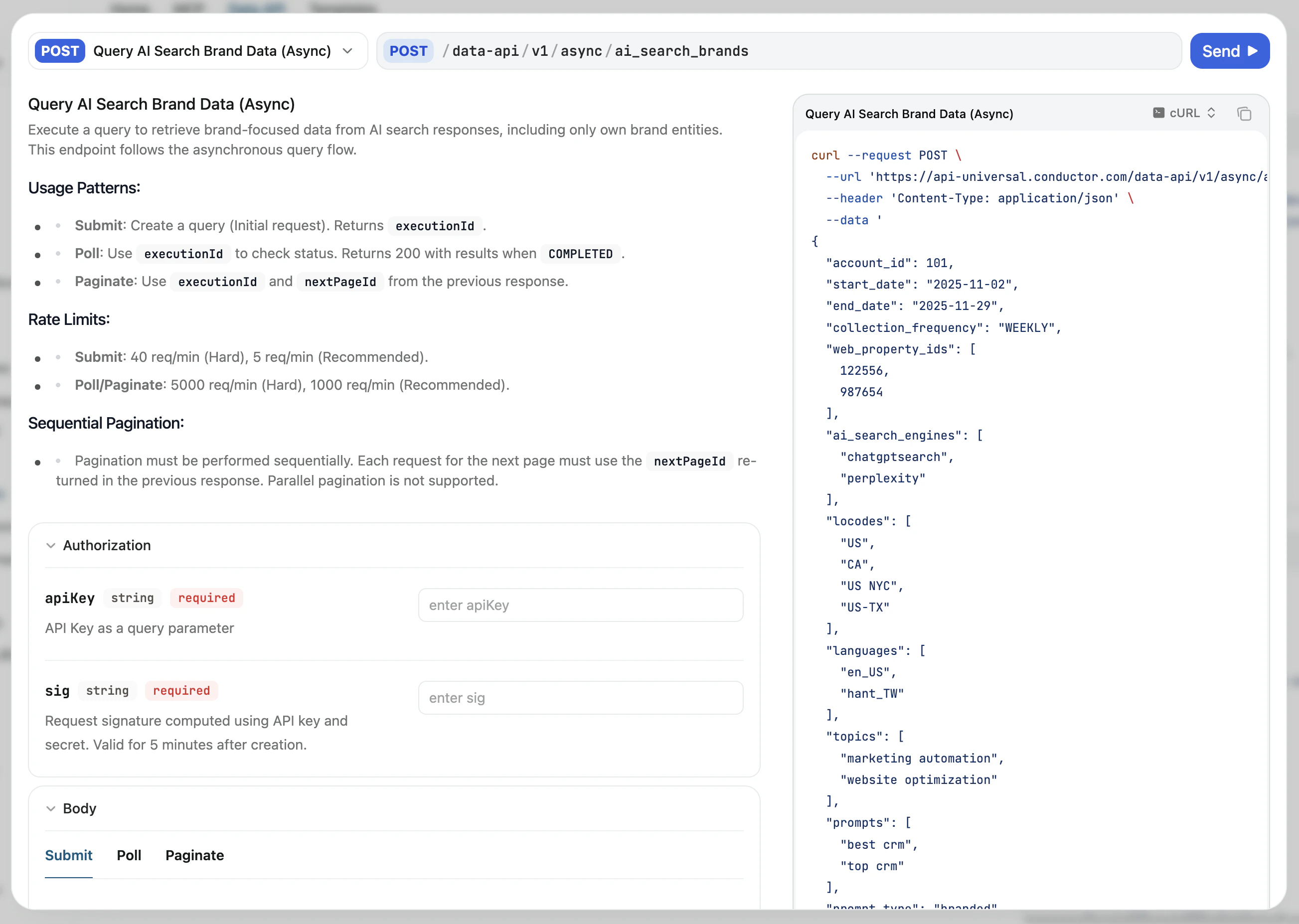
Open an endpoint page
Navigate to any endpoint documented below. Each endpoint page has its own interactive request form.
Set authentication inputs
Add
apiKey and sig as query parameters. The sig must be re-generated every five minutes—see Authentication for how to compute it.Send a request
Provide the required body fields for the endpoint, then send the request and review the live response.
Some API endpoints use an asynchronous execution model: an initial POST returns a
202 with an executionId, which you poll until you receive a 200 with executionState: "COMPLETED". See Asynchronous queries for the full flow.This workflow is ideal for developer handoff: Conductor users can validate inputs in the UI, and engineers can then productionize the exact request and response contract. If you are a non-developer, learn more in the API for Non-Developers article.
Where to go next
- Configuration API playground: account configuration and metadata
- Data API playground: reporting for analysis
- Content API playground: draft creation, insight generation, and more