Basic Analytics Integrations
With basic integrations—available in all subscription plans—organizations can integrate only Google Analytics with the Conductor platform.Advanced Analytics Integrations
With advanced integrations, organizations can integrate Google Analytics, Adobe Analytics, IBM Digital Analytics, or create custom analytics integrations. Additionally, if you use Google Analytics or Adobe Analytics, you can filter the data you integrate by using any segments from your analytics profiles to show only the data that is relevant for your content in Conductor.Looking to integrate analytics with Conductor Monitoring?You can learn more about integrating analytics in Conductor Monitoring:
To set up an integration, refer to one of the integration guides listed below:
- Integrate Adobe Analytics with Conductor
- Integrate Google Analytics (GA4) with Conductor
- Integrate IBM Digital Analytics with Conductor
- Integrate Custom Analytics with Conductor (via email)
- Integrate Custom Analytics with Conductor (via SFTP)
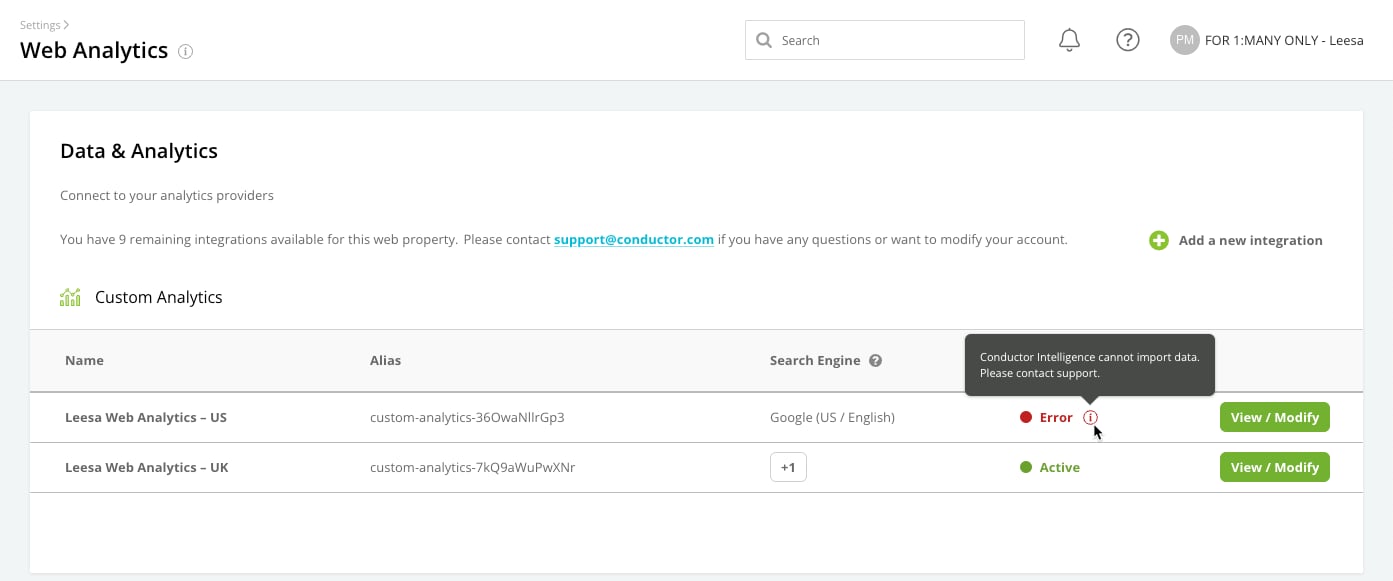
The Web Analytics Settings Activity
Following the path Integrations > Web Analytics takes you to the activity in Conductor Intelligence where you can integrate new connections to your web analytics providers or administrate your existing connections. Here, you can find details about each integration and links to view and modify existing integration settings.