
Available tools
Conductor’s plugin includes the current set of tools:tracked_configsai_brand_insightsai_citation_insightskeyword_insightsai_query_fan_out_insights
Configure Conductor for ChatGPT and Codex
This is the fastest path and requires no API token. Once installed, the plugin is available in ChatGPT and Codex.OpenAI allows organizations to choose whether non-Admin users may add specific Plugins and Apps to their accounts or whether they need to request access.To add Conductor’s plugin, your organization’s ChatGPT Admins might need to allow the plugin to be installed on your account.For more information about provisioning and permissioning plugins, refer to OpenAI’s documentation.
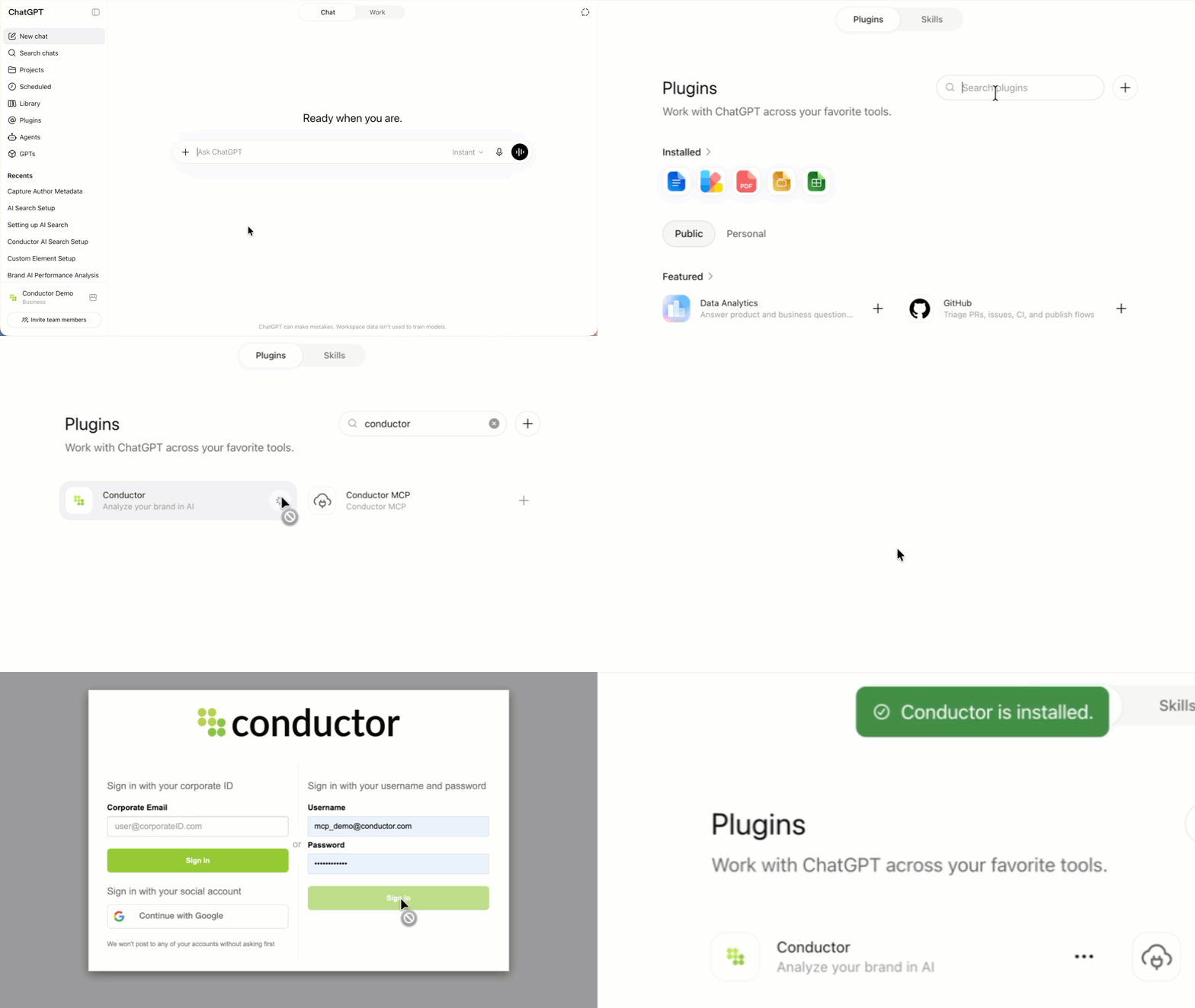
- Go to ChatGPT.
- If you are not already, sign into the paid account you want to use to configure this integration. Be sure to use the correct account (likely an account belonging to your organization and not your personal ChatGPT account).
- In the navigation menu on the left, click Plugins.
- Search for and select the Conductor app in the Plugins marketplace.
See more than one Conductor plugin? Choose the plugin with the latest version. You can find this in the Information section after you click the plugin in the marketplace.
- Click Install plugin.
If you see Disabled by admin instead of the Install plugin button, contact your Workspace admin to enable the plugin for your organization as described above.
- Authenticate using your Conductor credentials.
Query your data
In ChatGPT, click the + icon, and in the More menu, select your Conductor plugin.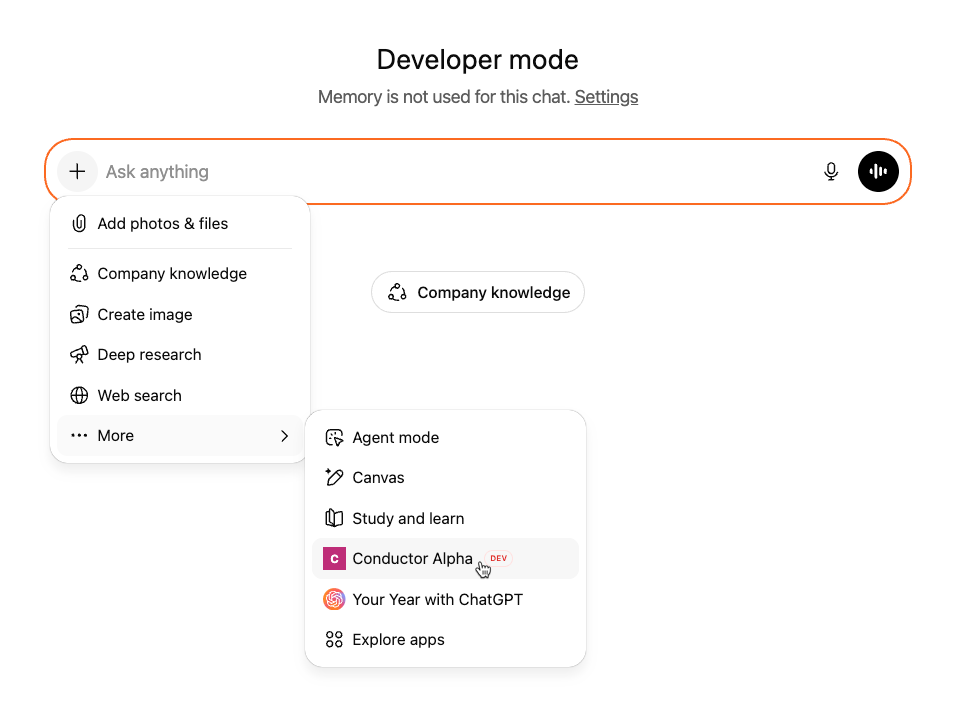
FAQs
Review this feature’s frequently asked questionsChange Log
- 2026-07-30 · Added — Conductor’s plugin for ChatGPT and Codex now includes the
keyword_insightstool. Traditional search data—rankings, seasonality, SERP result types, and competitive rankings—no longer requires a custom connector. - 2026-07-08 · Added — Setup guide for connecting Conductor’s MCP to OpenAI’s Codex through a custom connector.
- 2026-07-08 · Changed — Setup now uses bearer-token authentication. Generate an API token in Conductor and supply it when adding the connector.