
Build From Approved Context



What Is Image & Video Creation? Why Does It Matter?
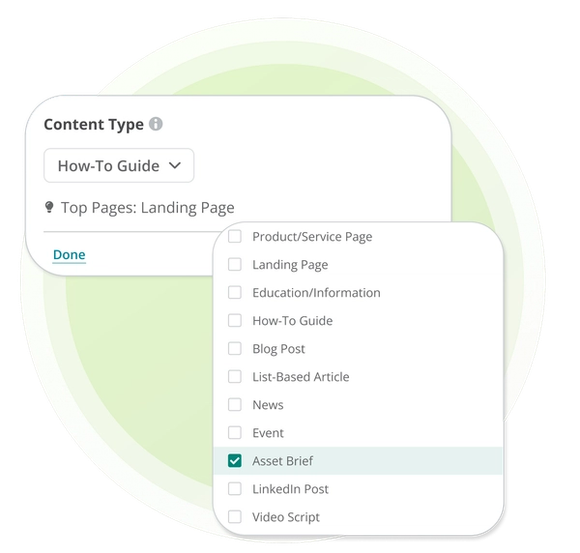
Image & Video Creation turns the context behind a Writing Assistant draft into an Asset Brief or Video Script. Audience, campaign direction, brand rules, and approved sources remain connected as work moves from copy into visual production.
Conductor supplies the brief and enterprise context. Actions can route that direction to a design or production team, while MCP can carry it into a connected AI surface where the media model performs generation and editing.
Your team directs each iteration, reviews the output, and approves the final asset. Publishing and asset permissions remain in the systems where finished content is managed.
Create Every Asset From One Campaign Narrative
One approved narrative gives every format a stronger starting point. Keep the audience, facts, and campaign direction connected across copy, images, and video.
- Maintain Narrative Consistency: Carry the message, audience, and approved source material from the draft into each Asset Brief and Video Script.
- Start Production With Clear Direction: Give marketers and creative teams a defined objective, visual direction, timing, and approved context before production begins.
- Keep Creative Judgment Human-Led: Let your team direct each iteration, review the output, and approve the final asset before publication.
How Conductor Grounds Visual Creation
Conductor grounds visual production in the same enterprise context used for written content. Drafts provide the narrative, Content Profiles apply brand and audience rules, and Knowledge Sources supply approved facts. Actions and MCP carry that direction into execution.
- Start From the Associated Draft: Use the Writing Assistant draft to keep each visual concept and video narrative aligned with the content it supports.
- Apply Reusable Brand and Source Context: Bring relevant Content Profiles and Knowledge Sources into the workflow so the brief reflects approved guidance and organizational expertise.
- Route or Create Where Work Happens: Send the brief to creative teams through Actions, or carry it through MCP into an AI surface for direct generation and refinement.
Put Image & Video Creation Into Action
Related Resources and Guides


Did you know?
This page was created using Writing Assistant in Conductor Creator. Learn more:


